pg.18
STORAGE
DisconnecttheTubing
IfyouneedtodisconnectthetubingfromtheCube:
Pressthetubedisconnectbuttonlocatedonthebottomofthe
Cube(refertopage9).
Removethetubefromtheconnector.
Note:Removingthetubewithoutpressingthetubedisconnect
buttonlocatedonthebottomoftheunitcandamagethe
connectors.
HowtoremovewaterfromtheChiliPad™
IftheCubewillnotbeinuseforanextendedperiod,youshouldpurgethe
waterfromboththeCubeandthePad.
TodraintheChiliPad™youwouldusewaterdrainage
adapter.Toobtainoneofthesepleasecontact
customerservice@chilitechnology.comorcall1‐877‐235‐
6271.
TodrainthewaterfromtheCube(afterunpluggingand
disconnectingthepad),takethecubetoasinkorbucket,
removethewaterreservoircapanddrainthewater(pour
awayfromthedisplaypanel,i.e.drainfromoppositesideofthe
connectorsinordertoavoidgettinganywateronthedisplay
panel).
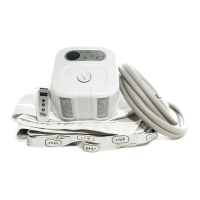
StoringtheCube
DisconnecttheconnectiontubingfromtheCubeusingthe
disconnectbuttononthebottomontheCube(refertopage
12).
Drainanyremainingwaterfromtheunitbyremovingthe
waterreservoircap.GentlytilttheCubesothewaterdrains
throughthereservoiropening.Replacethecap.
WrappingthepowercordaroundtheCubemaydamagethe
cord.Pleasewrapthepowercordlooselyduringstorage.
Removethebatteriesfromtheremotecontrol.
StoretheCubeandremotecontrolinaclean,dryplace.
PleasevisitourChiliGuru’sforadditionalassistancewithroutinecleaningand
maintenance.http://www.chilitechnology.com/chili‐guru‐help‐videos/


 To Next Page