EasyManua.ls Logo

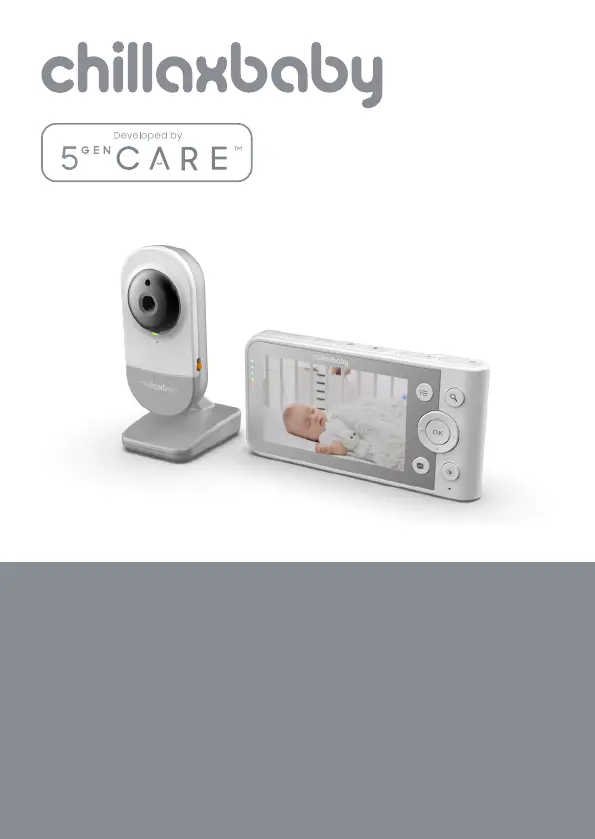
ChillaxBaby DM640 - User Manual

ChillaxBaby DM640
36 pages
Print Icon
To Next Page IconTo Next Page
Loading...
USER’S GUIDE
4.3" Wi-Fi
®
Video Baby Monitor
MODELS: Daily Baby
DM640, DM640-2, DM640-3, DM640-4

Questions and Answers

  • B
    brendan60Aug 17, 2025
    Why do I get a message 'We are having problems accessing your camera' on my ChillaxBaby Baby Monitor?
    • K
      kdeanAug 17, 2025
      If you receive the message 'We are having problems accessing your camera' on your ChillaxBaby Baby Monitor, it may be due to an issue with your internet connection. Please wait a few minutes and try again. If the problem persists, restart your camera and then your wireless router to see if that resolves the issue. The cause of the problem is lack of internet connection.
  • S
    Scott HaynesAug 20, 2025
    What to do if I forgot my ChillaxBaby DM640 Baby Monitor password?
    • J
      Jeffrey AnthonyAug 20, 2025
      If you forgot your password, check your Android™ or iOS application. An email will be sent to your registered email address.
  • R
    Randall KimAug 22, 2025
    Why is my ChillaxBaby DM640 Baby Monitor video cut off with lost sound and choppy video?
    • B
      Betty SparksAug 23, 2025
      To ensure continuous video/audio streaming on your ChillaxBaby Baby Monitor, you will need to turn off the Auto Lock function of your device.
  • L
    Laura BrownAug 26, 2025
    Why am I unable to receive a one-time password for my ChillaxBaby DM640 Baby Monitor?
    • S
      Sandra ClarkAug 26, 2025
      If you are unable to receive a one-time password, check your Junk Mail Folder, as the email might have been sent there. Also, there might be a delay in getting your e-mail, so please wait a few minutes and refresh your email account.
  • A
    Adam BrownAug 28, 2025
    Why is my ChillaxBaby DM640 camera shown as remote on the same Wi-Fi network?
    • M
      Megan JohnsonAug 28, 2025
      If your ChillaxBaby Baby Monitor camera is shown as remote even when you are accessing it from the same Wi-Fi® network, check your wireless router settings. For example, for Buffalo brand routers there is an option called Wireless Isolation. Please disable this option.
  • A
    Amanda SmithAug 31, 2025
    How to fix ChillaxBaby DM640 Baby Monitor when I can't find my camera during setup?
    • J
      James BeckerAug 31, 2025
      If you are unable to find your ChillaxBaby Baby Monitor Camera during the last step of setup on Android™ and iOS devices, reset the Camera to setup mode and try again. Press and hold the PAIR button on the side of the camera until you hear a beep and voice prompt ‘Ready for pairing’. When the Camera LED is off, this indicates that it is in setup mode. Now restart the setup from your smartphone again.
  • M
    Melissa BaxterSep 2, 2025
    How many users can access ChillaxBaby DM640 Baby Monitor camera at one time?
    • J
      Jason TaylorSep 2, 2025
      The ChillaxBaby Baby Monitor allows up to 4 users access with proper network connections.
  • C
    craig76Sep 5, 2025
    Why am I unable to access my ChillaxBaby DM640 Baby Monitor camera?
    • M
      michelle36Sep 5, 2025
      If you are unable to access your ChillaxBaby Baby Monitor Camera, check if the Camera is within Wi-Fi® range. Try moving the Camera closer to the router for better Wi-Fi® connectivity and try again.
  • M
    Michele NicholsSep 8, 2025
    Why am I unable to login to my ChillaxBaby DM640 Baby Monitor account after registration?
    • C
      Chelsey MorganSep 8, 2025
      If you are unable to login to your ChillaxBaby Baby Monitor account after registration, please check your user name and password.
  • T
    Tracy FoxSep 12, 2025
    Why I do not hear any sound when accessing a remote ChillaxBaby DM640 Baby Monitor Camera?
    • A
      Adriana MccormickSep 12, 2025
      If you do not hear any sound when accessing a remote ChillaxBaby Baby Monitor Camera, tap on the speaker icon in the video stream screen to hear audio. By default the audio is not ON when you are accessing a remote Camera.

Summary

Safety Instructions

Getting Started

Connecting Power Supplies

Connects power adapters to the baby and parent units for initial setup and charging.

Using the Baby Monitor

Parent Unit Menu Options

Alarm and Camera Control

Setting alarms and managing camera pairing, viewing, and deletion.

Wi-Fi Internet Viewing

System Requirements and Connection Setup

Minimum requirements and initial steps for connecting devices to Wi-Fi viewing.

Device Setup and Account Creation

Setting up the camera, creating a ChillaxCare account, and signing in.

Adding Camera to Account

Procedure for adding the baby monitor camera to your ChillaxCare account.

Help and Troubleshooting

Display and Registration Issues

Troubleshooting steps for display problems and lost baby unit links.

Technical Specifications

ChillaxBaby DM640 Specifications

General IconGeneral
BrandChillaxBaby
ModelDM640
CategoryBaby Monitor
LanguageEnglish

Related product manuals