●If you want to stop massage, press button again.
Automatic Massage Programs
●Press the button on the Remote Controller, the Massage Chair begins to Automatic
Massage Programs and the correspond symbol is lighting on the LCD. Under this condition,
you can enjoy a continuous massage on the whole course of back and adjust the speed, level and set
up time to suit individual needs.
●Press button again to end any of the automatic programs.
Manual Massage Programs
● It allows you to mix and match from a choice of massage actions, you can adjust massage
action,s speed, level or position to suit yourself.
● 3 Back Massage Programs:
- Kneading Massage
- Swaying Massage
- Finger-Pressing Massage
●3 Air Massage Programs:
- Hip Air Massage
- Calf Air Massage
- Calf/Foot Traction Air Massage
●1 Additional Massage Program:
- Heating Massage
-
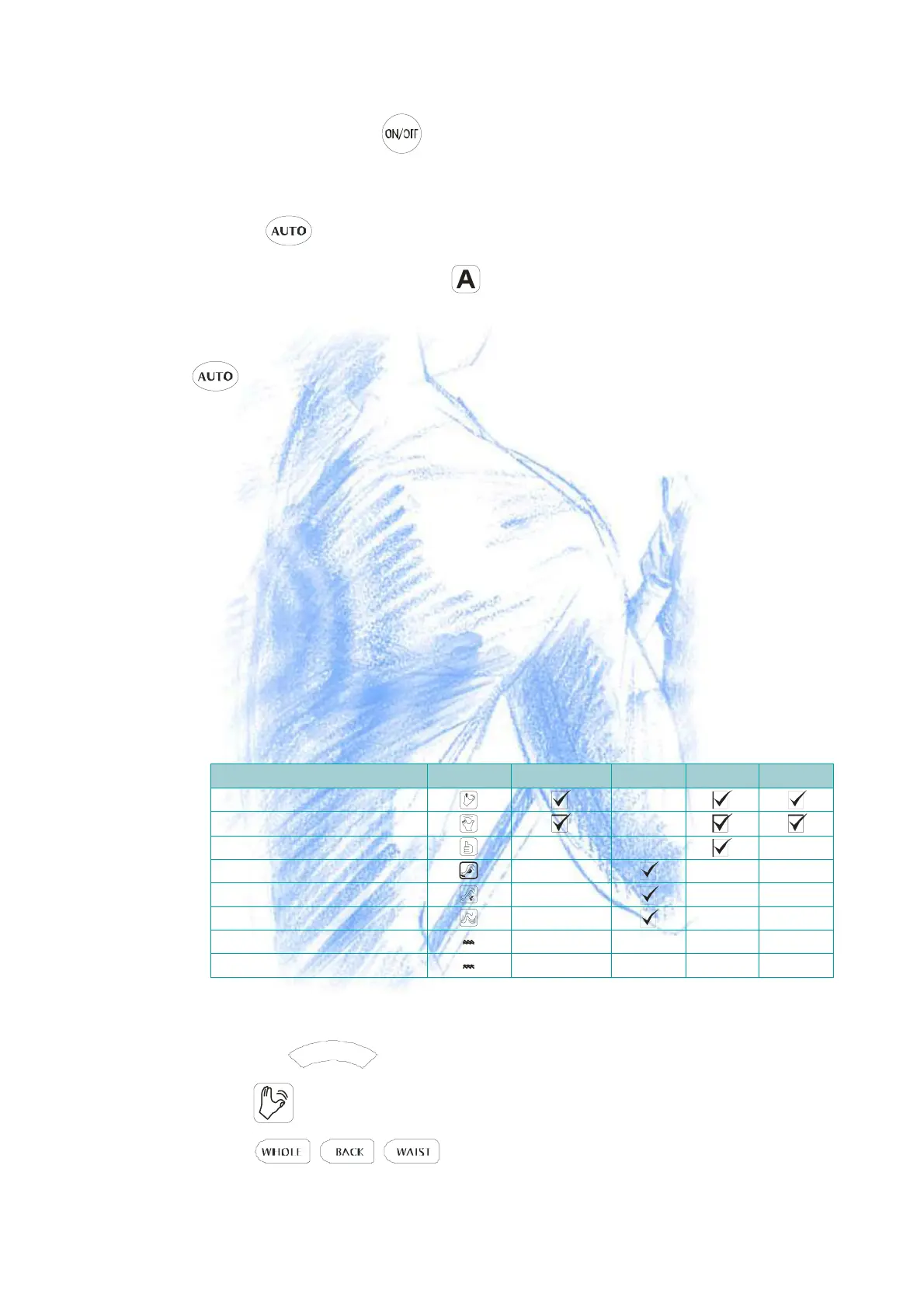
Please see the following form for detail.(CHAR T1)
Foot Heating Massage
K n e a d in g
F ing e r-P re s s in g
Massage Programs
LCD
Speed Adjustment
Level
Hip Air Massage
S w a y in g
Parts
Up/down
Calf Ai r Massage
Back Heating Massage
Calf/Foot Traction Air Massage
How to operate Back Massage Programs
- 1.kneading Massage
- ●Press the
K
N
E
A
D
button, it begins to Kneading Massage and the correspond
icon is lighting on the LCD.
- ●Press
button to select one of 3 massage parts.


 To Next Page