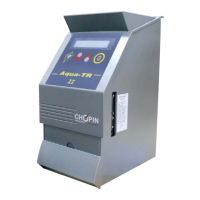
Need help?
Do you have a question about the Chopin Agri-TR and is the answer not in the manual?
Explains the operating principle and calibration curve of the Agri-TR capacitive moisture tester.
Comprehensive guide for the initial setup and installation of the Agri-TR device.
Instructions on how to safely remove the Agri-TR apparatus from its original packaging.
Steps to remove the protective elements used during transport.
Instructions for re-installing the transport protection for future use.
Lists all items included in the Agri-TR package, illustrated with a diagram.
Guidance on selecting a stable surface and avoiding adverse environmental conditions for installation.
Details on connecting external devices like computers and printers to the Agri-TR.
Information on connecting the Agri-TR to the power supply and ensuring proper electrical grounding.
Procedure for powering on the Agri-TR and understanding the selfchecking sequence.
Explains the function of each key on the Agri-TR's control panel.
Covers the operational procedures and settings for using the Agri-TR.
Step-by-step guide on performing a basic measurement cycle with the Agri-TR.
Details on performing adjustments and controls directly on the Agri-TR keyboard.
Accessing the control menu to check various Agri-TR parameters like periods, weight, and temperature.
How to view and print stored calibration data from the Agri-TR.
Instructions for checking internal switches and setting the device's date and time.
Menu to visualize information related to maintenance interventions and recorded operations.
Procedure for deactivating the Agri-TR and activating it again.
Guide for installing the Aqua-Pro parameter setting software on a computer.
How to connect the Agri-TR to a computer and use the Aqua-Pro software for settings.
Using Aqua-Pro to adjust device date/time and configure ticket printing line feeds.
Customizing ticket headings and adding comments to test cycles using the Aqua-Pro software.
Allows modification and entry of new calibration parameters for the Agri-TR.
Recommended routine cleaning and checks to ensure the Agri-TR's optimal performance.
Troubleshooting common errors, abnormal results, and system messages with solutions.
Guidelines for selecting representative grain samples for accurate moisture measurement.
Importance of sample cleanliness and procedures for preparing grains for measurement.
Specific considerations and precautions when measuring moisture content of wet grains.
 General
| Brand | Chopin |
|---|---|
| Model | Agri-TR |
| Category | Test Equipment |
| Language | English |

 To Next Page