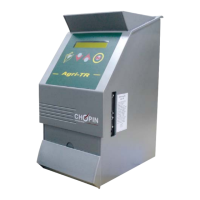
Need help?
Do you have a question about the Chopin Aqua-TR and is the answer not in the manual?
Explains the operating principle of the Aqua-TR as a capacitive moisture tester correlating permittivity and moisture content.
Lists technical specifications including weight, dimensions, power consumption, and environmental operating conditions.
Details the process of safely removing the Aqua-TR from its packaging and retaining protective elements.
Explains how to remove and properly store the transport protection for the measurement cell.
Describes the procedure for correctly re-installing the transport protection onto the apparatus.
Lists all items included in the Aqua-TR packing with corresponding numbered references.
Provides guidelines for installing the Aqua-TR on a stable surface, avoiding vibrations and direct sunlight.
Explains how to connect the Aqua-TR to external devices like computers and printers.
Details the necessary electrical connections for the Aqua-TR, including power supply and grounding requirements.
Describes the power-up sequence, including self-checking and initial screen displays.
Explains the function of each key on the Aqua-TR's control keyboard.
Covers essential precautions and operation modes for basic usage of the Aqua-TR.
Guides users on how to select the appropriate calibration for the specific grain being tested.
Details the step-by-step process for performing a measurement test cycle using the Aqua-TR.
Explains how test results are displayed on screen and printed, including example formats.
Allows modification of parameters like comments, date, time, and setup options via the keyboard.
Guides on setting the device's date and time, either manually or via computer synchronization.
Allows modification of operation modes like drawer configuration and grain level detection settings.
Details how to apply a corrective factor for Hectoliter weight to improve calibration accuracy.
Describes menus for checking parameters such as audit trail, calibrations, and control functions.
Explains how to view maintenance intervention information, codes, and operation details.
Guides on viewing stored calibration data and printing calibration tickets for record-keeping.
Provides access to check parameters like periods, weight, temperature, and switch status.
Explains how to check the empty weight of the measurement cell for calibration verification.
Details how to check the temperature inside the measurement cell for accurate readings.
Describes how to check the status of the internal switches within the Aqua-TR unit.
Explains the procedure for deactivating and reactivating the Aqua-TR unit.
Provides step-by-step instructions for installing the Aqua-Pro software on a computer.
Explains how to connect the Aqua-TR to a computer and operate the Aqua-TR Pro user software.
Allows configuring cycle parameters like tests, drawer switch, level switch, and saving results.
Guides on setting the Aqua-TR's date and time via the software, referencing computer settings.
Explains how to customize the ticket header with company name and address details.
Allows inserting specific comments for test cycles to personalize ticket printing.
Explains how to modify unapproved calibrations and enter new calibration data.
Allows visualization of test results recordings stored in the Aqua-TR memory, detailing displayed data.
Explains how to export saved data to Excel format and how to erase the Aqua-TR memory.
Details the adapter and hollowed-bottom drawer needed for connecting the Aqua-TR to an INFRANEO.
Provides recommendations for periodic cleaning, general upkeep, and fault detection of the Aqua-TR.
Guides on troubleshooting common issues, error messages, and abnormal result causes.
Lists parts influencing results and their recommended replacement frequency for optimal performance.
Provides guidelines on selecting representative grain samples for accurate moisture measurement.
Emphasizes cleaning grain samples to remove impurities for precise and reliable results.
Advises caution with damp or wet grains, recommending waiting before measurement for accuracy.
Explains how grain temperature affects measurements and how to avoid condensation for correct readings.
Warns that using immature grain can lead to erroneous measurement results.
 General
| Brand | Chopin |
|---|---|
| Model | Aqua-TR |
| Category | Test Equipment |
| Language | English |

 To Next Page