www.moon-audio.com919-649-5018sales@moon-audio.com
Chord Poly Wireless Streamer
Connecting to a WiFi Network
Do not click save until next step.
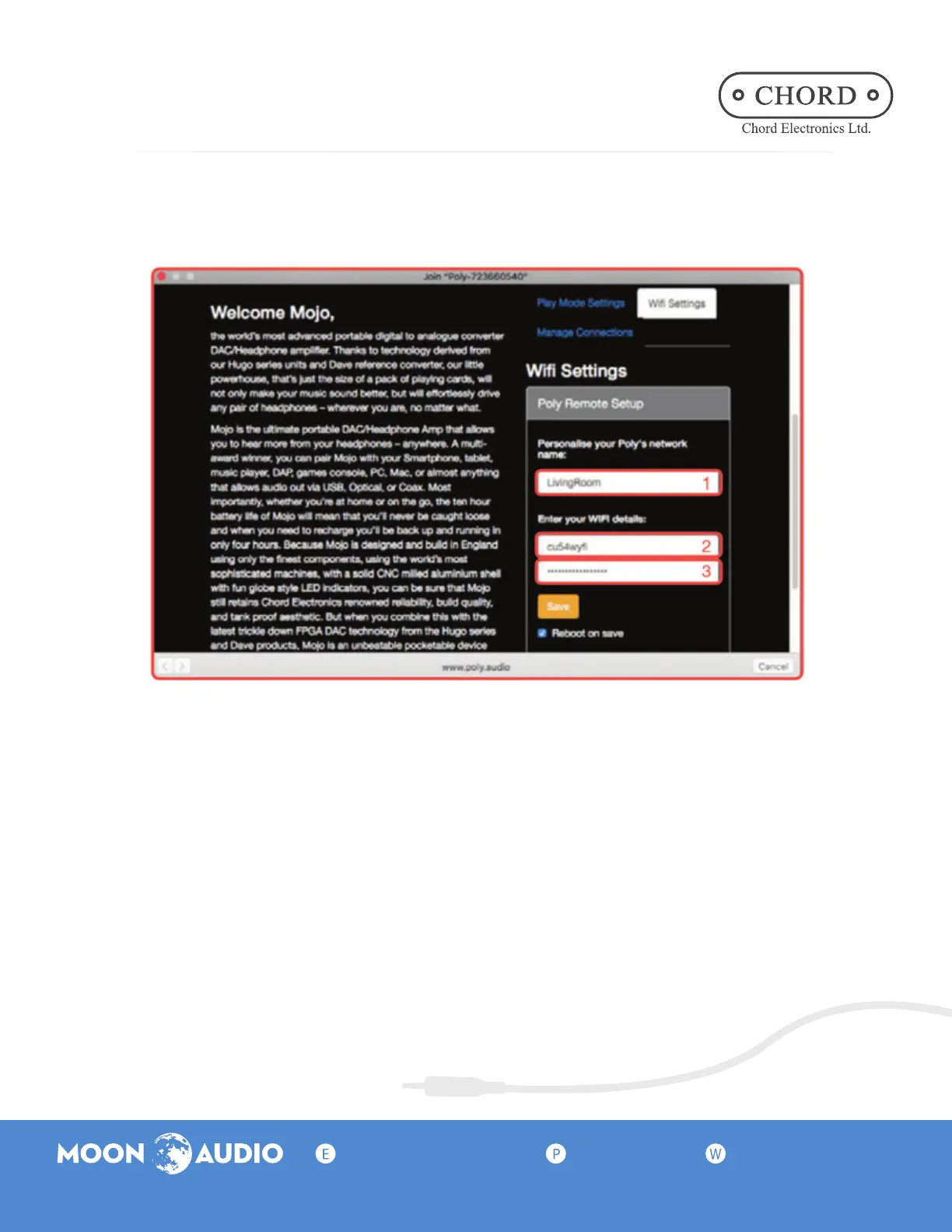
From Poly Mode Settings, select WiFi Settings and enter the nickname,
network ID (SSID), and password for your wireless network.
Check the box next to Reboot on save, then click the Save button.
5.
After clicking Save, a pop-up confirmation will appear and remain on-screen
while the Poly reboots and attempts to connect to the WiFi network.
If Poly successfully connects to the network, the P.status LED will be solid. (The
color will vary depending on the charge of the battery.)
6.
*Cell 1: Enter a network name that will help you remember which network you are
connecting to or where it is located, such as a room or building name.
*Cell 2: Enter the name of your wifi network exactly as it appears in the WiFi network list
and in your network configurations.


 To Previous Page