Need help?
Do you have a question about the Chord 2go and is the answer not in the manual?
Safety instructions for using the 2go device, including precautions against water and cleaning agents.
Instructions on how to update the 2go firmware using the GoFigure app or manual configuration.
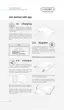
Instructions on how to charge the 2go using a USB cable or Hugo 2 charger, including charging times and requirements.
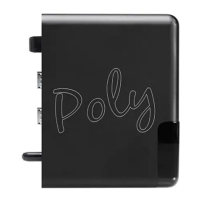
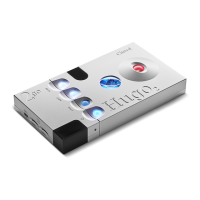
Step-by-step guide on physically connecting the 2go device to the Hugo 2 using connector pins and hex screws.
Procedure for powering on the 2go, either independently or when connected to Hugo 2.
Instructions on how to power off the 2go device, either by itself or in conjunction with Hugo 2.
Guide to downloading and using the GoFigure app for initial setup and configuration of the 2go.
Detailed steps for the first-time setup wizard of the GoFigure app to configure the 2go.
Steps to establish a Bluetooth connection between the 2go and a control device, including PIN code.
Explanation of Wi-Fi connection methods for optimal sound quality, including antenna placement tips.
How to connect the 2go to an available Wi-Fi network, including manual network addition.
How the 2go can create its own Wi-Fi hotspot for connectivity when no external network is available.
Details on playing back audio from various sources automatically selected by the 2go.
Detailed steps for manually configuring the 2go using the Configuration button and spoken feedback.
Instructions for performing a factory reset on the 2go to erase user data and settings.
 General
| Type | Network Streamer |
|---|---|
| Connectivity | Ethernet |
| Storage | MicroSD card slot |
| Streaming Services | Tidal, Qobuz |
| File Formats | WAV, FLAC, AIFF, AAC, ALAC, MP3, DSD |
| PCM Sample Rates | 44.1kHz – 768kHz |

 To Next Page