Chord Electronics
2go | User manual
10
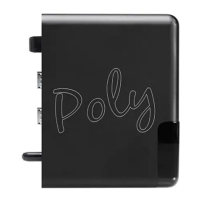
8 Powering on 2go
To power on 2go:
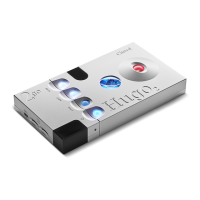
1. Attach 2go to Hugo 2 (see chapter 4).
2. Press and hold the ‘config’ button
B
for 2 seconds.
or
3. Press and hold the power button of Hugo2 until the buttons start to glow. 2go will now automatically
switch on.
4. Wait approximately 15 seconds. The Network status LED
C
will remain Orange whilst booting up
(please wait). When fully booted the LED will then show the current network status (see section 2.2).
TIP
We recommend using a 2go case to protect the connection between the two devices.
8.1 Powering o
To power o 2go:
1. Press and hold the ‘config’ button
B
for 5 seconds.
or
2. Press and hold the power button of Hugo 2. This switches both devices o.
3. Wait 20 seconds for 2go to power o.


 To Next Page