Chord Electronics
2go | User manual
14
11 Connection methods
2Go can connect to an audio source or your control device via Bluetooth, Wi-Fi or LAN.
11.1 Bluetooth
2go’s Bluetooth connection is always available. To establish a Bluetooth connection:
1. Enable Bluetooth on your control device or audio source.
2. Make sure 2go is within range of your control device (< 5 m).
3. Select 2go from the list of available devices.
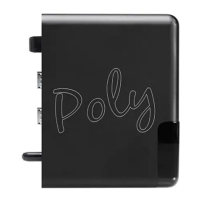
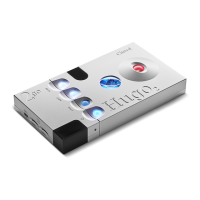
4. If asked, enter 0000 as the input code. The 2go status LED
E
flashes purple when the connection is
registered.
NOTICE
Bluetooth is a user-friendly wireless connection method, but can result in some loss of
sound quality. The use of a Wi-Fi connection is recommended for optimal sound quality.
NOTICE
2go has a maximum Bluetooth range of 5 metres. Sound distortion may occur beyond this
range.
TIP
The PIN can be changed in the Device Settings menu of the Settings tab
4
of the GoFigure app.
11.2 Wi-Fi
Wi-Fi (or LAN) is the preferred connection method because it ensures the best sound quality. 2go can
establish a Wi-Fi connection in two ways.
NOTICE
For optimal Wi-Fi performance, keep the Wi-Fi antenna
K
clear of obstacles.
NOTICE
2Go communicates only via 2.4 GHz networks and has a maximum Wi-Fi range of 10 metres.


 To Next Page