Chord Electronics
2go | User manual
20
13 Manual configuration
If your 2go or control device does not meet the requirements for configuration via the GoFigure app, the
connectivity and audio playback modes can also be manually configured.
13.1 Connecting 2go
2go can be connected to external devices in four ways (see chapter 7):
• Bluetooth
• Wi-Fi network
• Wi-Fi hotspot
• Local Area Network (LAN).
NOTICE
Bluetooth is always available, while the other wireless connectivity modes can be manually
selected with the Configuration button
B
.
TIP
A LAN connection can be established via an Ethernet cable.
13.2 Configuration method
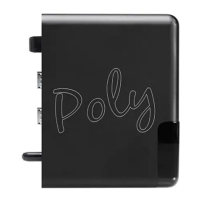
2go can be manually configured by using the Configuration button
B
:
NOTICE
The use of headphones is necessary while progressing through the options. This allows you
to receive spoken feedback and instructions during the process.
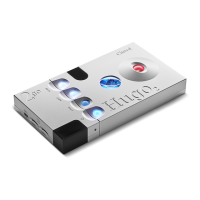
1. Connect 2go to Hugo 2 (see chapter 4).
2. Connect your headphones to Hugo 2.
3. Press the Configuration button
B
once to start the sequence:
“mode: press for mode”


 To Next Page