
 Need help?
Do you have a question about the Christie CP2310-RGBe and is the answer not in the manual?
Copyright information and trademark notices for the product.
General disclaimer and warranty information for the projector.
Importance of preventative maintenance to ensure product warranty and operation.
Compliance with FCC and IC regulations, and Korean language notice.
Essential safety rules to prevent personal injury and projector damage.
Precautions for safe use of AC power, including grounding and cord handling.
Guidelines for operating the projector laser safely to prevent injury.
Information on hazard zones and distances due to high light intensity.
Information on labels that may be used on the product.
Warnings about hazards associated with accessories connected to the product.
Warnings regarding the risk of electric shock and servicing.
Warnings for electrocution, hot surfaces, burns, optical radiation, and moving parts.
Required actions before performing maintenance or service procedures.
Symbols indicating the presence of protective earth ground.
Labels indicating Class 4 laser radiation and FDA laser variance.
How to access installation, setup, and user information documentation.
List of additional documents for the projector.
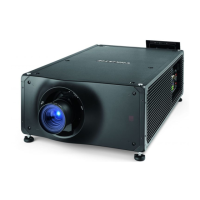
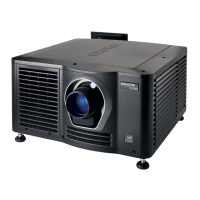
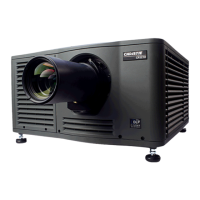
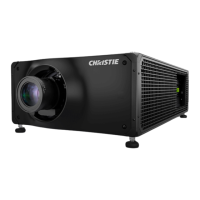
Description of the Christie CP2306-RGBe, CP2308-RGBe, CP2310-RGBe projector.
Information for recording installation details and contacting the dealer.
Important features of the projector, including connectivity and capabilities.
How to use the touch panel for projector control and functions.
Contact information for technical support for Christie cinema products.
Procedure to turn the projector on for content display or off to conserve energy.
Steps to log on to access menus and log out to restrict access.
How to turn the touch panel on/off and calibrate its display.
Turning the light source on or off to display content or conserve laser life.
Opening or closing the douser to display or remove light from the screen.
Creating channels to store customized projector settings for different inputs.
Adding an NTP server to synchronize time across projectors.
Deleting a network time protocol server from the projector.
Changing time zone and adjusting time format for local display.
Completing marriage for content display and DCI compliance.
Changing image orientation for multi-projector setups.
Changing the projector host name for easier identification.
Setting temperature display to Celsius or Fahrenheit.
Modifying or deleting light source power files.
Configuring notifications for lamp expiration and performance issues.
Adjusting laser power using the touch panel for optimal performance.
Adjusting laser power via the JM laser touch panel interface.
Table detailing default touch panel access permissions for roles.
Creating new user accounts and modifying permissions.
Changing user account passwords to enhance security.
Removing user accounts to restrict access.
Connecting the projector to the theater network for remote control.
Connecting to NAS devices for content ingestion and playback.
Connecting to a media network for content playback.
Activating SNMP for monitoring theater network conditions.
Downloading MIB files for SNMP device definition.
Selecting the type of integrated media block (IMB) for the projector.
Installing and marrying the IMB for secure content display.
Explanation of icons used in the content manager interface.
Procedure for ingesting content and keys onto the projector.
How to cancel an ongoing content ingest operation.
Checking remaining NAS storage capacity for additional storage needs.
Methods for filtering content by type and managing key lists.
Deleting local content, keys, and viewing content details.
Steps to load and play content or playlists on the projector.
Unloading content after playback is finished.
Steps to create a new playlist with content and automation events.
Changing the order of content or macros within a playlist.
Adding time offsets to macros within a playlist.
Replacing existing content within a playlist.
Deleting content from an existing playlist.
Creating a copy of an existing playlist.
Opening and viewing details of intermission playlists.
Importing playlists from other devices and exporting them.
Removing playlists that are no longer required.
Creating channels for input devices connected via HDMI.
Creating channels for input devices connected via IMB.
Editing existing channels and copying settings to new channels.
Changing the active channel and viewing the channel list.
Moving channels in the list and deleting unwanted channels.
Creating and editing Measured Color Gamut Data (MCGD) files.
Copying MCGD file settings to a new file.
Removing MCGD files that are no longer required.
Creating and editing Target Color Gamut Data (TCGD) files.
Copying and deleting Target Color Gamut Data (TCGD) files.
Activating the ILS for automatic lens position adjustment.
Creating new ILS files and calibrating the system automatically.
Editing, copying, deleting ILS files, and resetting the lens.
Creating source files for input device resolution and aspect ratio settings.
Editing, copying, and deleting source files.
Creating, editing, copying, and deleting screen files.
Performing and resetting digital convergence for image quality.
Adjusting for keystone effect using electronic cropping or physical adjustments.
Correcting horizontal keystone issues in dual projector setups.
Correcting vertical keystone issues in dual projector setups.
Addressing image brightness variations from center to edges.
Performing vertical boresight adjustment for focus issues.
Performing horizontal boresight adjustment for angular offset.
Correcting misalignment of projected colors (RGB) in DMD convergence.
Aligning the fold mirror to correct missing or shadowy corners.
Calibrating colors using MCGD files and a colorimeter.
Concealing unused screen edges using top or side masking.
Displaying, turning off, importing, and deleting test patterns.
Scheduling automated events for specific dates and times.
Modifying the run time and date of scheduled events.
Copying events for different dates/times or entire days.
Moving scheduled events to new dates and times.
Removing individual scheduled events.
Clearing all scheduled events for an entire day.
Disabling the scheduler to prevent automatic event execution.
Adding new storage devices and editing their settings.
Designating a storage device as the primary content source.
Removing storage devices that are no longer required.
Adding, editing, and deleting remote ingest sources.
Creating and editing 3D projector setting files.
Copying and deleting 3D projector setting files.
Adjusting the global audio delay for synchronized sound.
Setting the audio output rate to match the audio device.
Mapping DCP audio channels to AES outputs for sound systems.
Enabling, editing, and disabling Dolby Atmos audio playback.
Enabling multiple projectors for 3D or HDR content display.
Adding slave projectors to a multi-projector setup.
Enabling content synchronization between master and slave projectors.
Disabling multi-projector settings when not needed.
Disabling and deleting slave projectors from the configuration.
Explanation of macros, device input triggers, and global triggers.
List of macro actions for controlling automated events.
Commands for Christie ACT and JNIOR devices for automation.
Commands for Dolby Cinema processors and SKA-3D devices.
Creating, running, and adding items to macros for automated actions.
Combining macros and deleting unwanted macros.
Adding and configuring automation devices for remote control.
Modifying device settings and creating playlist triggers.
Editing and deleting playlist triggers, creating global triggers.
Deleting global triggers that are no longer required.
Importing, viewing, and deleting device libraries.
Importing and enabling licenses for product enhancements.
Creating, exporting, and importing backup files for settings.
Sorting and deleting backup files.
Adding, viewing, and installing upgrade packages.
Comparing upgrade packages and deleting them.
Restoring settings from backup files or factory defaults.
Retrieving and downloading system logs for fault identification.
Running the projector interrogator for fault identification.
Downloading certificates for requesting KDM keys.
Inspecting projector vents and louvers for adequate airflow.
Inspecting and cleaning optical components like the projection lens.
List of recommended tools for cleaning projector optics.
Procedure for cleaning the projector lens to avoid scratches.
Inspecting and cleaning the card cage air filter monthly.
Inspecting the filter located behind the service access panel.
Procedure for cleaning washable air filters.
Steps for safely removing and installing the projector lens.
Troubleshooting steps for when the projector does not turn on.
Resolving problems with input devices communicating with the projector.
Topics covering common display problems and their solutions.
Solutions for flickering, shadowed, or dim projector images.
Troubleshooting steps when no image is displayed on the screen.
Correcting vertical image stretching or squeezing.
Accessing diagnostic controls for the laser module.
Assembling the touch panel for diagnosing errors.
Conformance to various safety standards for IT and laser equipment.
EMC requirements including emissions and immunity standards.
Compliance with environmental regulations for electronic products.
Requirements for international packaging recycling marks.
List of error codes, messages, and their descriptions for the projector.






 To Next Page


 General