EasyManua.ls Logo

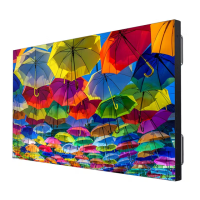
Christie FHD552-X - User Manual

Christie FHD552-X
70 pages
Print Icon
To Next Page IconTo Next Page
Loading...
FHD552-X LCD Panel
User Manual
020-000741-01

Table of Contents

Other manuals for Christie FHD552-X

Questions and Answers

  • G
    Gloria WilliamsSep 8, 2025
    Why does my Christie Monitor remote control not work?
    • D
      Dana Garrett PhDSep 9, 2025
      If the remote control for your Christie Monitor isn't working, start by replacing the batteries. If that doesn't solve the problem, try unlocking the buttons by pressing ENTER, ENTER, EXIT, EXIT, ENTER, and EXIT in sequence. Also, make sure the IR extender cable is correctly connected.
  • T
    Timothy Robinson Jr.Aug 23, 2025
    Why is my Christie Monitor remote control not working?
    • C
      copelandtyroneAug 23, 2025
      If your Christie Monitor's remote control isn't working, consider the following: * Replace the remote control batteries. * The buttons might be locked. Unlock them by pressing ENTER, ENTER, EXIT, EXIT, ENTER, and EXIT, in sequence. * If using an IR extender, make sure it's correctly connected.
  • S
    Stefanie RoseAug 25, 2025
    What to do if my Christie FHD552-X has no picture but the menus are visible?
    • M
      michaelalucasAug 26, 2025
      If your Christie Monitor displays menus but no picture, try these solutions: * Ensure the correct source is selected. * Verify that the source component is powered on. * Check the connections between the source component and the display.
  • A
    abartlettAug 27, 2025
    Why are HDMI images not displaying on my Christie Monitor?
    • S
      Samantha RamosAug 27, 2025
      If images from an HDMI source are not displaying on your Christie Monitor: * The resolution and frequency of the video card in the computer may not be compatible with the display. Select a compatible resolution and vertical frequency. * The HDMI cable from source to display might be defective or too long. Try a known-good and/or shorter HDMI cable.
  • A
    Anthony AguirreAug 27, 2025
    How to brighten a dark image on a Christie FHD552-X?
    • D
      Daniel MooreAug 28, 2025
      If the image on your Christie Monitor is too dark, increase the brightness and/or backlight settings.
  • C
    Christopher MitchellSep 22, 2025
    How to brighten a too dark image on a Christie Monitor?
    • R
      Richard PierceSep 22, 2025
      If the image on your Christie Monitor is too dark, the brightness and/or backlight settings are likely set too low. Try increasing the brightness and/or backlight settings.
  • S
    Sarah DicksonSep 16, 2025
    What causes a Christie Monitor image to be too bright and lack definition?
    • K
      kristin83Sep 16, 2025
      If the image on your Christie Monitor is too bright and lacks definition in bright areas, it's likely that the contrast is set too high. Try decreasing the contrast setting.
  • A
    Alejandra WalshSep 18, 2025
    Why does my Christie Monitor image appear 'washed out'?
    • L
      Lisa PatrickSep 18, 2025
      If the image on your Christie Monitor appears “washed out” and/or dark areas appear too bright, the brightness is likely set too high. Try decreasing the brightness setting.
  • D
    Danielle SantanaSep 7, 2025
    What to do if my Christie Monitor has menus but no picture?
    • T
      Timothy YangSep 7, 2025
      If your Christie Monitor displays menus but no picture, first ensure the correct source is selected. Then, verify that the source component is powered on and correctly connected to the display.
  • V
    Veronica HopkinsSep 4, 2025
    What to do if composite video images don't display on my Christie Monitor?
    • D
      Donna Sanchez DDSSep 4, 2025
      If images from a Composite video source do not display on your Christie Monitor, and both the Composite and S-Video inputs are connected to sources, disconnect the S-Video source.

Summary

Notices and Disclaimers

Warranty Terms and Limitations

Outlines conditions not covered by the Christie standard limited warranty.

Description, Features, and Parts

Key Features and Benefits

Lists the main features and advantages of the FHD552-X LCD Panel.

Package Handling and Care

Safe Package Handling Procedures

Provides critical safety instructions for handling the display panel to prevent injury or damage.

Handling and Care Guidelines

Offers essential advice for handling and moving the LCD panel to prevent damage.

Controls and Functions Overview

Display at a Glance

Identifies key display components and their functions.

Input Panel Ports

Illustrates and describes the various input and output connectors on the display.

Remote Control Unit Functions

Details the functionality of each button on the remote control.

Installation Guide

Connections to the Display

Explains how to connect video sources, controllers, and power.

Connecting Source Components

Details how to connect various video sources to the display.

Setting Up a Video Wall

Describes maximum video wall sizes based on source types.

RS232 Routing for Video Walls

Illustrates the RS232 and RS485 connections for video wall configurations.

Operation Guide

Avoiding Image Retention

Provides precautions to prevent image burn-in or retention.

Using the On-Screen Menus

Details how to navigate and use the display's on-screen menu system.

Image Settings Calibration

Guides on adjusting image parameters like brightness, contrast, and sharpness.

Display Settings Configuration

Explains settings for aspect ratio, zoom, and source selection.

Advanced Settings Configuration

Explains advanced display settings such as auto-adjustment and video wall parameters.

Maintenance and Troubleshooting

Troubleshooting Guide

Provides solutions for common display issues like power, picture, and remote control problems.

External Control Options

Serial Command List

A comprehensive list of available serial commands and their parameters.

Specifications and Dimensions

Supported Timings

Lists compatible horizontal, vertical, and dot clock frequencies for various resolutions.

Christie FHD552-X Specifications

General IconGeneral
BrandChristie
ModelFHD552-X
CategoryMonitor
LanguageEnglish

Related product manuals