Service Manual
Page 9
Fork Driveshaft Maintenance
Installation:
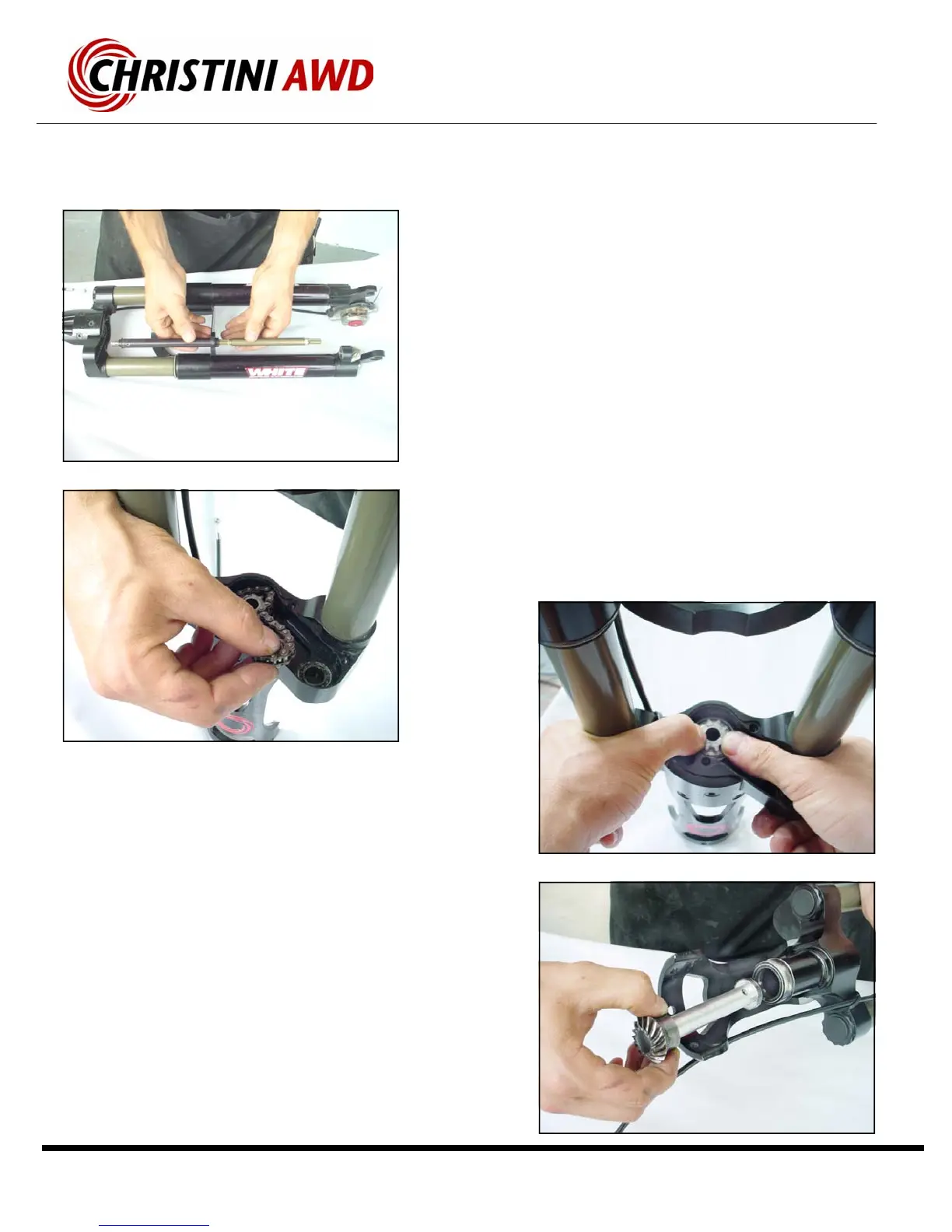
▪ Insert the drive shaft into the steering tube, sprocket first,
until the miter gear is fully seated on its sealed bearing
support.
▪ Loop the chain around the shaft sprocket and the floating
cog. Press the cog into the bearing.
▪ Press the upper hex portion of the driveshaft into the cog
and slide the chain crown up into place.
▪ Use removable threadlocker when re-installing the crown
cover screws.
▪ Use removable threadlocker on the pinion bolt.
Removal:
▪ Slide the two sections of the front drive shaft together.
▪ The chain crown cover can slide off at this point.
▪ The pinion gear can also be removed at this point.
▪ Remove the floating cog and power transfer chain from
the internal section of the chain crown.
▪ Use your thumbs to press the center sprocket up through
the lower steering tube.
▪ Carefully pull the drive shaft out of the steering tube.



 To Next Page