14
3. Product Introduction
3-1 Getting started
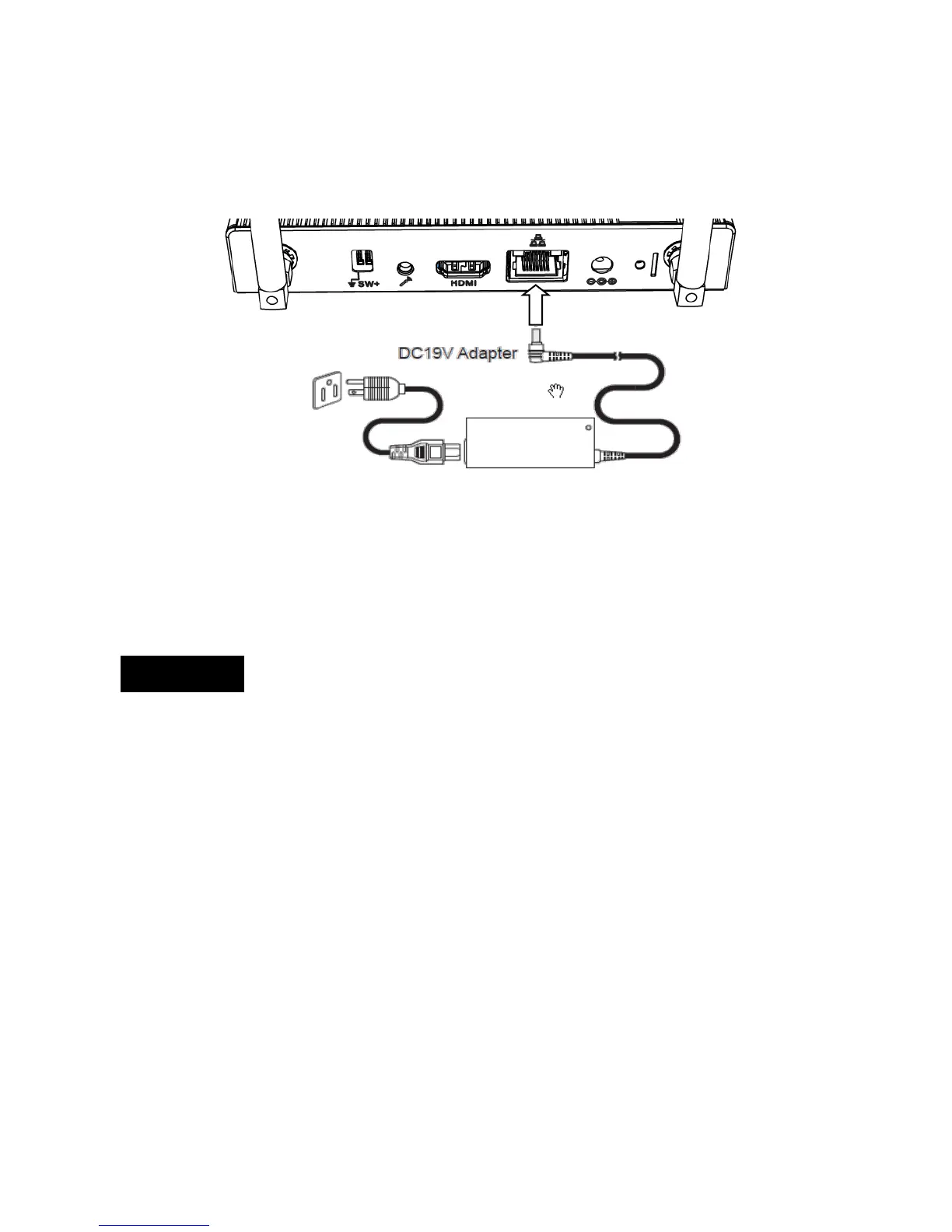
• Connect the AC power cord to your power adapter
• Connect the DC plug into your Chromebox Mini DC input port.
• Plug the AC power cord into a 100 V~240 V power source.
When you install devices or cables, please ensure that DC plug is removed
prior to plugging in powered devices.
IMPORTANT!
• Only use the recommended adapter and cable that came with your
Chromebox Mini.
• We strongly recommend that you use a grounded wall socket while
using your Chromebox Mini.
• The socket outlet must be easily accessible and near your Chromebox
Mini.
• To remove your Chromebox Mini from its main power supply, unplug
your AC plug from the AC power socket first.


 To Next Page