19
3-4. Knowing Your Chromebox Mini
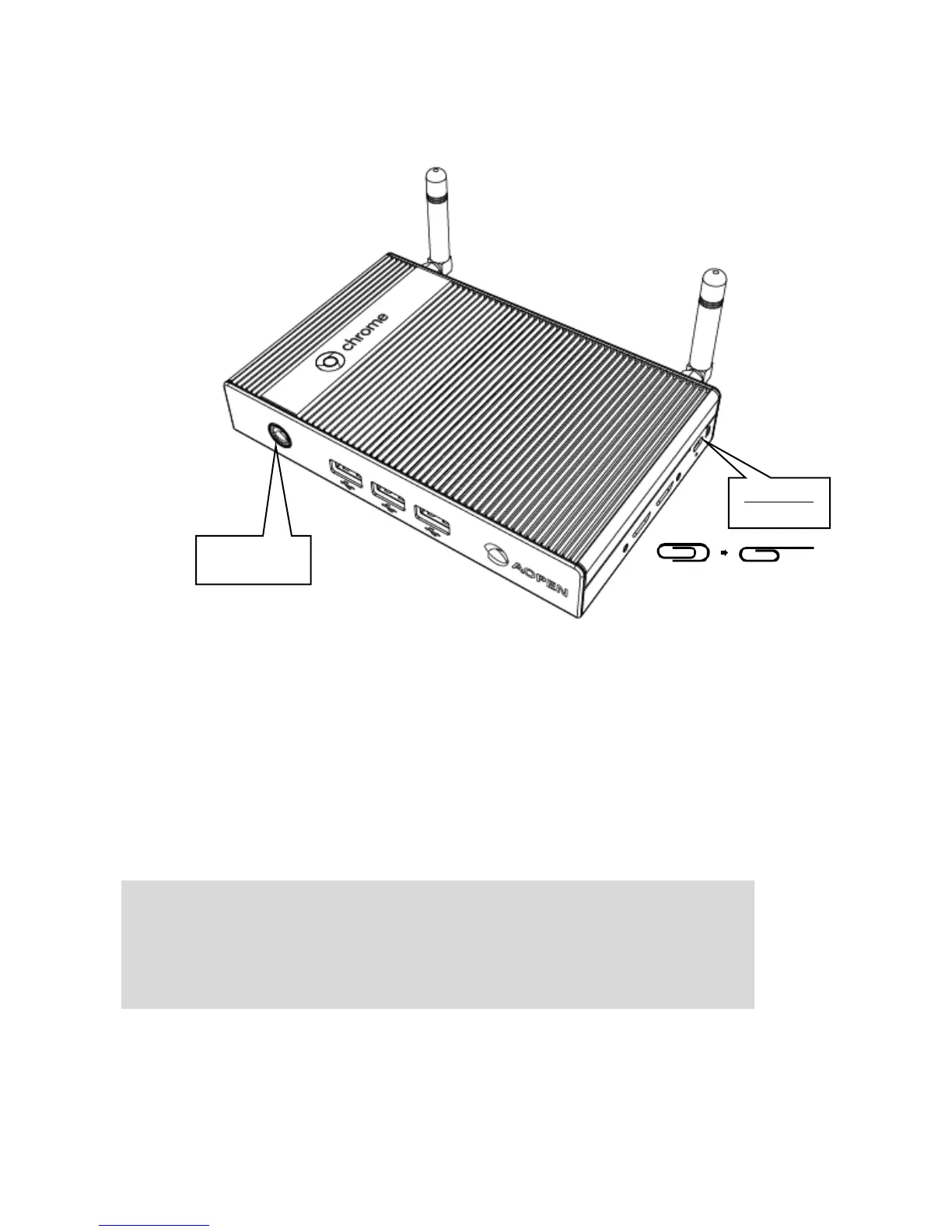
Power Button
The power button allows you to turn the Chromebox Mini on or off. You
can use the power button to put your Chromebox Mini to sleep mode or
hold the clip in the power button for four (4) seconds to force shutdown
the device. To power on, press the power button for 0.6 to 1 seconds.
IMPORTANT!
Forcing the system to restart may result in data loss. We
strongly recommend that you back up your data regularly.


 To Next Page