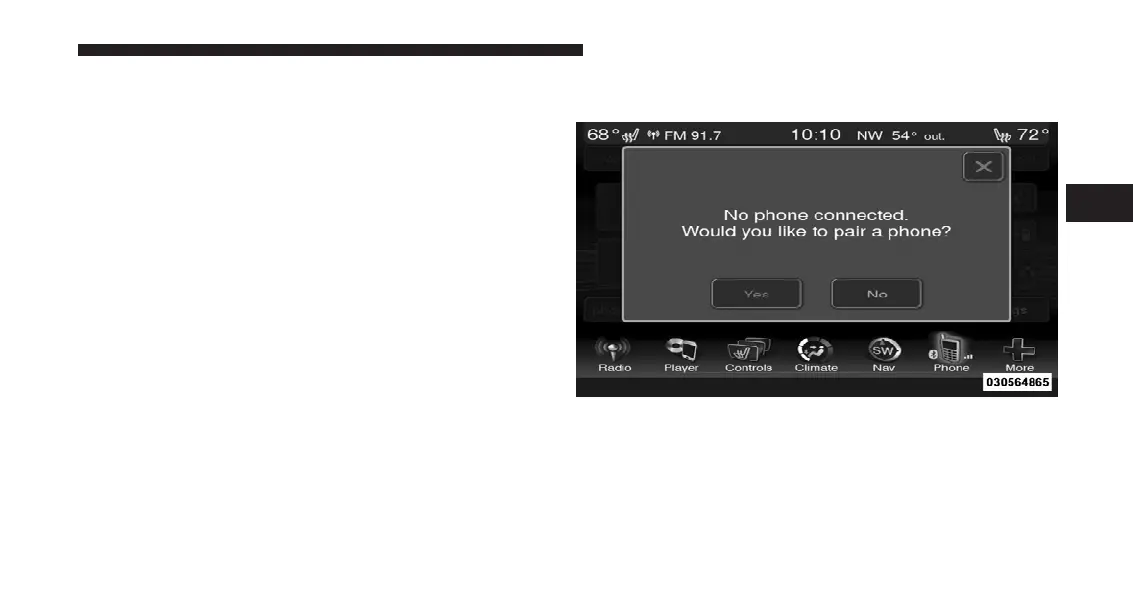
Pair (Link) Uconnect™ Phone To A Mobile Phone
To begin using your Uconnect™ Phone, you must pair
your compatible Bluetooth威 enabled mobile phone.
To complete the pairing process, you will need to refer-
ence your mobile phone Owner’s Manual. The
Uconnect™ website may also provide detailed instruc-
tions for pairing.
NOTE:
•
You must have Bluetooth威 enabled on your phone to
complete this procedure.
•
The vehicle must be in PARK.
1. Press the “Phone” soft-key on the screen to begin.
2. If there is no phone currently connected with the
system, a pop-up will appear.
3
UNDERSTANDING THE FEATURES OF YOUR VEHICLE 113












 To Next Page