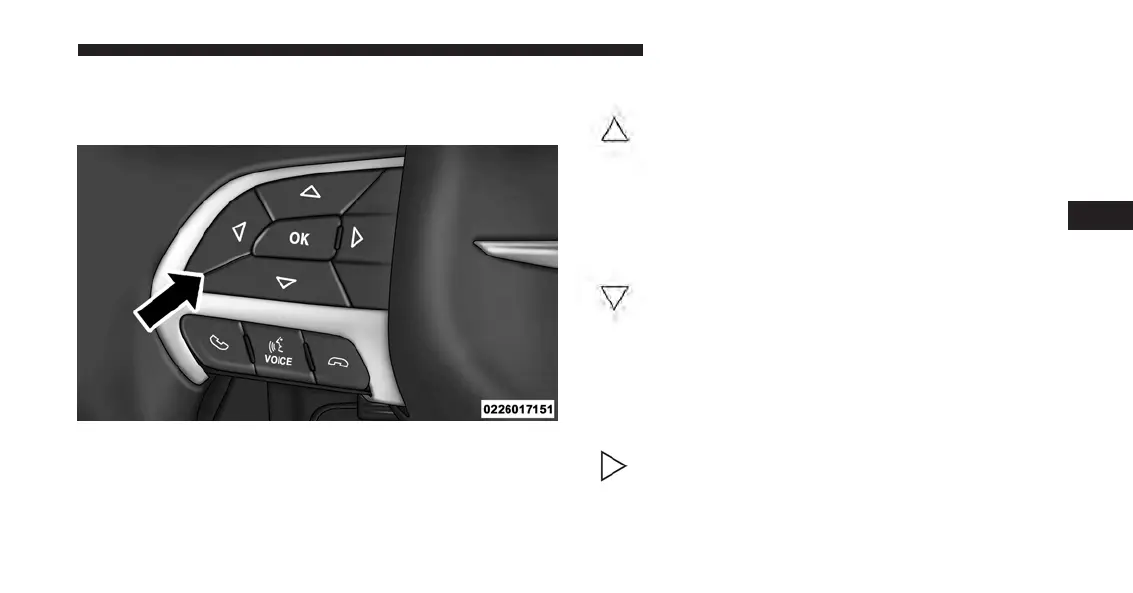
The system allows the driver to select information by
pushing the following buttons mounted on the steering
wheel:
• UP Arrow Button
Push and release the UP arrow button to scroll
upward through the Main Menu items ( Speed-
ometer, Vehicle Info, Fuel Economy, Trip A,
Trip B, Audio, Messages, Screen Set Up,
Settings).
• DOWN Arrow Button
Push and release the DOWN arrow button to
scroll downward through the Main Menu
items (Speedometer, Vehicle Info, Fuel
Economy, Trip A, Trip B, Audio, Messages,
Screen Set Up, Settings).
• RIGHT Arrow Button
Push and release the RIGHT arrow button to
access the information screens or submenu
screens of a main menu item.
EVIC Controls
4
UNDERSTANDING YOUR INSTRUMENT PANEL 353














 To Next Page