•
•
•
any preset button is pressed
ClK, AUD, OPT, CD, RAD,NAV or any multifunc-
tion key is pressed
vehicle ignition is turned off.
Radio Operation
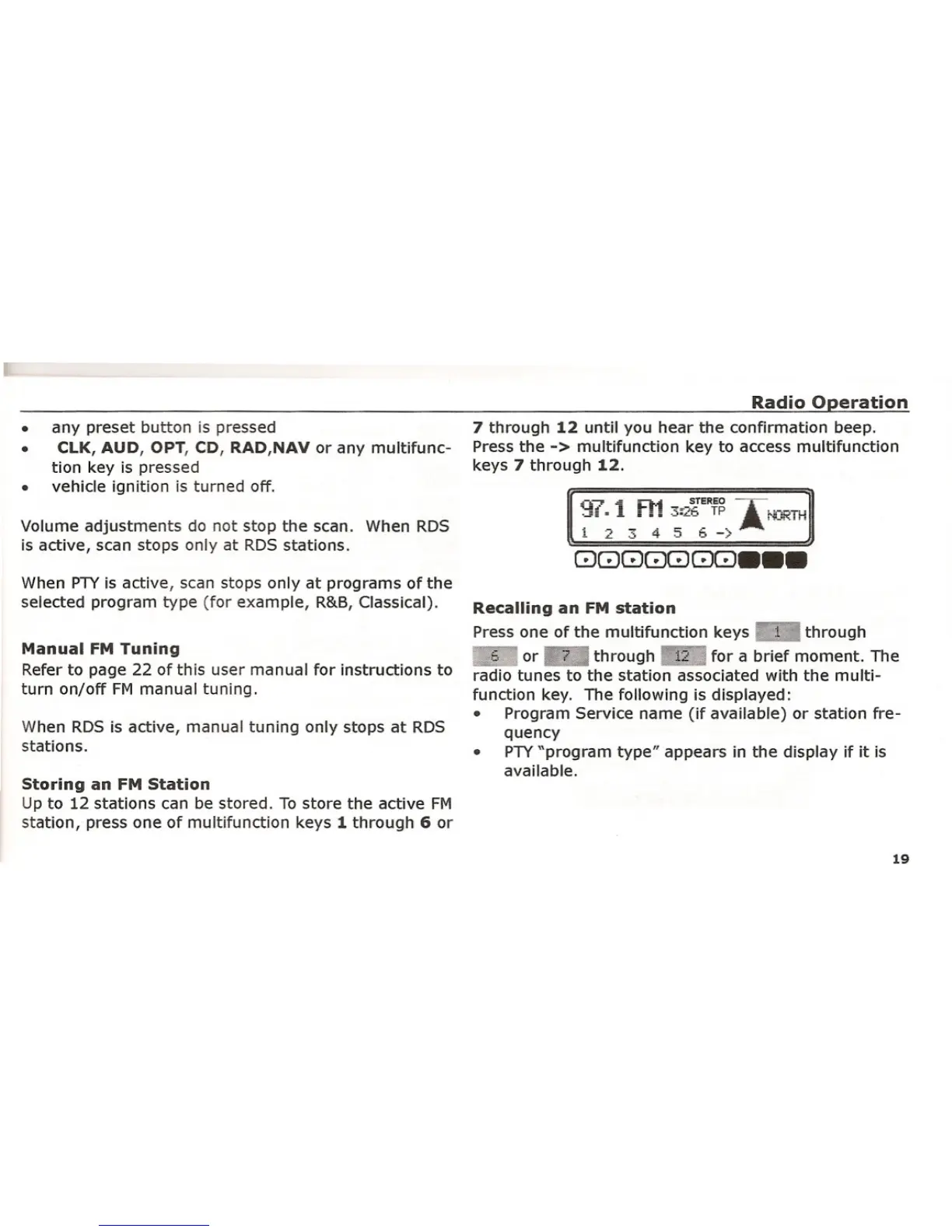
7 through 12 until you hear the confirmation beep.
Press the
-> multifunction key to access multifunction
keys 7 through 12.
Volume adjustments do not stop the scan. When RDS
is active, scan stops only at RDS stations.
When PTYis active, scan stops only at programs of the
selected program type (for example, R&B, Classical).
Manual FM Tuning
Refer to page 22 of this user manual for instructions to
turn on/off FM manual tuning.
When RDS is active, manual tuning only stops at RDS
stations.
Storing an FM Station
Up to 12 stations can be stored. To store the active FM
station, press one of multifunction keys 1 through 6 or
Recalling an FM station
Press one of the multifunction keys r.:JiI through
.~, or through for a brief moment. The
radio tunes to the station associated with the multi-
function key. The following is displayed:
• Program Service name (if available) or station fre-
quency
• PTY"program type" appears in the display if it is
available.
19















 To Next Page