Radio Operation
• right knob is pushed in again
• right knob is turned clockwise or counter-clockwise
• any CIC, AUD, OPT, etc. button is pressed
• any hardkey is pressed
• vehicle ignition is turned off.
Volume adjustments do not stop the scan. The scan
icon ~ flashes while the radio scans.
Storing an AM Station
Up to 12 stations can be stored via manual tuning. To
store the active AM station, press one of multifunction
keys 1 through 6 or 7 through
12 until you hear the
confirmation beep. Press the
-> multifunction key to
access multifunction keys 7 through
12.
~ ..-. ~--..... AS A
~~~J :11-. TP
•••• mRTH
2 3 4 5 Eo
34
Recalling an AM station
Press one of the multifunction keys 1 through 6 or->
to access 7 through 12 for a brief moment. The radio
tunes to the station associated with the multifunction
key, and the station frequency appears in the display.
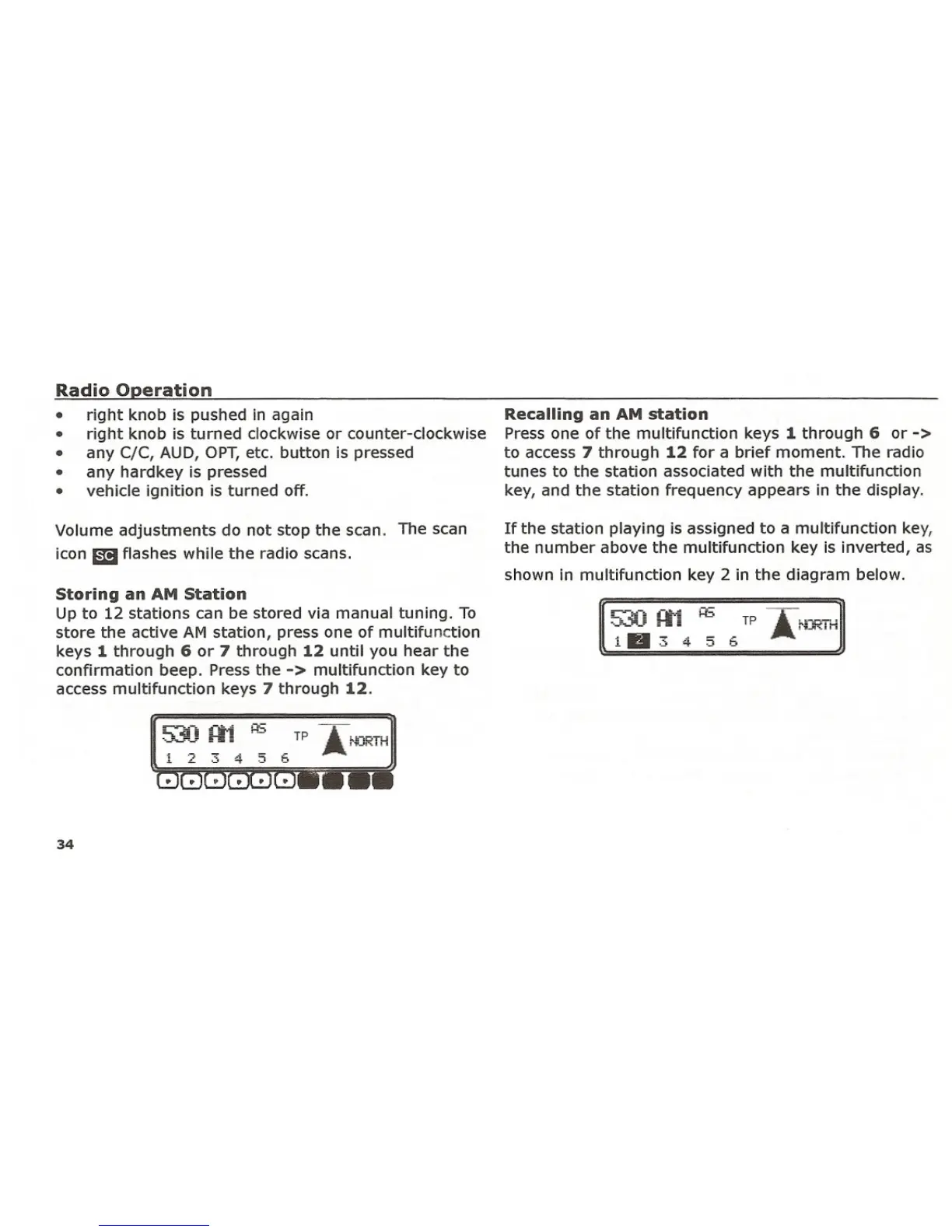
If the station playing is assigned to a multifunction key,
the number above the multifunction key is inverted, as
shown in multifunction key 2 in the diagram below.















 To Next Page