.]
Navigation
The unit will switch to the route menu if the place you
chose only has one center. The center list will be
displayed if there are fewer than 10 centers.
[~LLSWN
DnCirli..i
w ••...•-= i W;"';
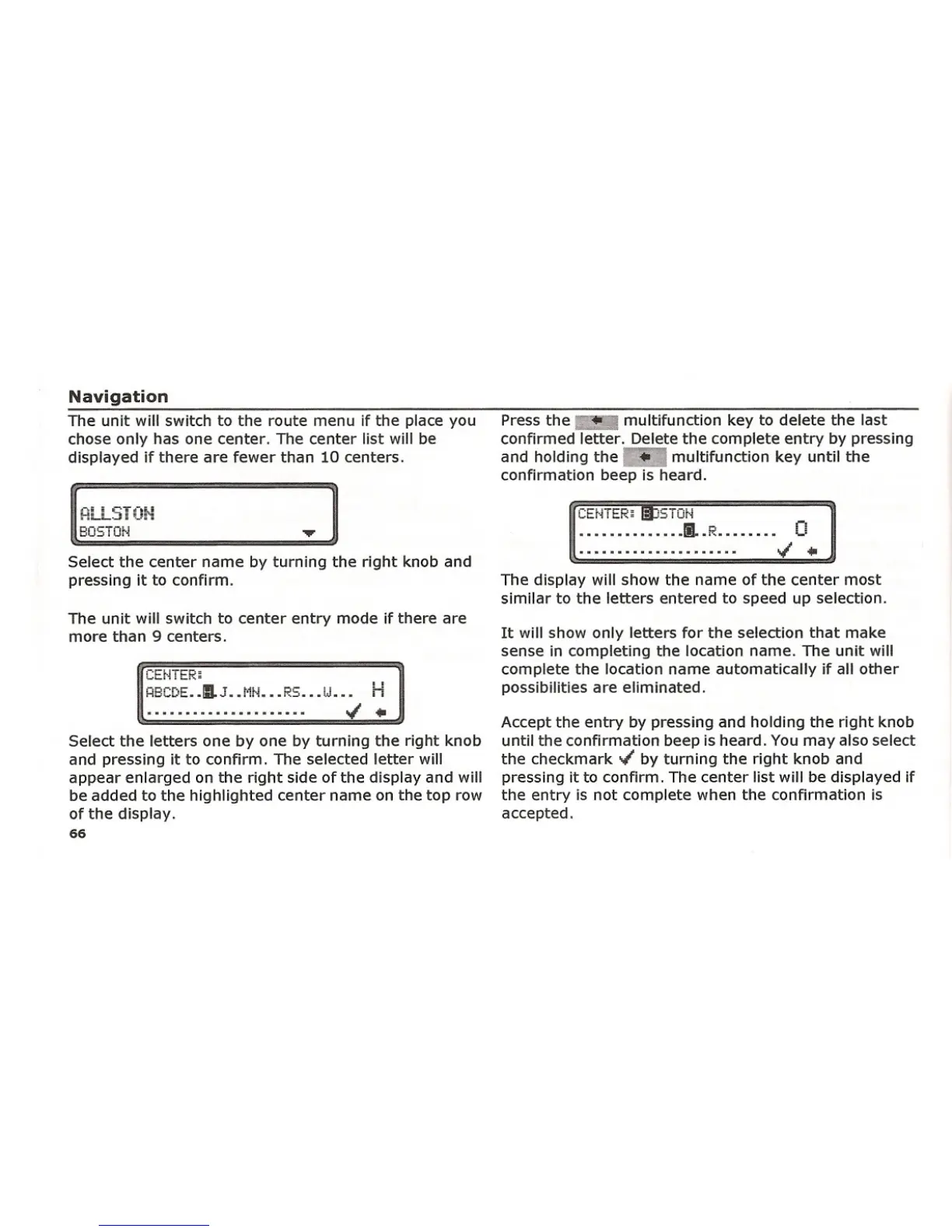
Select the center name by turning the right knob and
pressing it to confirm.
The unit will switch to center entry mode if there are
more than 9 centers.
CEr"i it:.r<;
R8CDE •• IIL].. [·it-i ••• R5 ••• tJ... H
'" ..
Select the letters one by one by turning the right knob
and pressing it to confirm. The selected letter will
appear enlarged on the right side of the display and will
be added to the highlighted center name on the top row
of the display.
66
Press the •.•• multifunction key to delete the last
confirmed letter. Delete the complete entry by pressing
and holding the
Il',.-' multifunction key until the
confirmation beep is heard.
.............. II.. R........ 0
..;
...
The display will show the name of the center most
similar to the letters entered to speed up selection.
It will show only letters for the selection that make
sense in completing the location name. The unit will
complete the location name automatically if all other
possibilities are eliminated.
Accept the entry by pressing and holding the right knob
until the confirmation beep is heard. You may also select
the checkmark " by turning the right knob and
pressing it to confirm. The center list will be displayed if
the entry is not complete when the confirmation is
accepted.















 To Next Page