Navigation
Deleting a Destination from the Destination
Memory
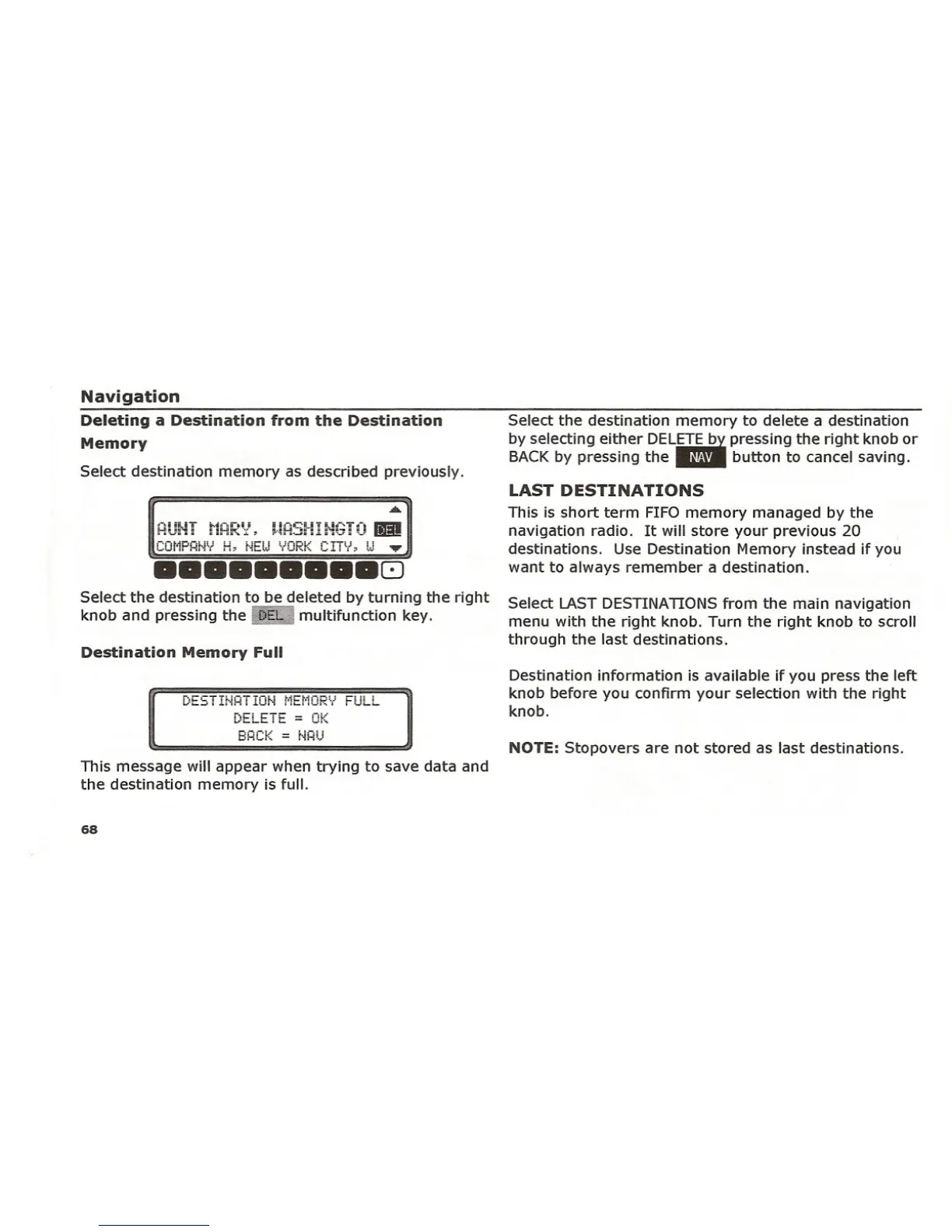
Select destination memory as described previously.
HU~-iTt1HR~:l, !'!H~3HIti~;T~)
III
COMPANY H, NEW YORK CITY, W ~
••••••••• 8
Select the destination to be deleted by turning the right
knob and pressing the a.:Imultifunction key.
Destination Memory Full
D~~!INA!ION MEMORY ~ULL
-_._-- _ ..
t:lt.L~j t. = Ut:~
BACK
= i"iAU
This message will appear when trying to save data and
the destination memory is full.
68
Select the destination memory to delete a destination
by selecting either DEL~ pressing the right knob orBACKby pressing the" button to cancel saving.
LAST DESTINATIONS
This is short term FIFOmemory managed by the
navigation radio. It will store your previous 20
destinations. Use Destination Memory instead if you
want to always remember a destination .
Select LASTDESTINATIONSfrom the main navigation
menu with the right knob. Turn the right knob to scroll
through the last destinations.
Destination information is available if you press the left
knob before you confirm your selection with the right
knob.
NOTE: Stopovers are not stored as last destinations.















 To Next Page