Engine STOP/START
System (ESS) — If Equipped
The STOP/START system was developed to reduce
emissions and will turn back ON every time the igni-
tion is turned OFF and then back ON again. The
system defaults back ON at every ignition cycle.
The system will stop the engine automatically during a
vehicle stop if the required conditions are met.
Releasing the brake pedal, pressing the accelerator
pedal, or shifting out of DRIVE (D) will start the engine.
How do I manually turn off/on the engine STOP/
START system?
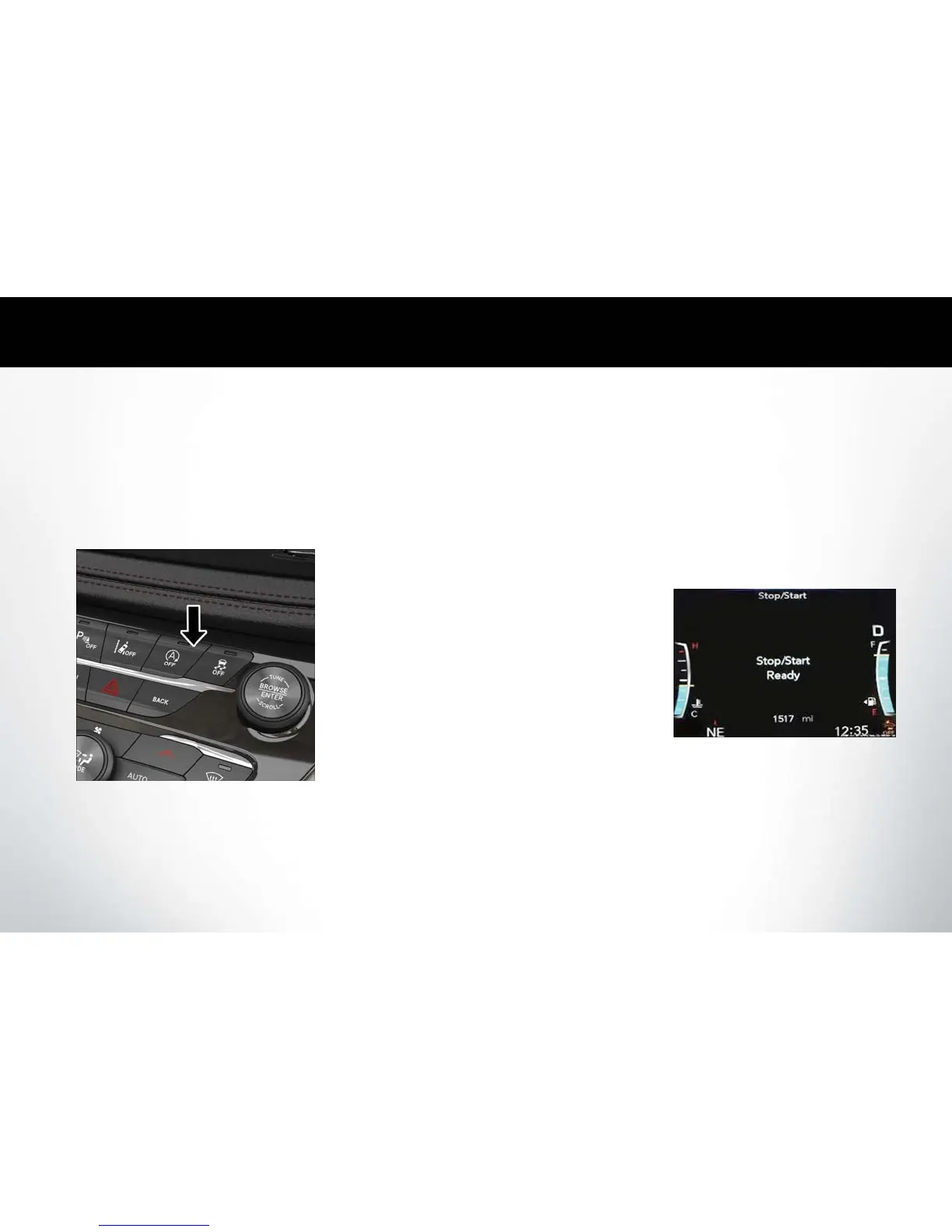
• Press the STOP/START OFF switch (located on
the instrument panel). The light on the switch will
illuminate when the system is off. The light on the
switch will turn off when system is on.
What are possible reasons the engine does not
autostop?
• The hood is ajar. • The transmission is
not in a forward gear.
• Driver’s door is open. •
Cabin heating or cool-
ing is in process and an
acceptable cabin tem-
perature has not been
achieved.
• Driver’s seat belt is
unbuckled.
•
The vehicle has not
reached a speed of
5 mph (8 km/h) after
the previous autostop.
•
Many of these reasons are displayed as a STOP/
START message in the instrument cluster display on
the STOP/START screen. The system must be in the
“STOP/ START READY” state to autostop. To ac-
cess the STOP/START section of the instrument
cluster display, use the display controls. Refer to the
“Starting and Operating” section of your Owner’s
Manual at
www.chrysler.com/en/owners/manuals
for a complete list of possible events in which the
engine does not autostop.
STOP/START Off Switch
STOP/START Message















 To Next Page