EasyManua.ls Logo

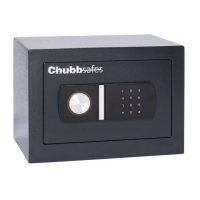
Chubbsafes Elements Air - User Manual

Chubbsafes Elements Air
2 pages
Print Icon
To Next Page IconTo Next Page
Loading...
CHUBBSAFES - Elements Air
Operating and Changing Instructions
Opening your safe & Closing your safe for the first time
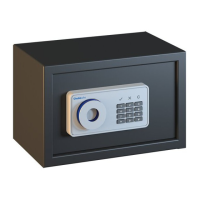
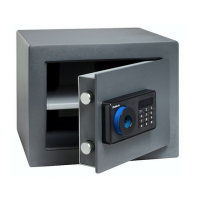
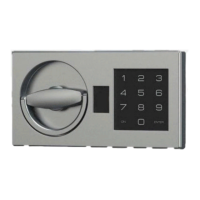
1. On the key pad press 1,5,9, followed by either a # or * and you
will see the tick symbol light up GREEN.
2. With- in 5 seconds turn the handle to the left (anti clockwise)
3. Close the safe door and turn the handle to the right (clockwise)
and your safe is locked.
4. 3 wrong try’s will lock you out of the safe for 20 seconds.
Setting up your own PIN code. new PIN can be either 3 or 8
numbers
1. Open the safe as per the instructions above leaving bolt
work in the open position
2. Locate the button on the inside of the door back pan and
press. The ‘ C’ will light up & you will hear 2 beeps
3. Enter your new PIN number followed by either # or *
4. Leaving the door open turn the handle to the left an lock the
safe. (leave door open)
5. With the door left open test your new PIN code 5 times before
shutting the door.
Setting the Emergency code this code can be either 3 or 8
numbers
1. Open the safe as instructed above.
2. Press 0 0 and you will hear 2 beeps
3. Locate the button on the inside of the door back pan and
press. The ‘C’ will light up and you will hear 3 beeps
4. Entre your new PIN number followed by either # or *
5. Leaving the door open turn the handle to the left & lock the safe.
(leave door open) 6. With the door left open test your new PIN
Emergency code 5 times before shutting the door.
3.
2.
Question and Answer IconNeed help?

Do you have a question about the Chubbsafes Elements Air and is the answer not in the manual?

Summary

Opening and Closing the Safe for the First Time

Initial Safe Operation

Enter 1,5,9 followed by # or * for green light. Turn handle left then right to lock.

PIN Lockout Warning

Three incorrect PIN attempts lock the safe for 20 seconds.

Setting Up Your Own PIN Code

PIN Code Setup Procedure

Locate internal button, press it, enter new 3 or 8-digit PIN, test 5 times with door open.

Setting the Emergency Code

Emergency Code Setup

Press 00, locate internal button, press it, enter new 3 or 8-digit PIN, test 5 times with door open.

Battery Status and Replacement

Low Battery Indicator

The 'C' symbol above number 3 on PIN pad lights up when battery is low.

Standard Battery Replacement

Open safe with PIN, locate battery box on door back, replace batteries following +/- signs.

Replacing Batteries Using Override Key

Accessing Override Lock

Use a screwdriver to lift the lock face plate and reveal the override key lock.

Using the Override Key

Insert override key, turn anti-clockwise, turn handle right to retract bolts, then replace batteries.

Important Operational Tips

PIN Attempt Lockout

Three incorrect PIN attempts result in a 20-second lockout. Wait before trying again.

PIN Change Best Practice

Always test the new PIN with the door open after changing it.

Chubbsafes Elements Air Specifications

General IconGeneral
BrandChubbsafes
ModelElements Air
CategorySafes
LanguageEnglish

Related product manuals