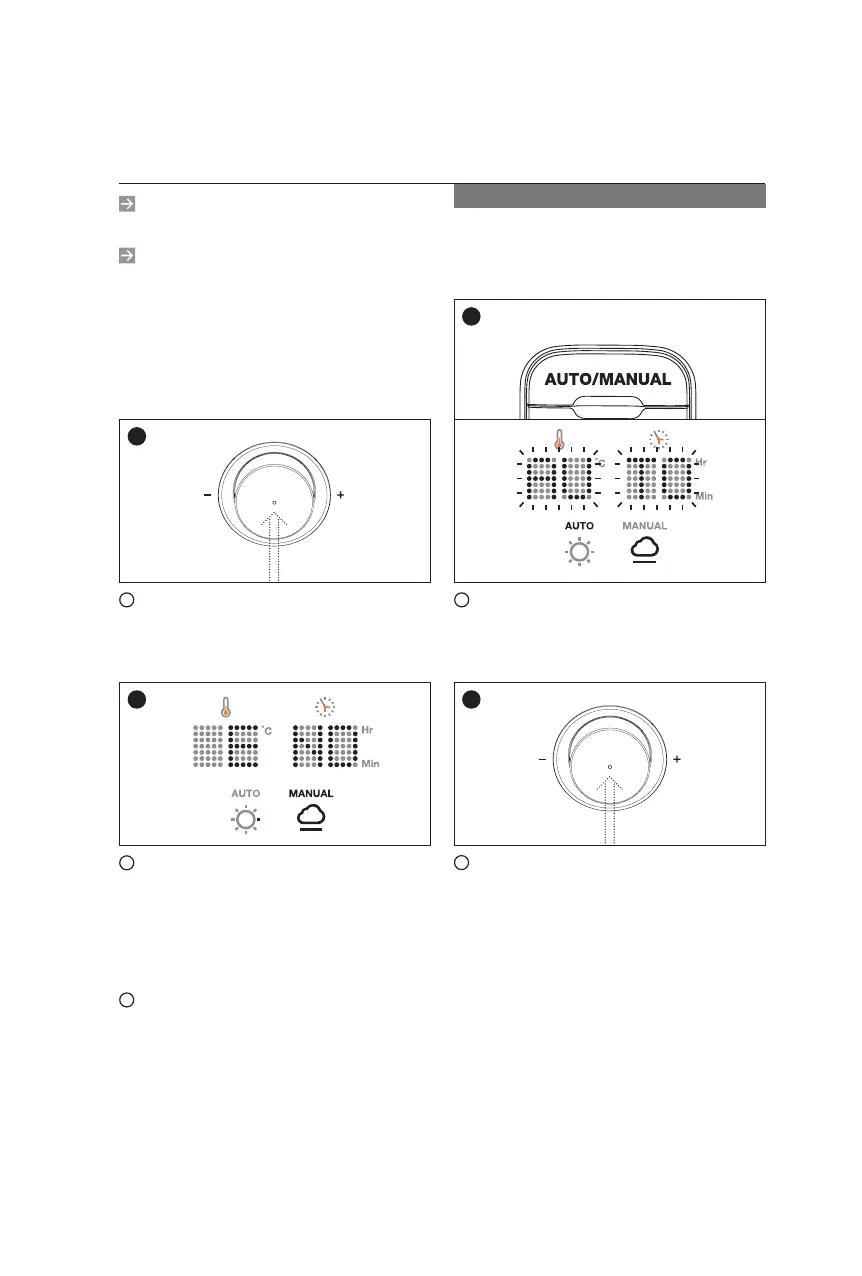
PUSH
The appliance will operate
automatically until it reaches a
certain humidity.
1
If you press AUTO/MANUAL
switch, the display will show ‘AUTO’
and blinks.
2
Without any other settings, push
the control knob and it will operate
automatically.
In the temperature display will
show ( - - ) and the time display
shows how much humidity is
remaining. The temperature will
rise and fall automatically when
using automatic mode.
Automatic Mode
1
2
The minimum and maximum time
range is 1 to 99 hours.
The timer can be manually disabled
to allow for continuous dehydration.
To enable continuous dehydration,
turn the dial clockwise from 99 house
and the display will show ( - - ). The
unit will stay on until you physically
turn it off.
4
Once time and temperature has
been selected, simply push the
control knob to start dehydration.
PUSH
5
After the set time runs out, ‘END’
sign will appear and blink along
with a buzzer. The dehydrator will
continue to run until cools down to
86
℉
(35
℃
).
6
To power the unit off, once the
dehydration is complete, just push
the control knob.
5
4
17
15


 To Next Page
 Loading...