EasyManua.ls Logo

CIAC CG43CX - User Manual

CIAC CG43CX
28 pages
Print Icon
To Next Page IconTo Next Page
Loading...
OPERATION & INSTALLATION
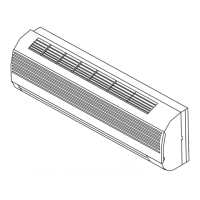
HI WALL INVERTER
AIR CONDITIONER
This manual applies to models:
CG43CX/CH43CX
Thank you for selecting CIAC Air Conditioning. Before use, please read this manual carefully
and store it for future refrence.
Carrier InterAmerica Corporation
Miami, Florida USA
CG/CH43CX-IOM1
HI WALL SPLIT
CG43CX/ CH43CX
9K THRU 24K BTU

Questions and Answers

  • N
    Natalie MillerAug 17, 2025
    Why is the cooling or heating efficiency not good in my CIAC CG43CX Air Conditioner?
    • B
      brittanykelleyAug 17, 2025
      The cooling or heating efficiency of your CIAC Air Conditioner might be poor due to several reasons. Check if the temperature setting is suitable for the room size. Make sure that the inlet and outlet vents are not obstructed. A dirty filter can also reduce efficiency, so clean it. Ensure that windows and doors are properly closed to prevent heat loss or gain. If the fan speed is set too low, increase it. Finally, identify and eliminate any heat sources in the room that could be affecting the air conditioner's performance.
  • B
    Bryan GrantAug 20, 2025
    What to do if my CIAC Air Conditioner unit cannot run?
    • S
      Sara WeberAug 20, 2025
      If your CIAC Air Conditioner isn't running, check a few things: ensure the power hasn't been shut off and that the power plug is securely connected. See if the circuit protection device has tripped. Also, have professionals check the voltage. Finally, verify that the TIMER is correctly set.
  • E
    Erik ChavezAug 22, 2025
    Why is the wireless remote control not working for my CIAC Air Conditioner?
    • J
      Jeffrey LopezAug 22, 2025
      If the wireless remote control for your CIAC Air Conditioner isn't working, try these steps: First, unplug the air conditioner, wait a moment, and plug it back in. Check if you are within the receiving range and if there are any obstructions. Ensure the batteries in the remote are charged; replace them if needed. Finally, check the remote for any damage.
  • K
    Kelly McdowellAug 25, 2025
    How to get rid of the unusual smell from my CIAC Air Conditioner?
    • L
      Lisa BurgessAug 26, 2025
      The CIAC Air Conditioner unit itself doesn't produce unusual smells. If there's an odor, it's likely accumulated from the surrounding environment. Try cleaning the filter. If the smell persists, the air conditioner may need professional cleaning. Please contact an authorized maintenance center for assistance.
  • J
    jacob37Aug 27, 2025
    Why is my CIAC CG43CX indoor unit not delivering air?
    • F
      frederickaliciaAug 28, 2025
      In HEAT mode, your CIAC Air Conditioner might stop delivering air to prevent cool air when the indoor heat exchanger temperature is very low (this should last no more than 2 minutes). Also in HEAT mode, if the outdoor temperature is low or humidity is high, frost may form on the outdoor heat exchanger, triggering an automatic defrost cycle, during which the indoor unit will stop blowing air for 3-12 minutes. During defrosting, water may flow out or vapor may be produced. In dehumidifying mode, the indoor fan may stop to prevent condensed water from re-vaporizing and to limit temperature increases.
  • S
    stephanie64Aug 29, 2025
    Why is there water leakage in the outdoor unit of my CIAC CG43CX Air Conditioner?
    • J
      James ThompsonAug 30, 2025
      If you notice water leakage in the outdoor unit of your CIAC Air Conditioner, it could be due to a few reasons. When running in COOL mode, condensation may form on the pipes and connections due to cooling. In Auto Defrosting mode, ice thaws and flows out. When running in HEAT mode, water adhered to the heat exchanger may drip off.
  • P
    pattersonjessicaSep 1, 2025
    Why does my CIAC CG43CX Air Conditioner not operate immediately when restarted?
    • D
      Daniel FlemingSep 1, 2025
      If your CIAC Air Conditioner doesn't start immediately after being restarted, it's designed to wait approximately 3 minutes to protect itself.
  • W
    wendyfrySep 4, 2025
    Why does my CIAC CG43CX Air Conditioner emit mist from the air outlet in COOL mode?
    • S
      Sarah HallSep 4, 2025
      The mist emitted from the air outlet vent of your CIAC Air Conditioner in COOL mode is caused by the room air being rapidly cooled down. After the unit runs for a while, the indoor temperature and humidity will decrease, and the mist will disappear.
  • M
    Margaret JenkinsSep 6, 2025
    Why is there moisture on the air outlet vent of my CIAC Air Conditioner?
    • M
      Michael PottsSep 6, 2025
      If your CIAC Air Conditioner runs under high humidity for a long time, moisture may condense on the air outlet grill and drip off.
  • L
    Laura DixonSep 9, 2025
    Why can I hear the sound of water flow from my CIAC CG43CX during operation?
    • T
      Terry CruzSep 9, 2025
      The swooshing or gurgling sound you hear during the operation of your CIAC Air Conditioner is due to refrigerant flowing when the compressor starts or stops, or when the unit is stopped. These sounds are normal and not malfunctions.

Summary

Operation and Maintenance Notices

Additional Operation Notices

Usage Principles and Guidelines

Cooling Principles and Functions

Explains the working principle and special functions for cooling mode.

Heating Principles and Functions

Details the working principle and special functions for heating mode.

Defrosting Procedure

Describes the automatic defrosting function during heating operation.

Anti-Cool Wind Functionality

Explains the feature preventing cool air blow during heating start.

Gentle Breeze Mode

Details conditions under which the unit may blow gentle breeze.

Operational Temperature Range

Specifies the indoor and outdoor working temperature ranges for the unit.

Component Identification

Indoor Unit Components

Identifies and describes the parts of the indoor air conditioning unit.

Outdoor Unit Components

Identifies and describes the parts of the outdoor air conditioning unit.

Remote Control Operation

Remote Control Button Functions

Details the names and functions of various buttons on the remote control.

ON;OFF Button Operation

Explains how to start, stop, and reset the unit using the ON/OFF button.

Mode Selection Button

Describes how to change the operational mode of the air conditioner.

Temperature Adjustment Buttons

Explains how to adjust the set temperature using +/- buttons.

Fan Speed Control

Details how to adjust the fan speed through different levels.

Swing Direction Control

Explains how to operate the up and down airflow direction swing.

Health Save Function

Describes the health save and energy saving functions of the remote.

Timer Setting Function

Explains how to set the timer for automatic operation.

Turbo Mode Activation

Details how to activate the turbo mode for rapid cooling or heating.

Left and Right Swing Function

Notes the availability and function of left/right swing control.

X-FAN Functionality

Explains the X-FAN function for drying the indoor unit after operation.

Display Light Control

Describes how to turn the indoor unit display light on or off.

Temperature Display Mode

Explains how to switch between displaying set and ambient temperatures.

General Operation Guide

Provides a step-by-step guide for general air conditioner operation.

Optional Operation Guide

Outlines optional operation steps like sleep, timer, and turbo functions.

Detailed X-FAN Function

Provides a detailed explanation of the X-FAN function's purpose and operation.

Special Operation Modes

Explains AUTO RUN, Turbo, Lock, and unit switching features.

Battery Replacement and Care

Provides instructions for changing remote control batteries and care notices.

Emergency Operation Procedures

Indoor Unit Display Light Control

Explains how to control the indicator light on the indoor unit display.

Manual Switch Operation

Details how to operate the unit using the manual switch when the remote is lost.

Cleaning and Maintenance

Front Panel Cleaning

Instructions for cleaning the front panel of the indoor unit.

Air Filter Cleaning

Provides guidance on how to clean the air filter of the unit.

Pre-Use Checks

Lists essential checks to perform before operating the air conditioner.

Post-Use Maintenance

Outlines the recommended maintenance steps after using the unit.

Troubleshooting Guide

Installation Guidelines and Requirements

Important Installation Notices

Highlights critical notices for qualified installation personnel.

Installation Position Requirements

Specifies basic requirements for selecting the installation location.

Indoor Unit Placement

Details the recommended position selection criteria for the indoor unit.

Outdoor Unit Placement

Details the recommended position selection criteria for the outdoor unit.

Electrical Safety Requirements

Outlines essential safety requirements related to electrical connections.

Earthing Requirements

Explains the critical requirements for proper earthing of the unit.

Installation Dimension Diagram

Unit Spacing Requirements

Illustrates necessary clearances for correct installation of indoor and outdoor units.

Indoor Unit Installation

Rear Panel Mounting

Instructions for installing the rear panel of the indoor unit on the wall.

Piping Hole Creation

Details on making and preparing the piping hole through the wall.

Drainage Pipe Installation

Guidance on correctly installing the water drainage pipe.

Electrical Wiring Connection

Steps for connecting the power and signal control wires for the indoor unit.

Indoor Unit Final Mounting

Instructions for mounting the indoor unit onto the prepared rear panel.

Connection Pipe Installation

Details on connecting the refrigerant pipes, including torque specifications.

Outdoor Unit Installation

Outdoor Unit Electrical Wiring

Steps for connecting the power supply and signal wires to the outdoor unit.

Air Purging and Leakage Testing

Procedure for purging air and testing for refrigerant leaks.

Outdoor Unit Condensate Drainage

Explains the installation of drainage for condensate and defrost water.

Post-Installation Verification

Installation Checks

Lists items to check for proper installation before operation.

Test Operation Procedure

Step-by-step guide for performing test operation of the unit.

Healthy Filter Installation and Care

Healthy Filter Installation

Instructions for installing the healthy filter into the air filter frame.

Healthy Filter Cleaning

Guidance on cleaning different types of healthy filters.

Healthy Filter Service Life

Information on the expected service life and indicators for filter replacement.

Overview

This document is an operation and installation manual for a CIAC Hi-Wall Inverter Air Conditioner, specifically models CG43CX/CH43CX, ranging from 9K to 24K BTU.

Function Description

The CIAC Hi-Wall Inverter Air Conditioner is designed to provide both cooling and heating (for cooling and heating units) for indoor spaces. It operates by absorbing heat from the room and transferring it outdoors during cooling, and absorbing heat from outdoors and transferring it indoors during heating. The inverter technology allows for variable compressor speed, leading to energy efficiency and precise temperature control. The unit can be controlled via a wireless remote control, which offers various modes and settings.

Important Technical Specifications

Models: CG43CX/CH43CX Capacity: 9K through 24K BTU Operating Temperature Range (Outdoor Temperature):

  • Cooling Unit: 10℃ ~ 48℃
  • Cooling and Heating Unit: -15℃ ~ 48℃

Working Temperature Range (Indoor side DB/WB (°C) / Outdoor side DB/WB (°C)):

  • Maximum Cooling: 32/23 / 48/-
  • Minimum Cooling: 21/15 / 10/-
  • Maximum Heating: 27/- / 24/18
  • Minimum Heating: 20/- / -15/-6

Electrical Requirements:

  • Rated voltage and AC exclusive circuit.
  • Power cable diameter must be sufficient.
  • Reliable earthing is mandatory, connected to a special earth device by a professional.
  • An air switch with magnetic and heat tripping functions is required for short circuit and overloading protection.
  • All-pole disconnection switch with a contact separation of at least 3mm in all poles must be connected in fixed wiring.
  • Fuse model and rating values are specified on the fuse cover or related PCB board.

Installation Dimensions:

  • Indoor Unit:
    • Space to ceiling: 15cm Above
    • Space to wall (left/right): 15cm Above
    • Space to floor: 250cm Above
    • Space to obstruction (air outlet side): 300cm Above
  • Outdoor Unit (two kinds of appearance):
    • Space to obstruction (air inlet side): 50cm Above
    • Space to wall (air inlet side): 30cm Above
    • Space to wall (air outlet side): 200cm Above
    • Space to wall (air outlet side): 50cm Above
    • Space to obstruction (air outlet side): 50cm Above
  • Piping Hole: Ø55 in the wall, with a slight downward slant to the outdoor side.
  • Connection Pipe Tightening Torque (N·m):
    • Φ6: 15~20
    • Φ9.52: 31~35
    • Φ12: 50~55
    • Φ16: 60~65
    • Φ19: 70~75

Usage Features

Operation Modes:

  • Cool: Reduces indoor ambient temperature.
  • Heat: Increases indoor ambient temperature (for cooling and heating units).
  • Dry: Dehumidifies the air.
  • Fan: Circulates air without cooling or heating.
  • Auto: Automatically selects the suitable running method based on room temperature for comfort.
  • Sleep Mode: Adjusts temperature automatically for comfortable sleep.
  • Turbo Mode: Runs at super-high fan speed for quick cooling or heating.

Remote Control Functions:

  • ON/OFF Button: Starts or stops the unit, clears timer/sleep functions.
  • MODE Button: Cycles through operation modes (Auto, Cool, Dry, Fan, Heat).
  • TEMP. (+/-) Buttons: Adjusts setting temperature (16~30℃ / 61°F~86°F).
  • FAN Speed Button: Cycles through fan speeds (Auto, Low, Middle, High). Fan speed is not adjustable in Dry mode.
  • Swing Up and Down Button: Controls vertical airflow direction. Can be switched between simpleness swing mode and stationary swing mode.
  • TIMER Button: Sets timer for unit on/off (0.5 to 24 hours).
  • X-FAN Button (BLOW): In Cool or Dry mode, runs the indoor fan for 10 minutes after shutdown to dry the indoor unit and prevent mold. Not available in Auto, Fan, and Heat modes.
  • LIGHT Button: Turns the displayer indicator light on or off.
  • HEALTH/SAVE Button:
    • HEALTH function: Not available for this unit, but pressing the button will cause a click without changing status.
    • Save energy function: In Cool mode, displays "SE" and enters "Electricity Save mode." Temperature and fan speed are not adjustable in this mode.
  • Lock Function: Pressing + and - buttons simultaneously locks/unlocks the remote control keyboard.
  • Fahrenheit/Centigrade Switch: Pressing MODE and - buttons simultaneously when the unit is off switches between °C and °F.

Special Functions:

  • Anti-freezing function (Cooling): If indoor heat exchanger temperature drops below 0°C, the compressor stops to protect the unit.
  • Defrosting (Heating): When outdoor temperature is low and humidity is high, frost may form on the outdoor unit. The auto defrosting function will activate for 8-10 minutes, stopping indoor and outdoor fans, and the indoor indicator will flash.
  • Anti-cool wind function (Heating): Indoor fan will not operate if the indoor heat exchanger temperature is not sufficient, to prevent blowing cool air (within 2 minutes of heating start, after defrost, or during low-temperature heating).
  • Gentle Breeze (Heating): Indoor unit may blow gentle breeze and guide louver rotates to a certain position when the compressor hasn't started or when the temperature reaches the setting value and the compressor stops.

Emergency Operation:

  • If the remote control is lost or broken, a manual switch button on the indoor unit's displayer box can be used. Pressing it when off turns the unit on in Auto mode; pressing it when on turns the unit off. Temperature and fan speed cannot be changed in this mode.

Maintenance Features

General Cleaning:

  • Front Panel: Wipe with a soft cloth dipped in water below 45°C. Do not immerse in water due to microcomputer components.
  • Air Filter: Recommended cleaning every three months, more often if dusty.
    • Removal: Pull the front panel for an angle, then pull the air filter downwards.
    • Cleaning: Use a vacuum cleaner or wash with warm water (below 45°C) and neutral detergent. Dry in the shade. Do not use water above 45°C, parch by fire, or use a brush/hard things.
    • Reinsertion: Insert along the arrow direction and close the panel cover.
  • Healthy Filter:
    • Installation: Mount onto the air filter or front case.
    • Cleaning: Take out before cleaning. Silver ion filters cannot be cleaned with water. Active carbon, photocatalyst, LTC catalyst, formaldehyde eliminator, catechin, or mite killing filters can be cleaned with water but not with a brush/hard things. Dry in the shade or sun, not by wiping.
    • Service Life: Commonly one year. Silver ion filter is invalid when its surface turns black (green).

Before Use (Seasonal Check):

  • Ensure air outlet and intake vents are unobstructed.
  • Check ground wire connection.
  • Check air conditioner batteries.
  • Check outdoor unit installation stand for damage.

After Use (Seasonal Maintenance):

  • Turn off main power.
  • Clean filters and unit bodies (indoor and outdoor).
  • Clear dust and obstructions from the outdoor unit.
  • Repaint rusty spots on the outdoor unit.
  • Cover the outdoor unit with a special shield to protect from rain, dust, and rust.

Troubleshooting: The manual provides a comprehensive troubleshooting guide for common issues such as:

  • Unit not starting immediately (3-minute protection delay).
  • Unusual smells (due to accumulated ambient smell, clean filter).
  • Sound of water flow (refrigerant flow, not a malfunction).
  • Mist from air outlet (high indoor temperature/humidity, normal).
  • Creaking noise (plastic deformation due to temperature changes).
  • Unit not running (power issues, timer, voltage, circuit protection).
  • Poor cooling/heating efficiency (temperature settings, obstructed vents, dirty filter, open windows/doors, low fan speed, heat sources).
  • Remote control not working (interference, out of range, low batteries, damage).
  • Water leakage indoors (high humidity, overflowing condensate, loose drainage pipe).
  • Water leakage outdoors (condensation on pipes, defrosting, water dripping from heat exchanger in Heat mode).
  • Noise from indoor unit (fan/compressor relay, defrosting).
  • Indoor unit not delivering air (anti-cool wind function, defrosting, dehumidifying mode).
  • Moisture on air outlet vent (high humidity).

Immediate Stop and Contact Dealer:

  • Harsh sound during operation.
  • Terrible odors emitted.
  • Water leaking in the room.
  • Frequent air switch or protection switch breaks.
  • Water splashed into the unit.
  • Abnormal heat in power supply cord or plug.

CIAC CG43CX Specifications

General IconGeneral
BrandCIAC
ModelCG43CX
CategoryAir Conditioner
LanguageEnglish

Related product manuals