Page 8 / 10
Product DescriptionRBW205
Technical brochure NA 14-52A
Using the Software
NOTE
The control module switches to standby mode after 10 seconds: All LEDs are switched off.
To make settings: Press any key or rotate the knob.
Setting the room temperature
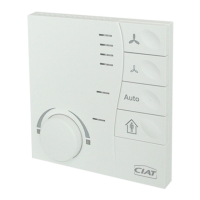
If you turn the knob, the function is activated:
Rotate the knob to the left: Reduce the temperature.
Rotate the knob to the right: Increase the temperature.
Depending on the selected temperature setting, the display of the LEDs changes.
Neither of the two LEDs is illuminated: The average value is set.
Blue LED illuminated: Increase by degrees (°C) to full intensity (-3 °C in comparison to the
average value).
Red LED illuminated: Decrease by degrees (°C) to full intensity (+3 °C in comparison to the
average value).
Energy saving mode
If you leave the room for a longer period of time, switch the presence button to “Absent”, LED
(OFF).
The energy saving function is activated and the temperature is set to a preconfigured value
(cannot be adjusted).
When you return to the room, switch the presence button to “Present”, LED (ON).
The energy saving function is switched off. You can adjust the temperature to a value of your
choice.
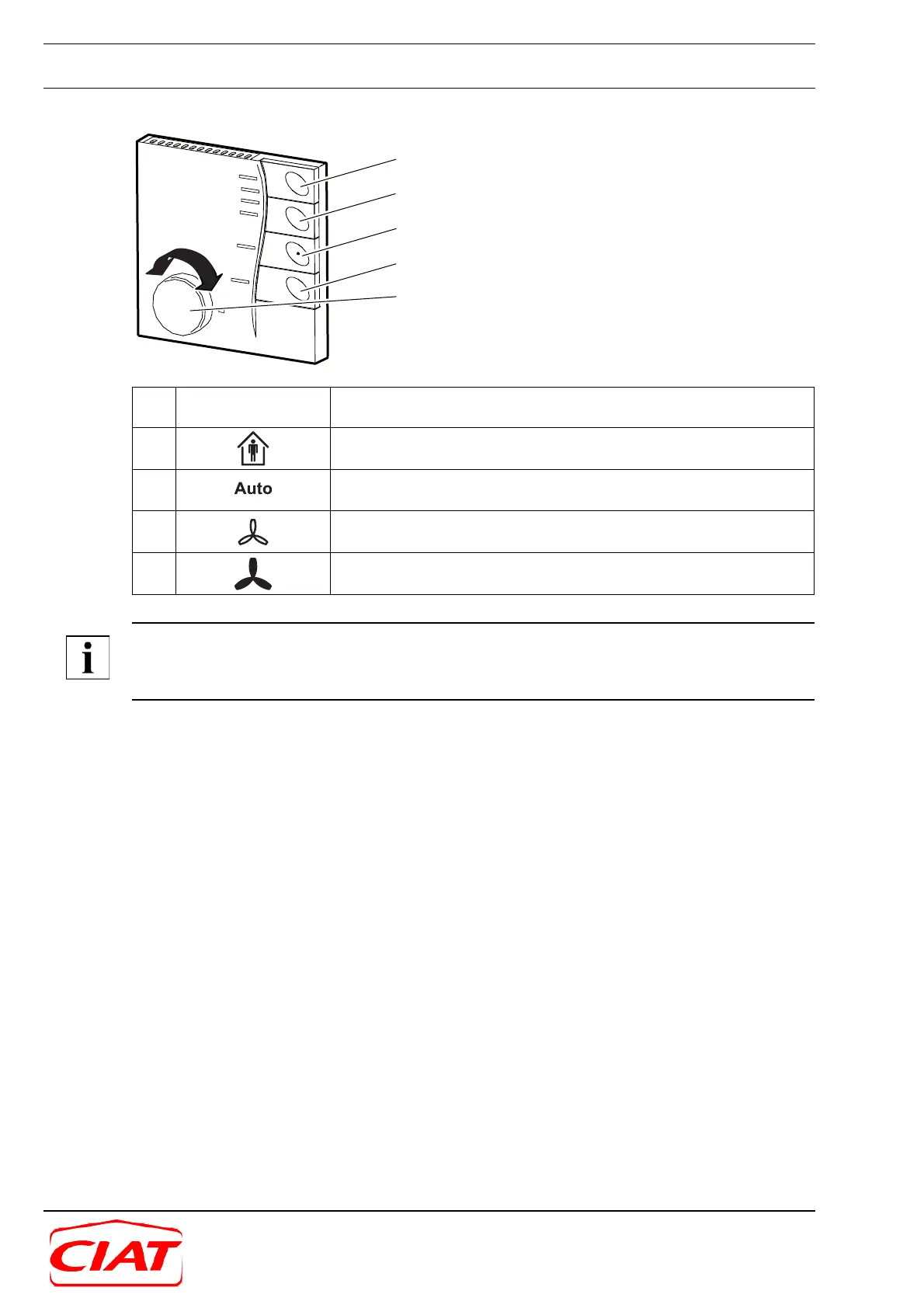
1 Knob Rotate: Set the value (e.g. temperature). Left: Lower it (blue LED).
Right: Raise it (red LED)
2 Presence button (power save button): Switch between “Present” and
“Absent”. Green LED (ON): “Present”
3 Fan in automatic mode: Fan speed specified by the controller. Green
LED (ON)
4 Reduce the speed, fan off. Four green LEDs: Max. to min. fan level
display
5 Fan on, increase speed. Four green LEDs: Min. to max. fan level dis-
play
5
4
3
2
1


 To Next Page