How To Play
2
1
Two Interactive Modes
27
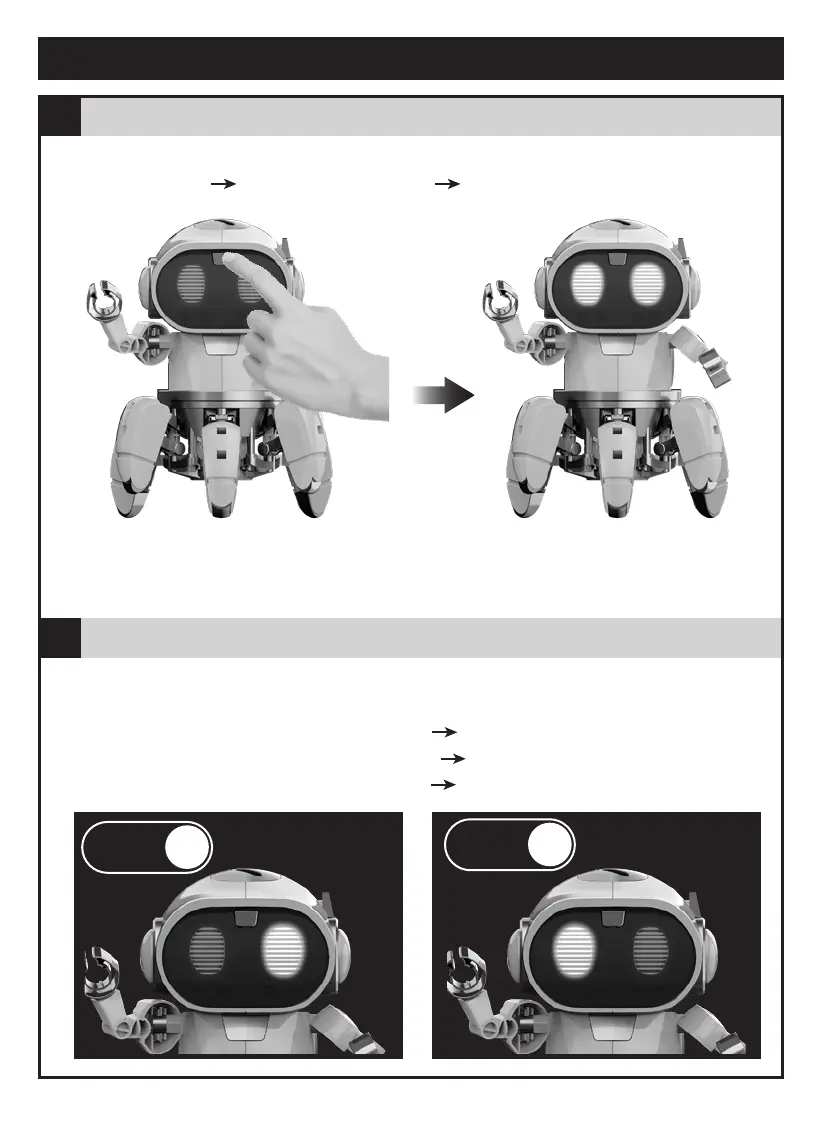
Power On - " Standby " Phase
Funway
1
Funway
2
1. Long-press the switch for 2 secs. Tobbie's eyes (LED) light up with sound effects
2. LED flashes enter " Standby " phase select playing mode.
Follow-me
mode
Explore
mode
One single button to switch between modes (Funway 1 / Funway 2) alternatively
Example:
Press the switch once- LED (left) lights up goes into mode "Funway 1 "
-redo(repress button) - LED (right) lights up goes into mode "Funway 2"
-redo(repress button) - LED (left) lights up goes into mode "Funway 1 "
Note: Do not keep Tobbie waiting too long, Tobbie will keep stamping its feet with sound
alerts to remind you. If " Standby " phase stays more than 60 secs without mode selection,
Tobbie will " power off ".



 To Next Page