2
2021 Cicada Audio All rights reserved.
MORE COOLNESS!!
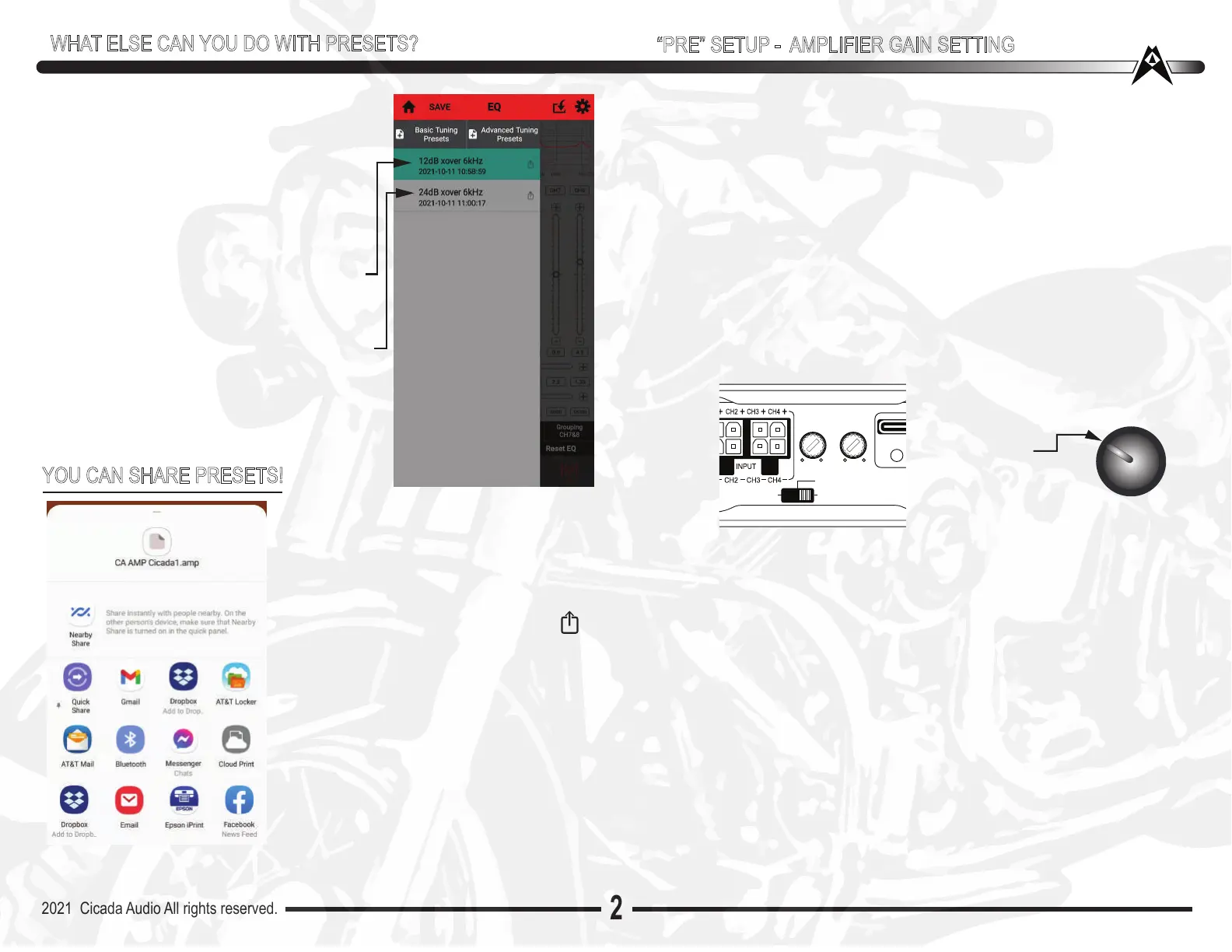
Another cool thing is you can instantly hear the
difference in any and ALL of you memory
settings you’ve saved!!! You can hear the
difference between EQ settings, different gain
settings, different time alignement settings.
All kinds of things.
So lets say you have one setting with a 80Hz
12dB slope High Pass filter on the front speak-
ers?
Another setting has the crossover at 60Hz but
at 24dB. Now you can hear what that differ-
ence sounds like. Just tap the one you want to
listen to and it automaticaly switches to that
memory setting
10 O’Clock
CH1/2
GAIN
CH3/4
GAIN
DSP125.4D
DC
REM
VOX
USB
MIN MAX MIN MAX
“PRE” SETUP - AMPLIFIER GAIN SETTING
With the DSP part pretty much finalized (at least for Pre Setting) WE now
need to go to the amplifiers and do a “Pre”set gain adjustment on them.
Again...the amplifier(s )is NOT powerered up and we haven”t “Scoped”
anything, metered...zip...zilich. But this works great and I have done it for
over 10 years of doing DSP tuning. So lets just go with it, for now. Good
news is you can readjust EVERYTHING once you get the system up and
running
REMEMBER this is “Pre” Setup!
On ALL high pass channels - Pre Set GAINs to about the 10 O’Clock position.
Remember that there is NO quarter gain. or half gain, or three quarter gain.
No such thing. This “Pre” set is just that. A PRE set. Its just to get you on
your way. ALL settings can me “massaged” and changed at any time
On ALL Low Pass channels - Pre Set GAINs to about the 12 to 1:00 O’Clock
position. Typically bass needs more GAIN and more energy to keep up with
the mids and highs. This “Pre” set is just that. A Pre set. Its just to get you
on your way. ALL settings can me “massaged” and changed at any time
Now that gains and crossovers are ALL preset, inside the DSP and on the
amplifier(s) it is time you’ve SAVED you settings on the DSP88 - ONCE
SAVE is completed (it takes 60 seconds) its time to RECONNECT the
amplifier(s).
1. Power everything DOWN - connect the amplifier now
2. Power everything up
Adjust your HU’s volume to a comfortable level. You should have plenty
of gain already. AGAIN this is NOT your final gains settings , or crossover
or EQ (you havent even touched EQ yet ...RIGHT???)
WHAT ELSE CAN YOU DO WITH PRESETS?
YOU CAN SHARE PRESETS!
This is actually an advance settings thing-
BUT while I am talking about what you can
do with Pre Sets...you can SHARE them
with your friends! Enemies, whomever.
Click the far right of one of the memory
settings that shows the box with the up
arrow. When you touch that ....the box on
the left opens up (on Android at least)
From here you can pick how you want to
send your file! Text, Email, whatever!!!
If you are copying a frinds system and he
has it all “dialed ” up...you cans simply ask
for his file and he sends it to you and
BAMM! You’re set up!!


 To Next Page
 Loading...