Auto sleep mode:
After 5 minutes without a keypress .the backlighting will turn off to
conserve battery.
FN+CAPS: Long press "FN" and "CAPS" key to enter deep sleep
under Bluetooth mode, the "CAPS" indicator will light off and Bluetooth
disconnect, press FN and CAPS key again or plug in USB cable to
exit deep sleep mode, indicator will light on.
Note : In order to saving energy .Keyboard without backlighting under
Bluetooth mode, unless plug in factory USB cable or power restoration .
Battery Charging:
FN key will blink red repeatedly when the keyboard is low on battery
(battery voltage less than 3.5V). It turns to green when charging,
it' soff after charging finished.
CUSTOM CONFIGURATION
How do I configure my keyboard ?
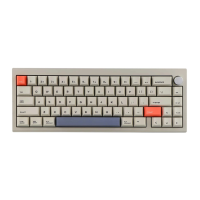
Cidoo V65 support VIA firmware to remap the keys .VIA is a software
that allows you to configure your keyboard.
Note :PIease make sure your keyboard has been correctly plugged
in your computer device.
VIA setup instructions are here :
I.PIease visit "https://github.com/WestBerryVIA/via-reIeases/
releases" to download the latest VIA application for your
computer' s OS here .


 To Next Page