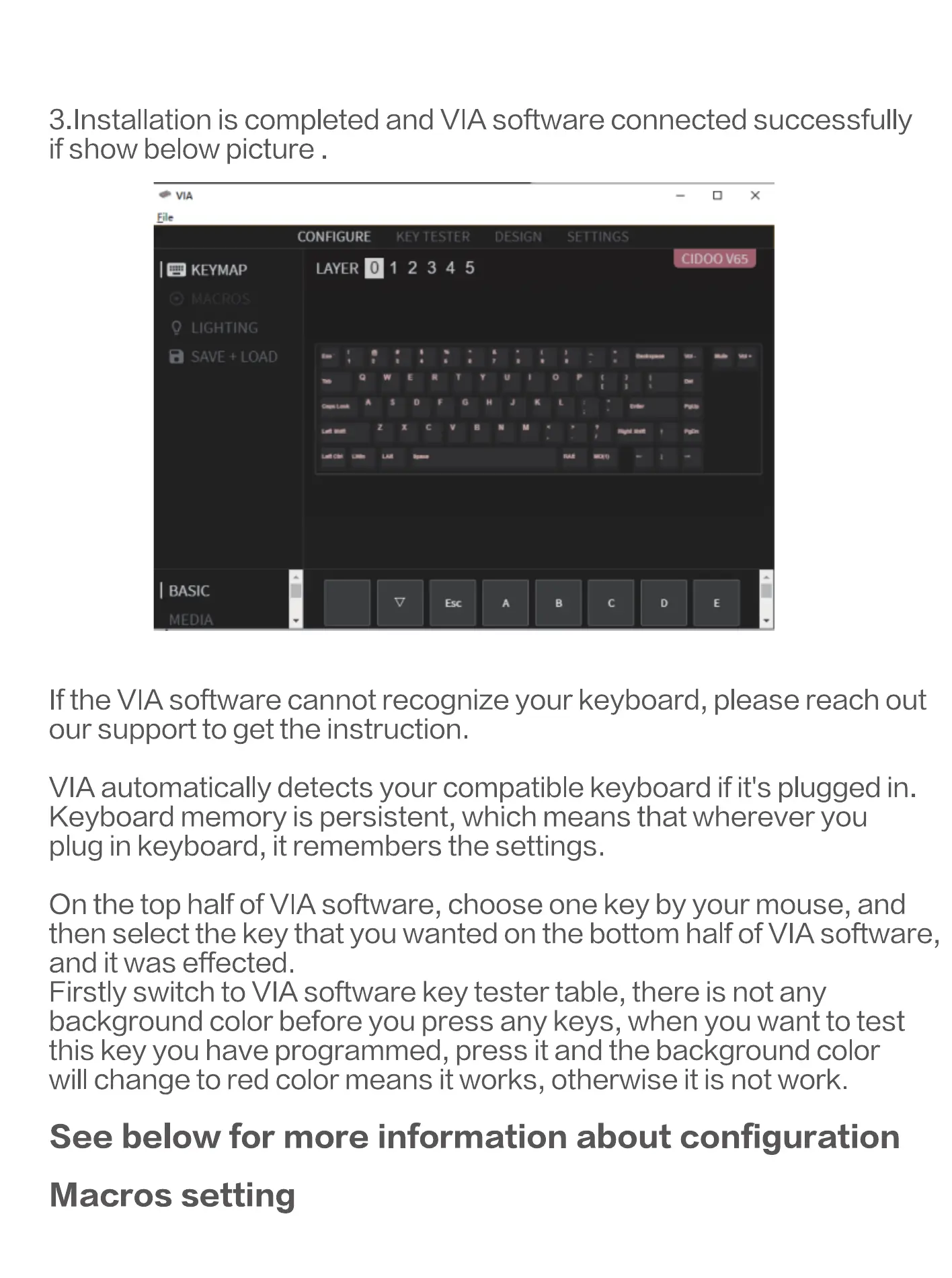
3. Installation is completed and VIA software connected successfully
if show below picture .
CONFIGURE
2 34 5
CIDOO
I a KEYMAP
p LIGHTING
a SAVC i LOAD
I BASIC
If the VIA software cannot recognize your keyboard, please reach out
our support to get the instruction.
VIA automatically detects your compatible keyboard if it's plugged in.
Keyboard memory is persistent, which means that wherever you
plug in keyboard, it remembers the settings.
On the top half of VIA software, choose one key by your mouse, and
then select the key that you wanted on the bottom half of VIA software,
and it was effected.
Firstly switch to VIA software key tester table, there is not any
background color before you press any keys, when you want to test
this key you have programmed, press it and the background color
will change to red color means it works, otherwise it is not work.
See below for more information about configuration
Macros setting


 To Next Page