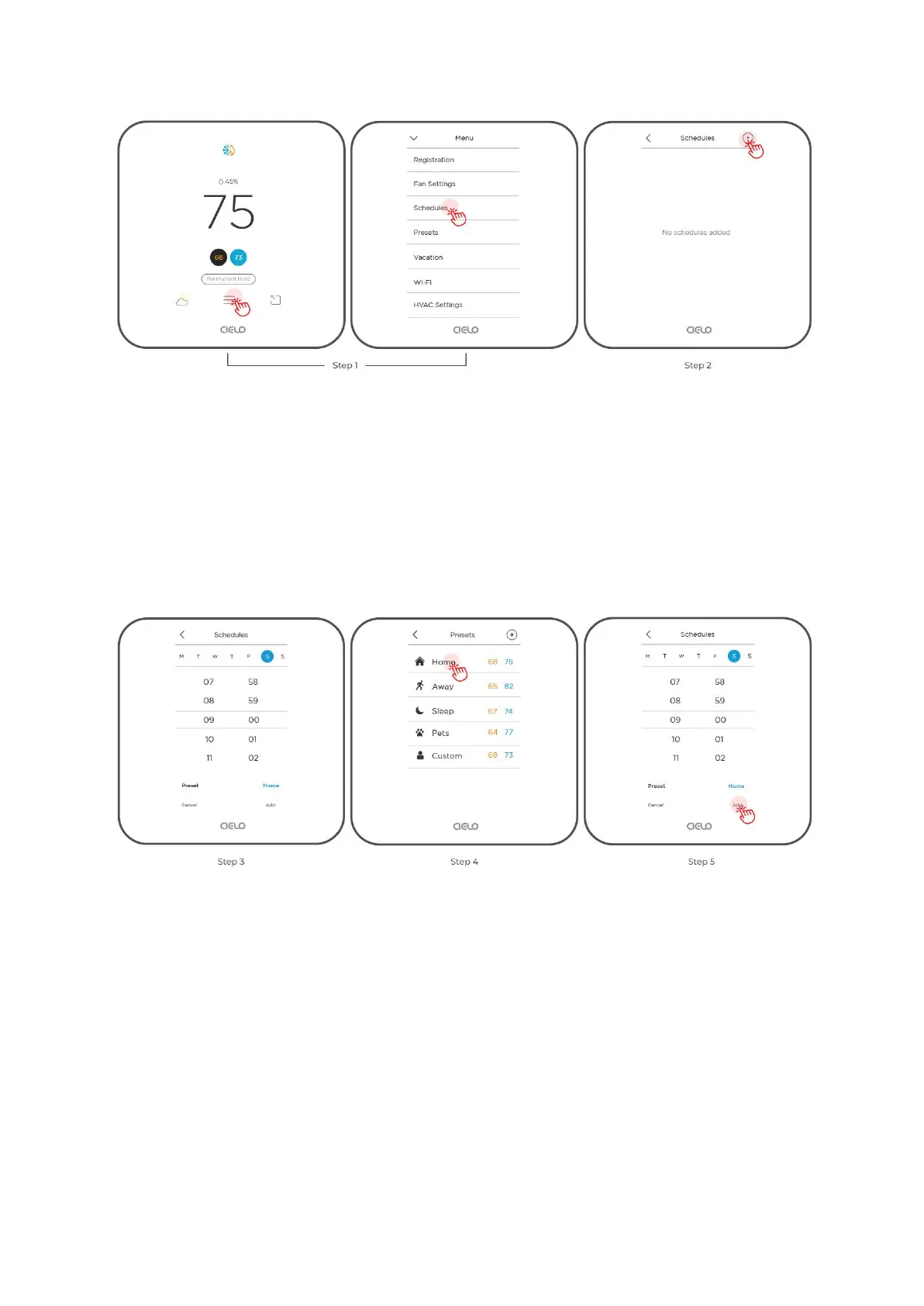
Step 3: Select the time and day(s) on which you want the schedule to run.
Step 4: Select the 'Preset' you want to add to your schedule, in this case, 'Home.'
You can also add a custom schedule by selecting ‘Custom’ in Presets.
Step 5: Tap 'Add'. Your schedule is now saved.
3B. Deleting/Editing a Schedule
Step 1: Go to ‘Menu’ and select ‘Schedules’.



 To Next Page