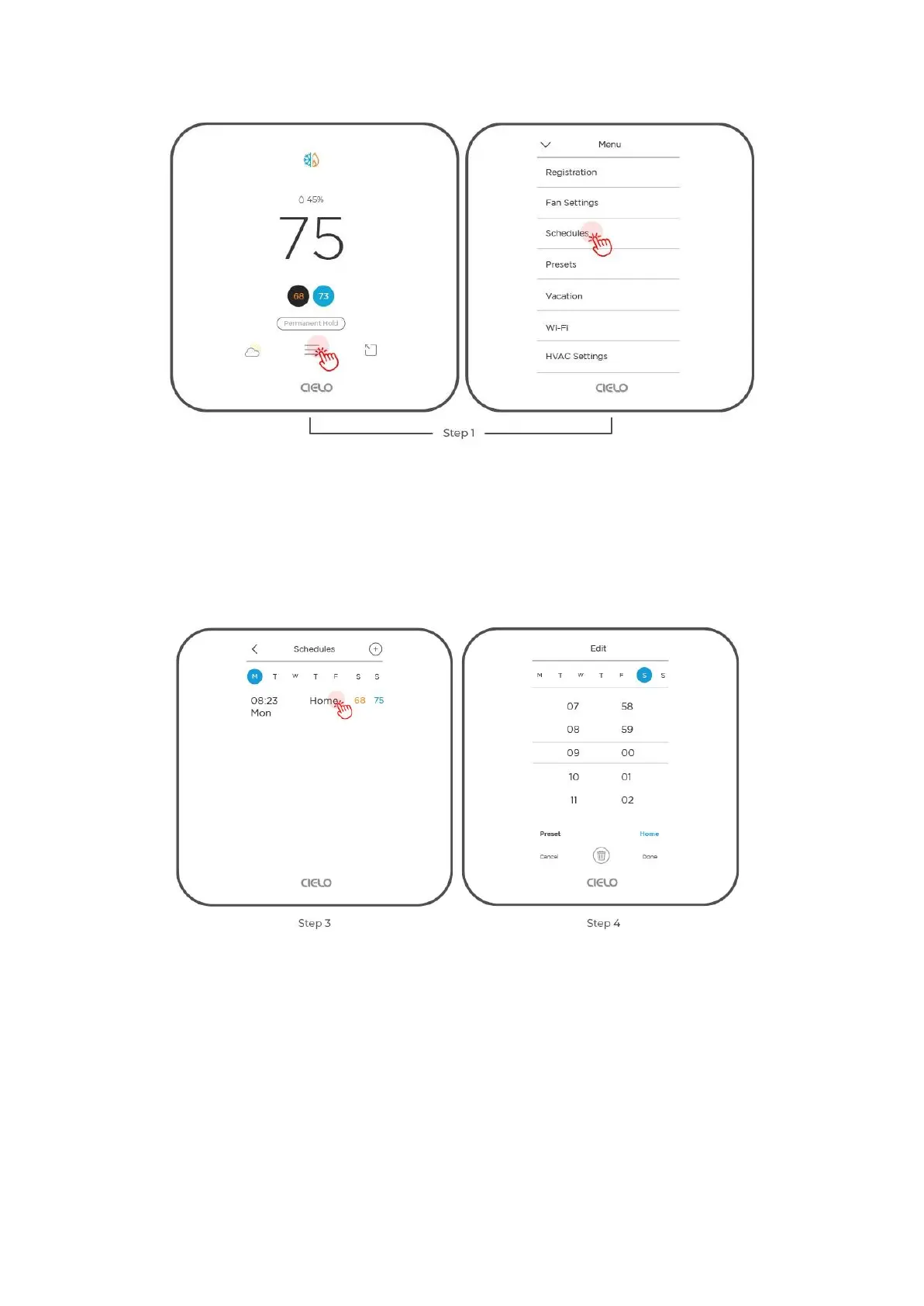
Step 2: On the 'Schedule' screen, you will see all your set schedules. Tap on the schedule
you want to edit.
Step 3: Make your desired changes or tap the 'delete' icon if you wish to delete the schedule.
Setting up a schedule using the Cielo Home App
Setting up Custom Schedules
Step 1: On the Control screen, tap on 'Schedule' in the navigation bar.
Step 2: Tap on the '+ Add Schedule' icon.
Step 3: Tap on 'Custom Schedule'.



 To Next Page