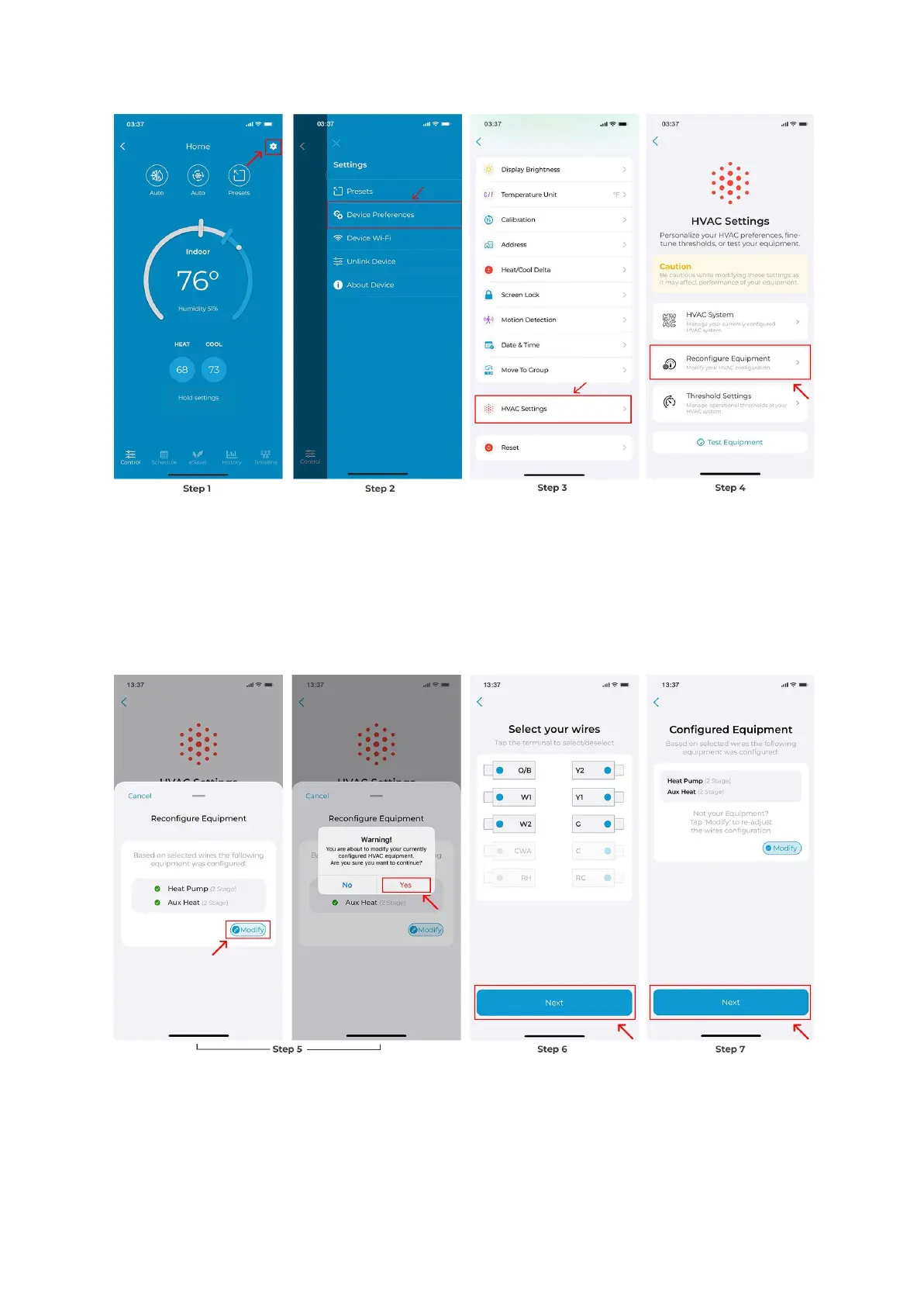
Step 5: Tap on 'Modify' and select 'Yes'.
Step 6: Select the terminals that have wires connected to them. Then tap 'Next'.
Step 7: You will see your newly configured HVAC equipment. Tap 'Next'.
Step 8: Based on your wire selection, this step requires you to select your heating source
and determine how you want your system to work. Tap on ‘Next’ after you have configured
these settings.



 To Next Page