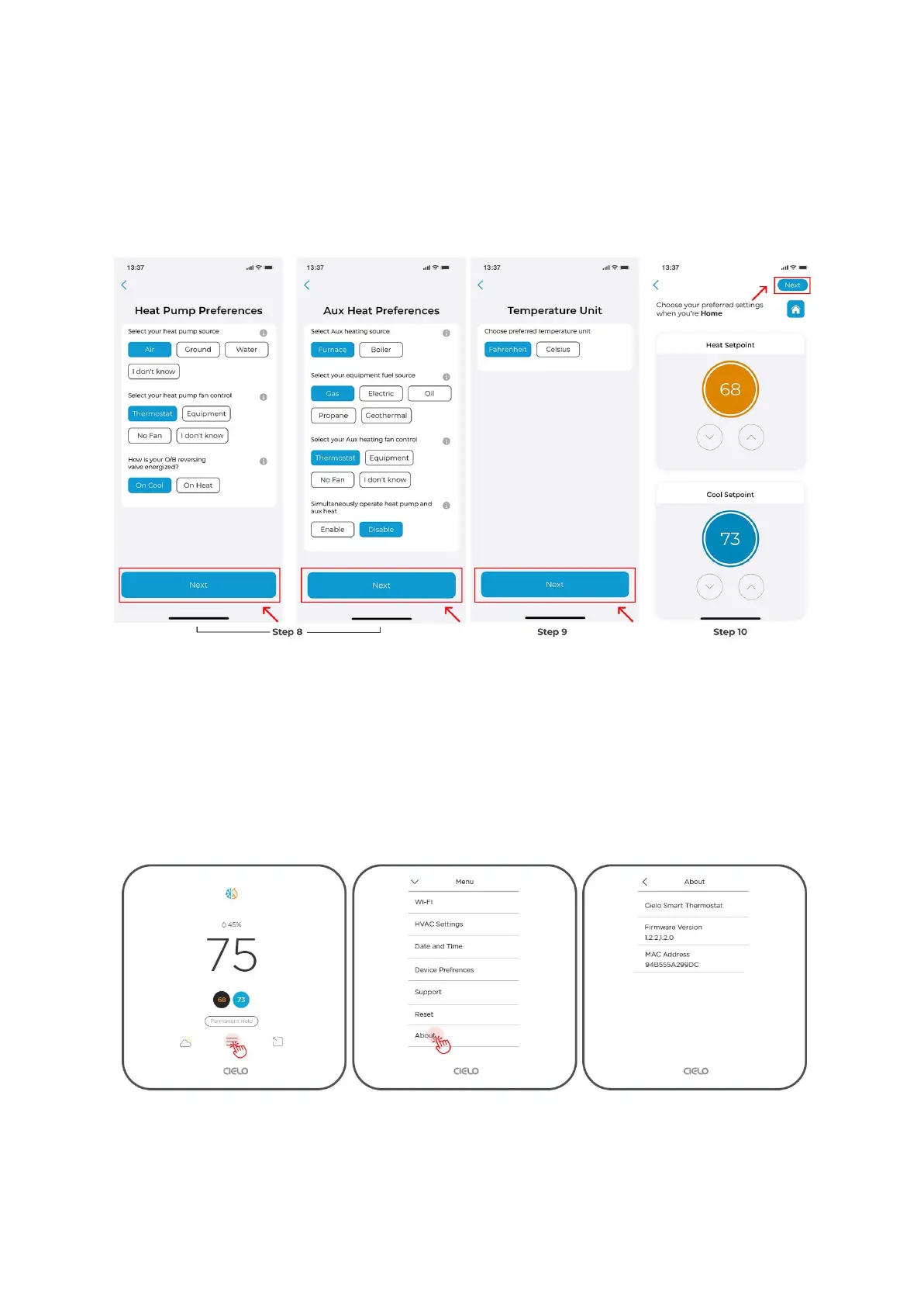
Step 9: Choose your preferred temperature unit and tap 'Next'.
Step 10: Personalize your desired comfort settings for Home, Away, or Sleep.
Your new HVAC equipment is now configured.
How do I check the details of my Cielo Smart Thermostat?
Checking Details of Your Thermostat
Step 1: Go to 'Menu' and select 'About'.
You can see the device details here.
Using Cielo Home App



 To Next Page