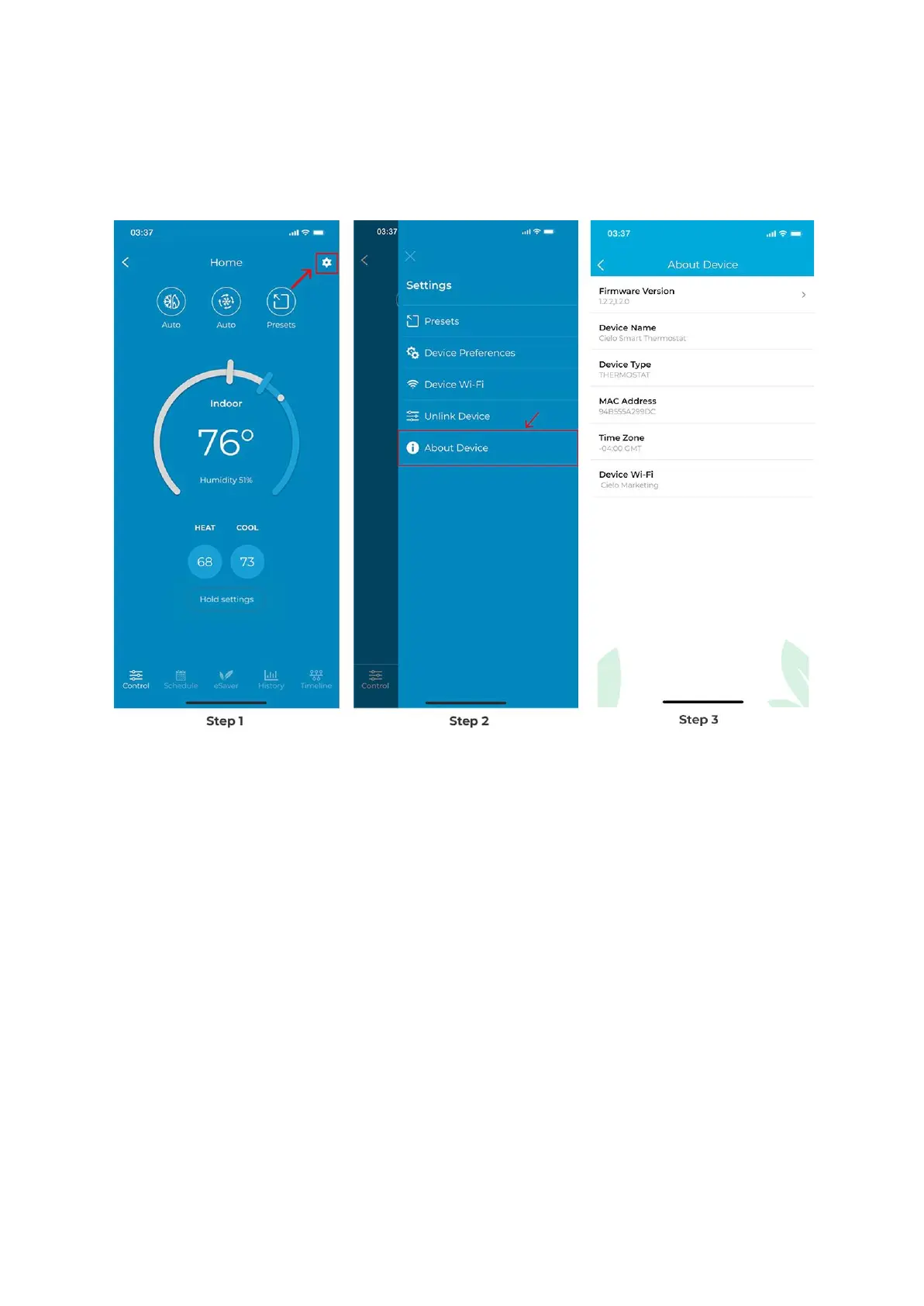
Step 1: On the Control Screen, tap on the ‘Settings’ icon at the top right corner.
Step 2: Tap on ‘About Device
You can see the device details here.
What is cycle rate and how to adjust it on Cielo Smart
Thermostat?
The cycle rate refers to how frequently the thermostat turns your heating or cooling system
on and off to maintain the desired temperature in your home. How often your unit turns on
and off depends on many factors, including the type of your system and how long it will take
to achieve your desired temperature.
An HVAC system with a cycle rate of 5 will cycle a maximum of 5 times in an hour. When the
cycle rate is lower, the on-time and off-time will be longer. When the cycle rate is higher, the
on-time and off-time will be shorter.


 To Next Page
 Loading...