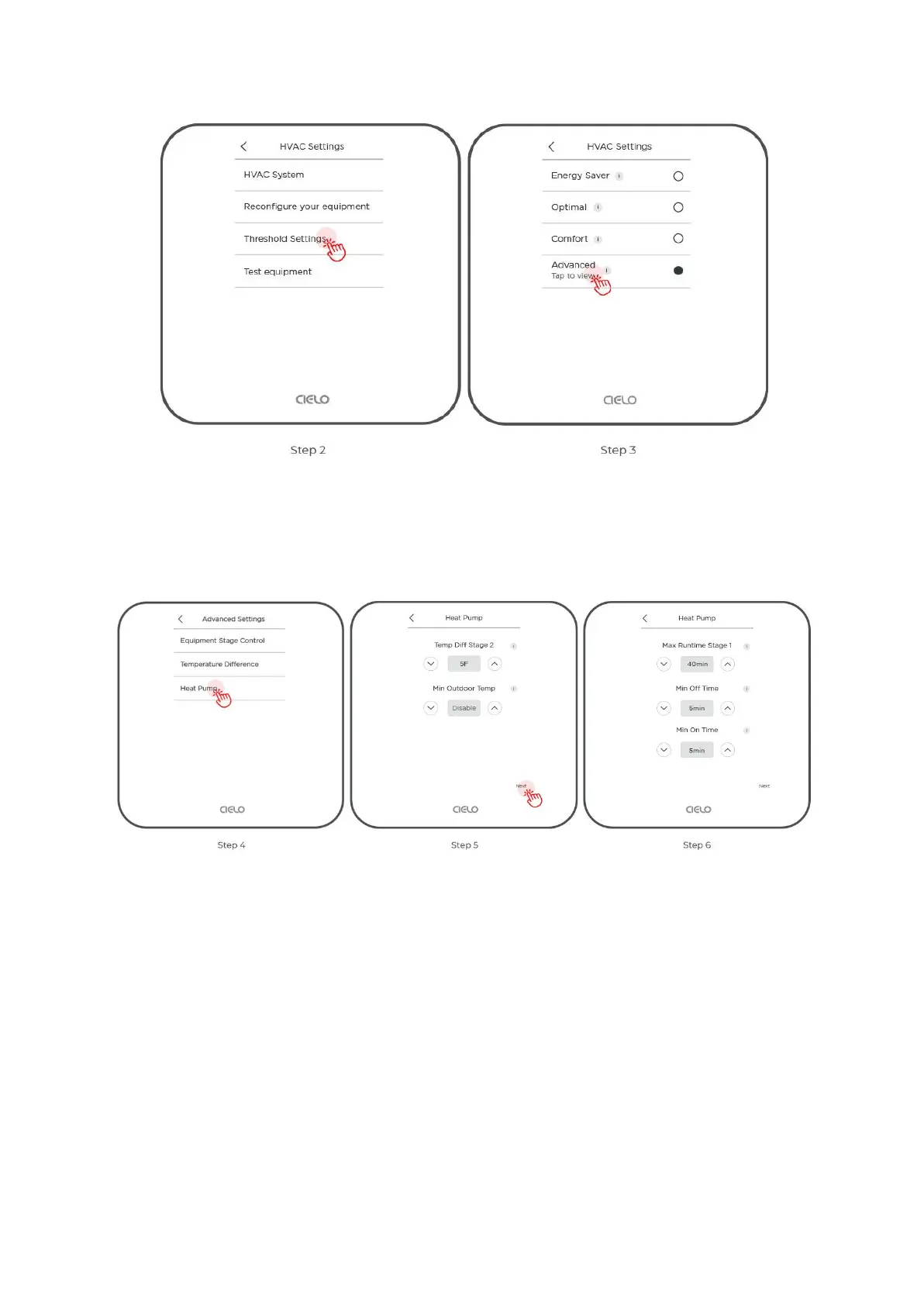
Step 4: Tap on 'Heat Pump'.
Step 5: Tap on 'Next' to proceed to minimum on and off time.
Step 6: Adjust ‘Minimum On Time’ and ‘Minimum Off Time’.
Here’s how you can adjust the Minimum On and Off Time on your Cielo Home App.
Step 1: Go to settings by tapping the 'Settings' icon on the control screen.
Step 2: Tap on ‘Device Preferences’.
Step 3: Tap on 'HVAC Settings'.



 To Next Page