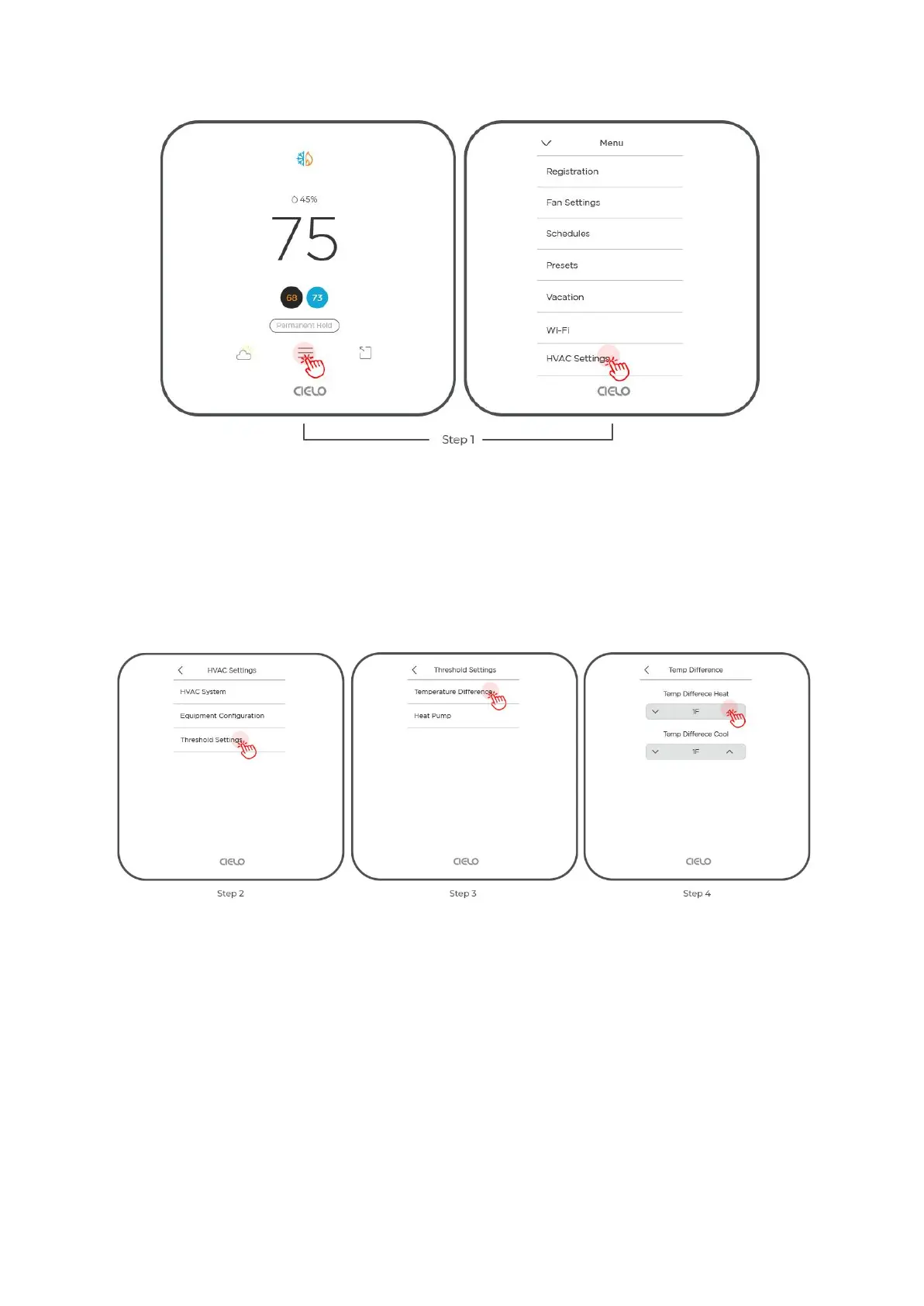
Step 2: Select ‘Threshold Settings’.
Step 3: Select ‘Temperature Difference’.
Step 4: Use the up and down arrows to set the temperature difference for Heat and Cool.
Heat Pump Settings
Step 1: Go to 'Menu' and select 'HVAC Settings'.
Step 2: Select ‘Threshold Settings’.
Step 3: Select ‘Heat Pump’.



 To Next Page