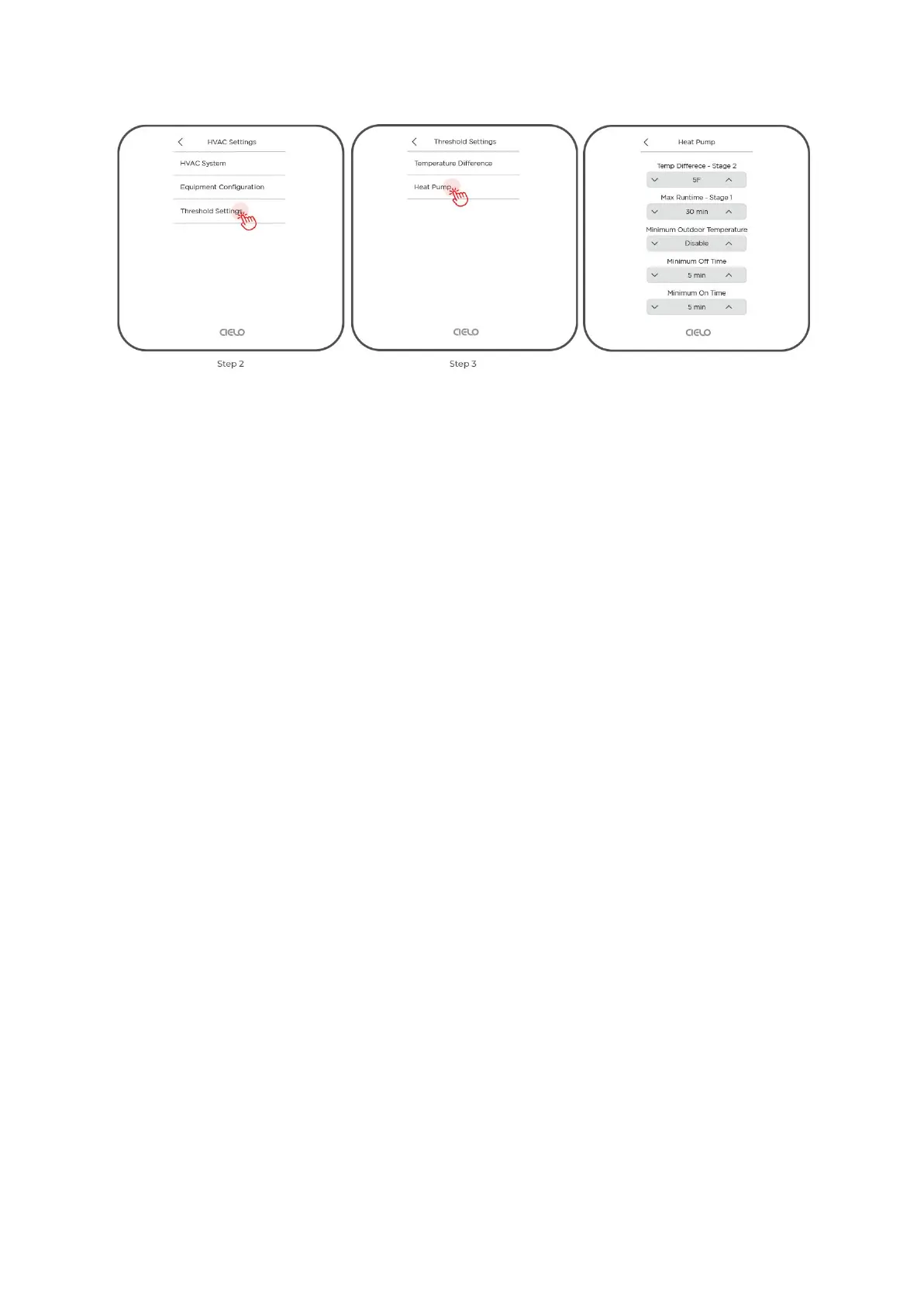
Temperature Difference - Stage 2
Use the up and down arrows to set the minimum temperature difference from the set point
before engaging stage 2 of the compressor.
Max Runtime Stage 1
Use the up and down arrows to set the maximum number of minutes that stage 1 will run
before engaging stage 2 of the compressor.
Minimum Outdoor Temperature
Use the up and down arrows to set the minimum outdoor temperature below which the
compressor will not run. You can also disable this setting. However, it is not advised to keep
running the compressor at a temperature below what it can handle.
Minimum Off Time
Use the up and down arrows to set the minimum amount of time the compressor remains off
between cycles.
Minimum On Time
Use the up and down arrows to set the minimum amount of time the compressor will stay on.
In case the compressor is activated but the call is terminated abruptly, the compressor will
run for the set duration before shutting down.
Changing Threshold Settings on Cielo Home App
Step 1: On the Control Screen, tap on the ‘Settings’ icon at the top right corner.


 To Next Page
 Loading...