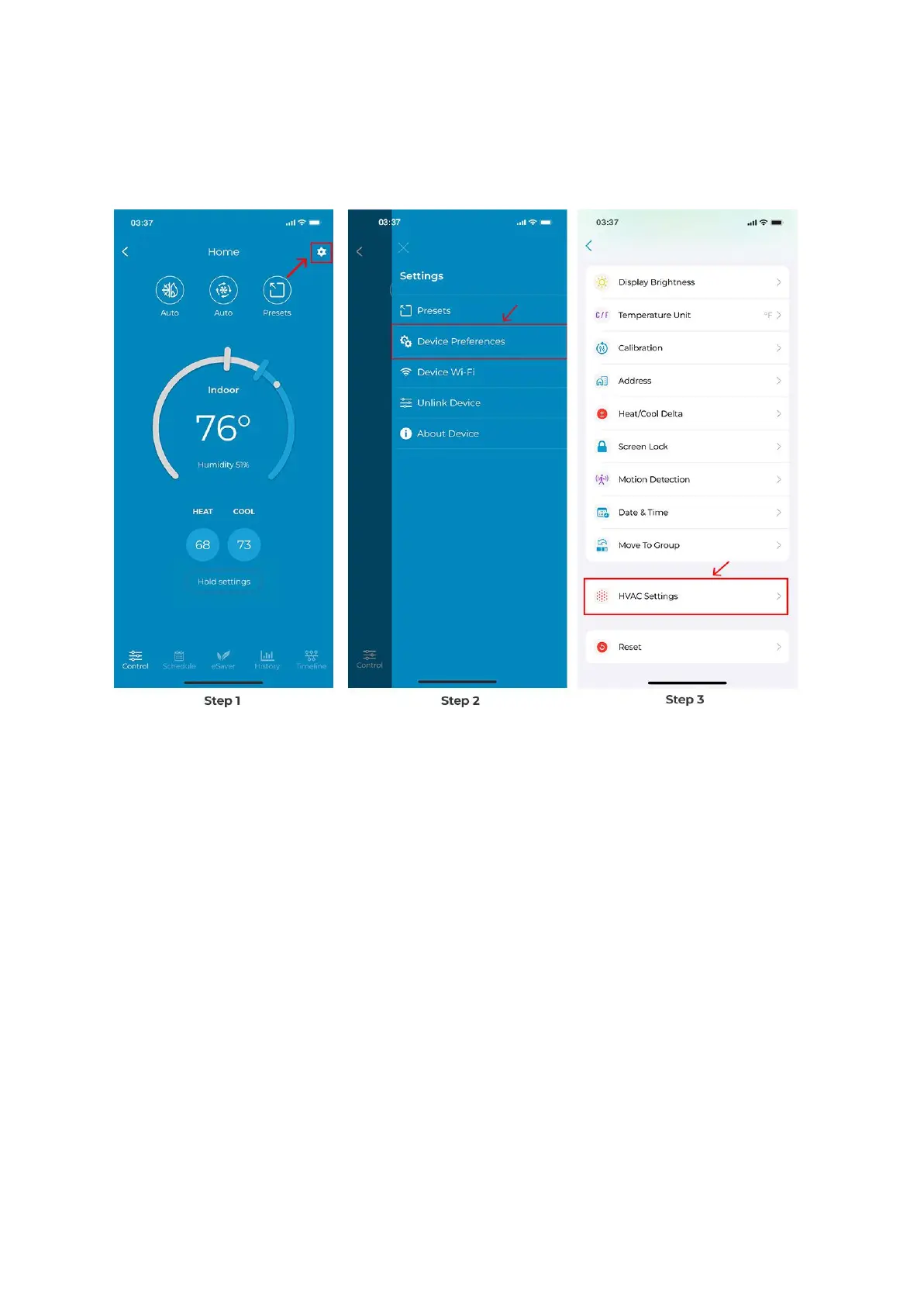
Step 2: Tap on ‘Device Preferences’.
Step 3: Tap on 'HVAC Settings'.
Step 4: Tap on 'Threshold Settings'.
Step 5: You can choose from the premade threshold templates (energy saver, optimal, or
comfort) or select 'Advanced' to change settings according to your own preferences.



 To Next Page