9
Picture-04 Picture-05
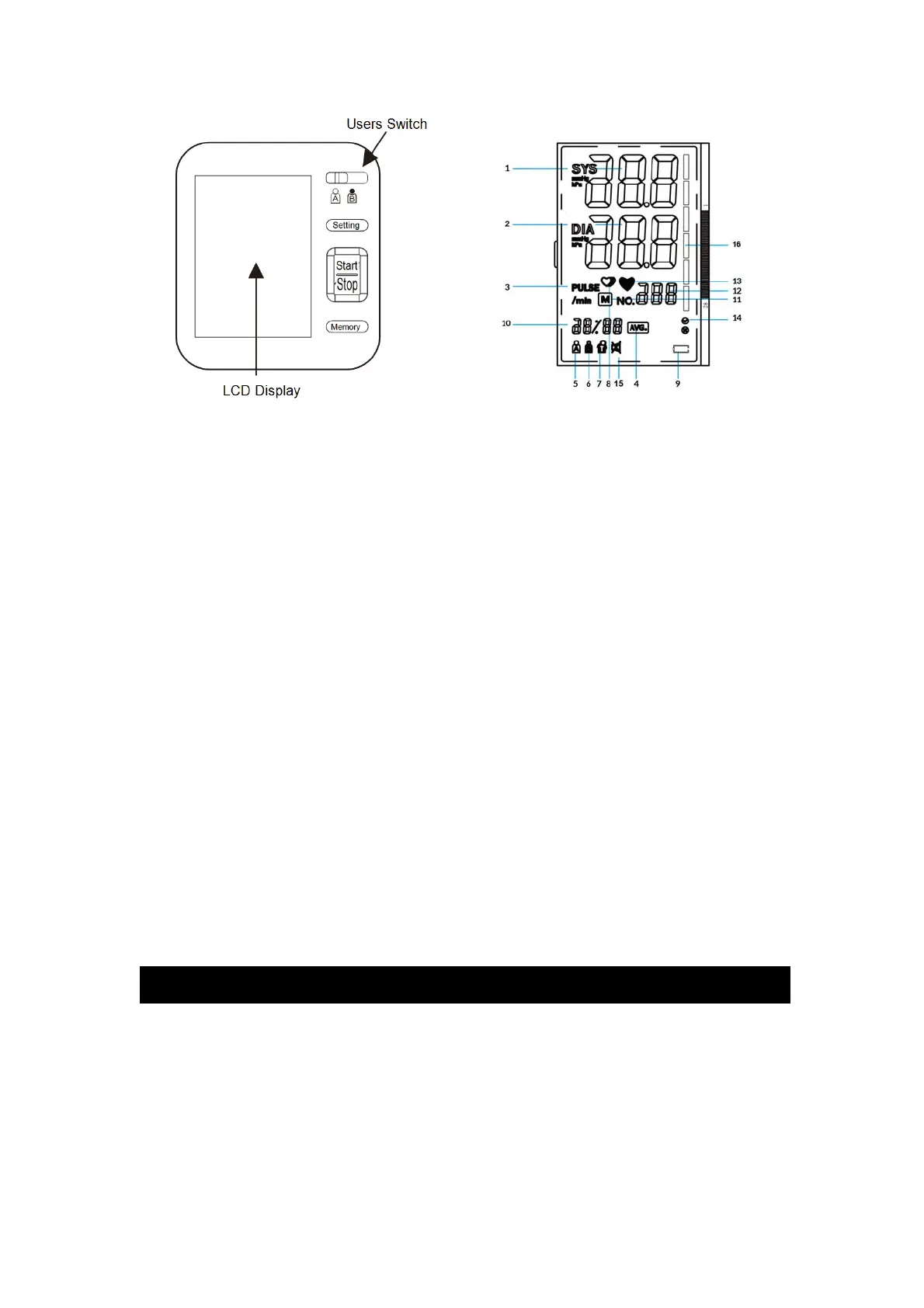
3.2 The symbols on the LCD display
1-Systolic blood pressure; 2-Diastolic blood pressure ; 3-Pulse unit symbol;
4-Average value symbol; 5-USER A; 6-USER B; 7-Movement error symbol;
8-Irregular h eartbeat symbol;
9-Battery low symbol; 10-Date/Time display;
11-Memory symbol; 12-Pulse display 13-Heartbeat symbol
(Flashes during measurement);
14-Cuff self-checking function 15- Mute symbol 16-WHO Function symbol
3.3. Features of Model B02
1. Talking function 2. Double users: 2 x 120 sets memory 3.Cuff s elf-checking function
4. Irregular heartbeat checking 5. Average va lue function 6. Low battery display
7. WHO function 8. Auto power-off 9. External power adapter support
10.Volume adjustment 11. Date/time display
Note: Arm circumference should be measured with a measuring tape in the middle of the
relaxed upper arm. Do not force cuff connection into the op ening. Make sure the cuff
connection is not pushed into the AC adapter port.
4. Using your Monitor for the First Time
4.1. System Settings
After you load th e battery or connect power for the monitor,
A. Setting the Users
Press the Setting button and then you can se t the A/B user by shifting the A/B user button.
B. Setting the Year/Month&Date/Time/Volume
Long press the Setting button for more than 3s , and then you can start to se t.


 To Next Page