Need help?
Do you have a question about the Cino CN-Z01 and is the answer not in the manual?
Sequence of actions for initial setup: removing film, filling tank, placing cup, connecting power.
Explanation of different light patterns and their corresponding machine states or errors.
Steps for preparing coffee daily, including filling water, switching on, and heating.
Instructions for making Espresso or Lungo, including preheating and capsule insertion.
Steps to adjust or set the pre-infusion function for coffee brewing.
Detailed steps for adjusting pre-infusion duration and saving the setting.
Instructions on how to safely empty the internal system of the coffee machine.
Steps for routine maintenance including shutting down, cleaning containers, and the water tank.
How to adjust the brewing temperature up or down, and save the setting.
Guide to setting preferred coffee volume per cup.
How to enable and configure the automatic power saving mode.
Procedure to reset the machine to its original factory settings.
Alert for low water levels and automatic machine alarm.
Guidance for resolving problems such as no light, no coffee, or irregular lights.
Notification for descaling based on usage and preparatory steps.
Step-by-step instructions for descaling the machine using a descaling agent.
Specific instructions on how to clean the coffee machine safely and effectively.
Key technical specifications including power, voltage, water tank capacity, and dimensions.
 General
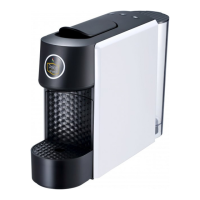
| Product Name | Cino CN-Z01 |
|---|---|
| Category | Coffee Maker |
| Feature | Anti-Drip System |
| Color | Black |
| Voltage | 220V |

 To Next Page