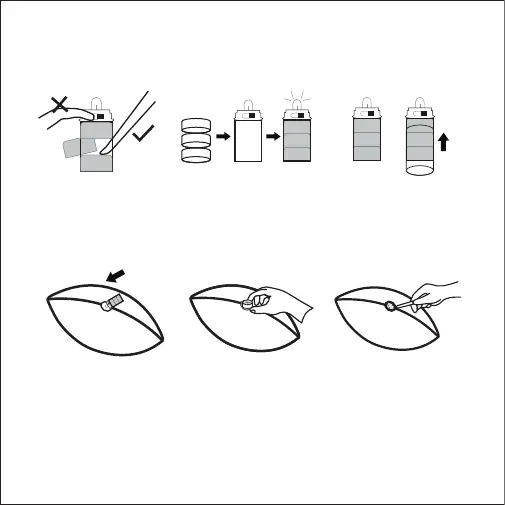
STEP 7
Return the light unit into
its container in the ball.
STEP 8
Replace the cap, with the
textured side facing
outward. Press into the ball
until secured.
STEP 9
Use the assembly tool to
adjust the cap so that it is
at against the ball surface.
+
+
+
STEP 4
Use the tool to push the
batteries out of the unit
as shown above.
STEP 5
Insert 3 new LR44 coin cell
batteries with the positive poles
facing down. Do not mix old and
new batteries, or mix dierent
types or brands of battery.
STEP 6
Place the transparent tube
of batteries back into the
light unit.



 To Next Page