Page 8 of 12
Maintenance
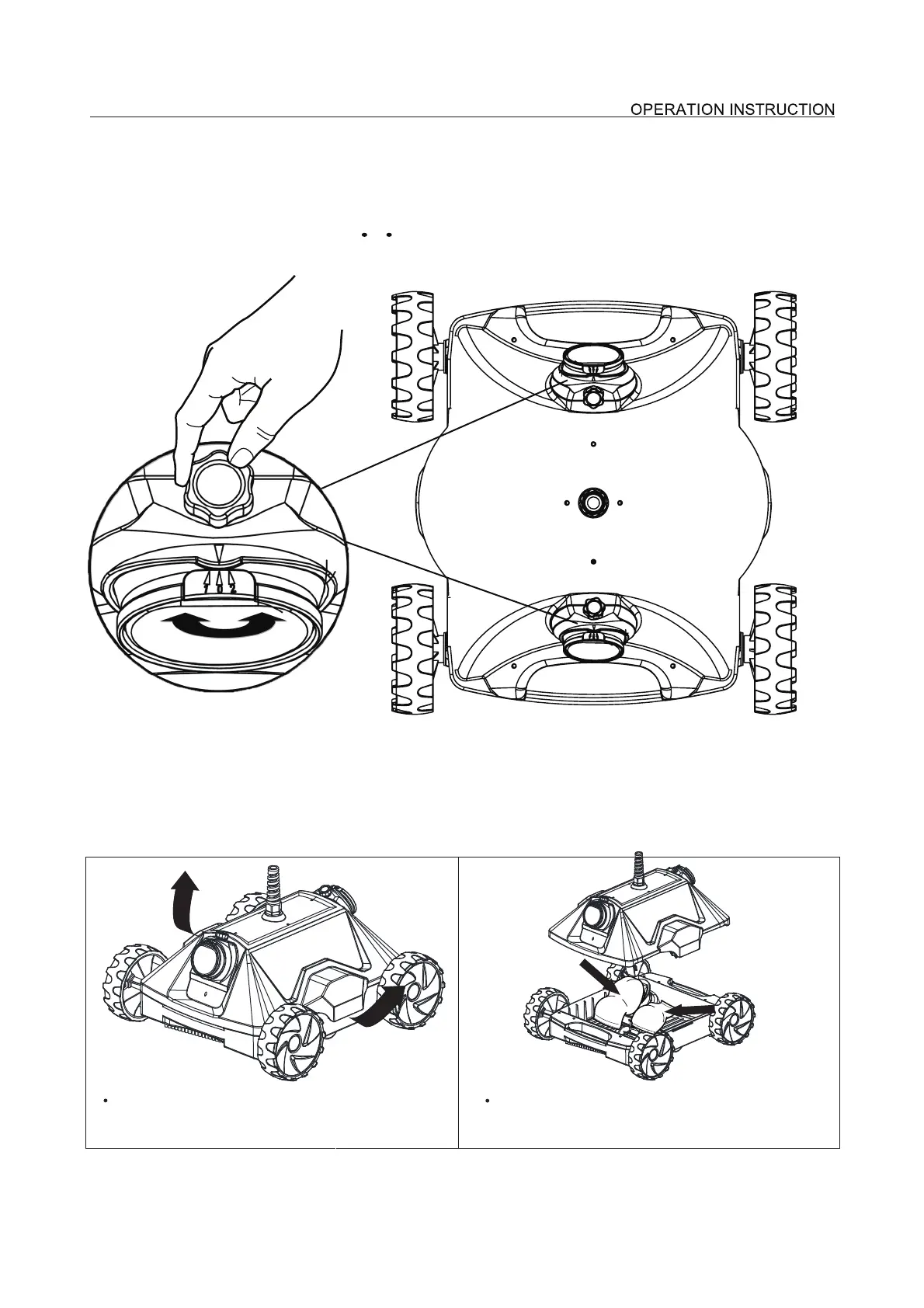
Clean the filter bags after each use:
As shown in figure direction press the button,
the cover can be open.
The cleaner has two outlets and the direction angle of each outlet is adjustable during running. If the
tnemtsu jda elgnA lanoitceriD
angle is not satisfying, stop the cleaner, unscrewed the screw as shown in the figure, manually adjust
to a proper position(angle dimension: 0 1 2); after adjusting, tighten the screws.
Remove the cover, you will see the filter bags.


 To Next Page