Cirris Systems | 1-800-441-9910 | cirris.com
Copyright 2006 Cirris Systems Corp. Salt Lake City, Utah 84116
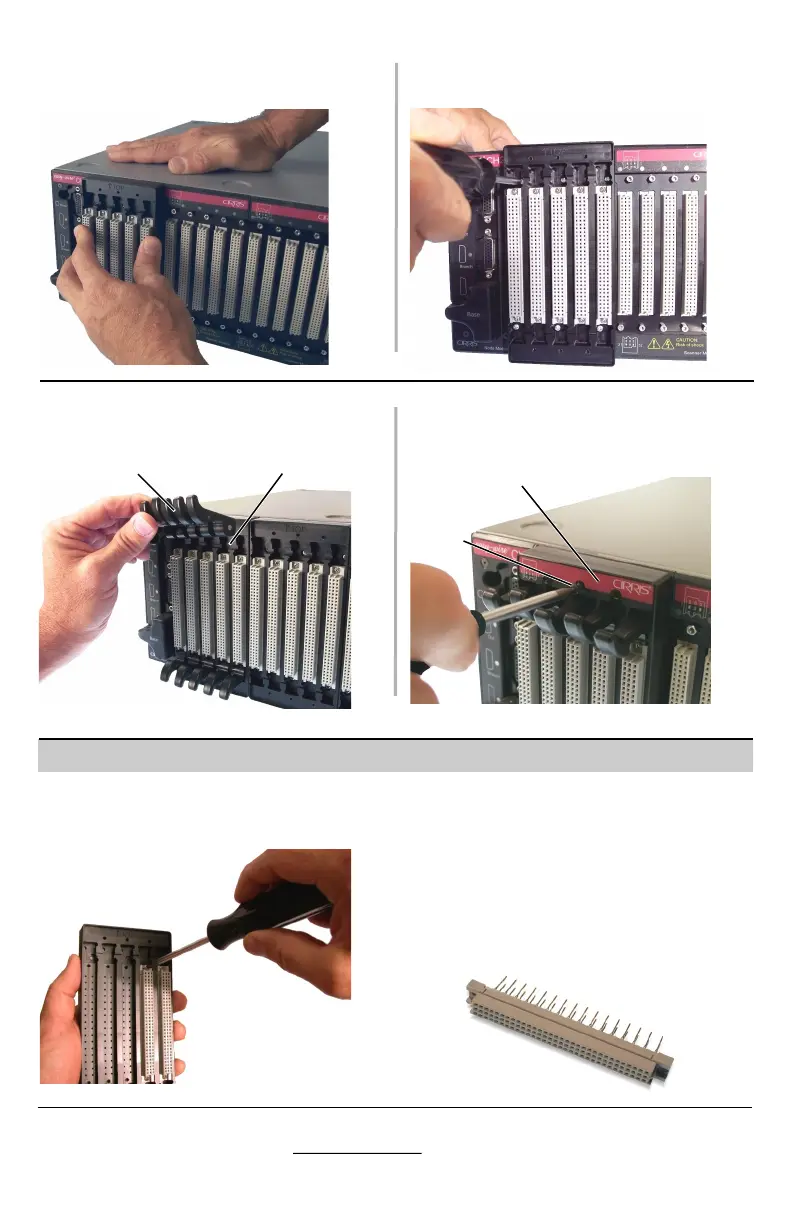
Insert each lever assembly into the
corresponding slot in the frame.
Replacement connectors may be
obtained from Cirris or from connector
manufacturers. The following are
approved connectors:
Attach hold down plates with the six
black #4 x 3/8” screws.
If the interface Connectors become
worn, they may be replaced by
removing the connector screws.
When you feel the pins have aligned
press the frame fully against the CH2
Scanner Assembly.
Screw the frame to the testers using
the six M2.5 x 5mm screws captured
in the frame.
Hold down plate
lever assembly
Replacing Connectors
slot
black
#4 x 3/8”
screw
Harting p/n: 09 03 232 2861
Harting p/n: 09 03 232 6861
Robinson Nugent (3M) p/n:
DIN32CSB-CES70305-KV





 To Previous Page