22
f.
Click OK.
Note For additional features, such as logging system messages by ACL, click More Options
at the top at the top of the screen. You can provide a name for the access rule in the
dialog box at the bottom.
g. Verify that the information you entered is accurate, and then click OK.
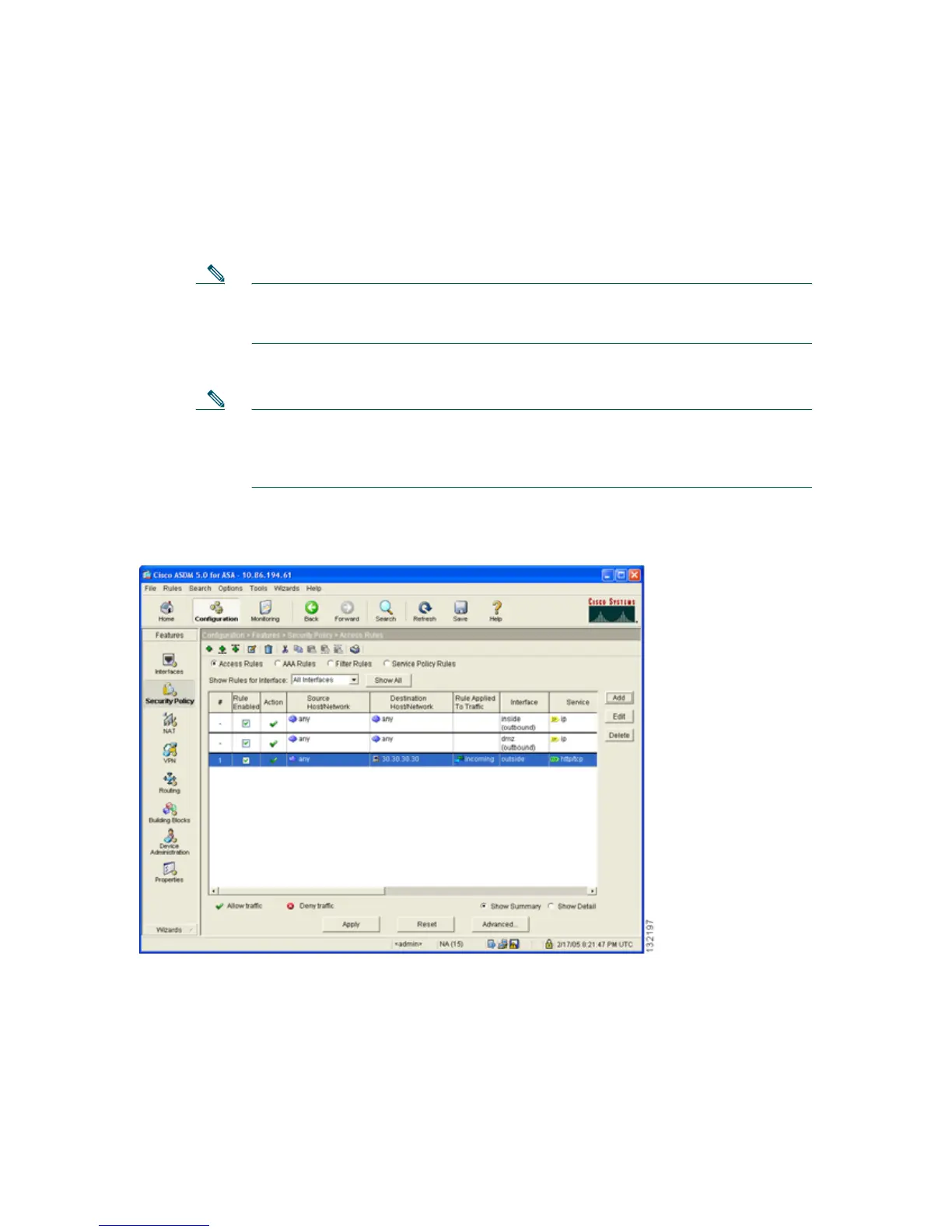
Note Although the destination address specified is the private address of the DMZ web
server (10.30.30.30), HTTP traffic from any host on the Internet destined for
209.165.200.225 is permitted through the adaptive security appliance. The address
translation (10.30.30.30 = 209.165.200.225) allows the traffic to be permitted.
h. Click Apply in the main window.
The displayed configuration should be similar to the following:
The HTTP clients on the private and public networks can now access the DMZ web server securely.



 To Next Page