EasyManua.ls Logo

Cisco Business 110 Series - User Manual

Cisco Business 110 Series
2 pages
Print Icon
To Next Page IconTo Next Page
Loading...
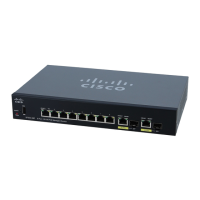
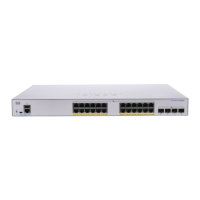
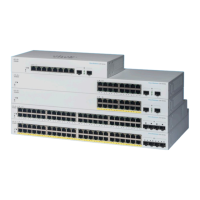
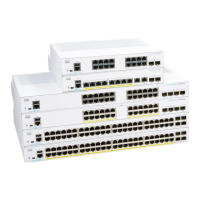
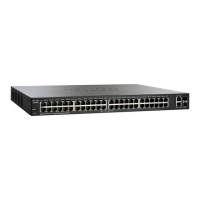
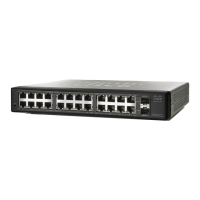
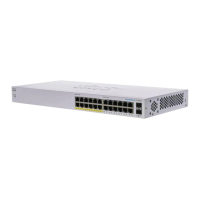
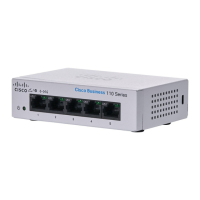
Cisco Business 110 Series Unmanaged Switches
Thank you for choosing the Cisco Business 110 Series Switch.
These switches are designed to be operational right out of the box as standard switches.
In the default conguration, it forwards packets between the connected devices after powering up.
Product Features
3
What’s in the Box
Cisco Business 110 Series Switch
Power Cord or Adapter
Rack-Mount/Wall-Mount Kit
Quick Start Guide
Pointer Card with China RoHS
Technical Support Contacts
Cisco Business 110 Series Unmanaged Switches | Quick Start Guide
QUICK START GUIDE
First, You’ll Need...
1
Power LED
2
Max PoE LED (for PoE Models)
3
LINK/ACT LEDs
RJ-45 Ethernet cables (Category 5e or higher)
for connecting network devices
Tools for mounting the hardware (optional)
1
PoE LED (for PoE Models)
4
Gigabit Speed LED
5
2
4
6
PoE Ports (for PoE Models)
6
5
7 8-101598-01A0
Printed in China PRC
Question and Answer IconNeed help?

Do you have a question about the Cisco Business 110 Series and is the answer not in the manual?

Summary

Whats in the Box

Product Features

Get Connected

LED Functions

Mounting

Support

Overview

The Cisco Business 110 Series Unmanaged Switches are designed to provide straightforward network connectivity for small businesses. These switches are intended to be operational immediately upon unboxing, functioning as standard switches that forward packets between connected devices without requiring complex configuration. The primary function of these switches is to expand network capacity and connect various devices such as non-wireless computers, IP phones, network storage, video cameras, and Cisco Business Access Points.

Function Description

The Cisco Business 110 Series Unmanaged Switches facilitate the connection of multiple network devices, enabling them to communicate with each other. They operate on a plug-and-play basis, meaning that once powered up and connected to devices via Ethernet cables, they automatically begin forwarding data. This simplicity makes them ideal for environments where IT expertise is limited or where a quick and easy network expansion is needed.

For models that support Power over Ethernet (PoE), the switches can also deliver electrical power to compatible devices over the same Ethernet cable that carries data. This eliminates the need for separate power adapters for devices like IP phones or wireless access points, simplifying deployment and reducing cable clutter. The PoE functionality adheres to standard protocols, ensuring compatibility with a wide range of PoE-enabled devices.

The switches are equipped with various LED indicators that provide visual feedback on their operational status. These indicators help users quickly assess the power status, link activity, speed of connected devices, and PoE status (for PoE models). This diagnostic capability allows for basic troubleshooting without requiring access to a management interface.

Usage Features

The Cisco Business 110 Series Unmanaged Switches are designed for ease of use from the moment they are taken out of the box. The initial setup involves two simple steps:

  1. Power Connection: Plug the power cord of the switch into an electrical outlet. The Power LED will illuminate, indicating that the device is receiving power.
  2. Device Connection: Connect network devices to the switch using RJ-45 Ethernet cables (Category 5e or higher is recommended). Once a device is connected and active, the corresponding LINK/ACT LED will light up, indicating a successful connection and data activity.

The LED functions provide clear status indications:

  • Power LED: A steady green light indicates the device is powered on. If off, the device is not receiving power.
  • Max PoE LED (for PoE Models): This LED indicates the overall PoE power budget status. A steady green light means the switch is providing at least 80% of its power budget, while a flashing amber light indicates it's providing less than 80%.
  • LINK/ACT LEDs: These per-port LEDs show the connection status and activity. A steady green light indicates a detected link, while a flashing green light signifies active data transmission (Rx/Tx Data). An amber light can indicate cable errors or a loop detected, and if off, no link is detected.
  • PoE LED (for PoE Models): These per-port LEDs indicate the PoE status for individual ports. A steady green light means an 802.3af Power Device (PD) is detected and powered. If off, no PD is detected.
  • Gigabit Speed LED: This LED indicates the speed of the detected link. A steady green light signifies a 1000M (Gigabit) link is detected. If off, a non-1000M link (e.g., 10/100 Mbps) is detected.

The unmanaged nature of these switches means there is no software configuration required. They automatically detect the speed and duplex of connected devices and adjust accordingly, ensuring optimal performance without manual intervention. This makes them particularly suitable for users who prefer a "set it and forget it" solution.

Maintenance Features

While unmanaged switches typically require minimal maintenance, the Cisco Business 110 Series offers features that contribute to their reliability and ease of upkeep:

  • Passive Cooling: Many unmanaged switches, especially those with lower port counts, are designed for passive cooling, meaning they do not have internal fans. This reduces noise, minimizes dust accumulation within the device, and eliminates a common point of failure associated with mechanical components.
  • Durable Construction: The switches are built with robust materials suitable for various office environments. The inclusion of a rack-mount/wall-mount kit in the box provides flexibility in deployment, allowing the switch to be securely installed in a server rack or mounted on a wall, protecting it from accidental damage and optimizing space.
  • Self-Correction Mechanisms: The switches are designed to handle common network issues automatically. For instance, the LINK/ACT LEDs can indicate cable errors or loop detections, allowing users to quickly identify and address physical layer problems.
  • Simplified Troubleshooting: The comprehensive LED indicators serve as the primary diagnostic tool. By observing the patterns and colors of the LEDs, users can quickly determine if the switch is powered on, if a device is connected correctly, if data is flowing, or if there are any issues with PoE delivery or cable integrity. This eliminates the need for specialized network monitoring tools for basic troubleshooting.
  • No Software Updates: As unmanaged devices, these switches do not require firmware updates or software patches, simplifying long-term maintenance and reducing the potential for software-related issues.
  • Included Documentation and Support: The product comes with a Quick Start Guide and a Pointer Card for China RoHS, ensuring users have immediate access to essential setup information and compliance details. For more advanced needs or troubleshooting, Cisco provides extensive online support and documentation, including a mounting guide and administration guide, accessible via a dedicated URL. This ensures that users can find answers to their questions and receive assistance if needed.
  • Standardized Connectivity: The use of standard RJ-45 Ethernet ports and compliance with industry standards (e.g., 802.3af for PoE) ensures compatibility with a wide range of network cables and devices, making it easy to replace components or expand the network with off-the-shelf equipment.

In summary, the Cisco Business 110 Series Unmanaged Switches are designed for simplicity, reliability, and ease of use, making them an excellent choice for small businesses seeking a straightforward and effective solution for their networking needs.

Cisco Business 110 Series Specifications

General IconGeneral
Form FactorDesktop
Power over Ethernet (PoE)No
LayerLayer 2
ManagementUnmanaged
Switching Capacity (8-port)16 Gbps
Forwarding Rate (8-port)11.9 Mpps
Switching Capacity16 Gbps
Ports Detail8 x 10/100/1000BASE-T RJ45
MAC Address Table Size8000 entries
Jumbo Frame SupportNo
Dimensions (8-port)160 x 104 x 25 mm (6.3 x 4.1 x 1.0 in)
MountingDesktop
VLAN SupportNo
Energy EfficiencySupports IEEE802.3az
Operating Temperature0° to 40°C (32° to 104°F)
Storage Temperature-20° to 70°C (-4° to 158°F)
Power SupplyExternal
WarrantyLifetime
Humidity5 to 90% relative, noncondensing

Related product manuals