EasyManua.ls Logo

Cisco CBS250-16P-2G - User Manual

Cisco CBS250-16P-2G
5 pages
Print Icon
To Next Page IconTo Next Page
Loading...
Cisco Business 250 Series Smart Switches Quick Start Guides
Cisco Business 250 Series Switches have dierent Quick Start Guides, depending on your product. Find your product SKU below to know which version of
the Quick Start Guide to use.
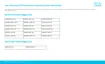
Cisco Business 250 Series Smart Switches | Quick Start Guide
Quick Start Guide (Pages 2-3)
Quick Start Guide (Pages 4-5)
CBS250-8T-E-2G CBS250-24T-4G CBS250-48P-4G
CBS250-8PP-E-2G CBS250-24PP-4G CBS250-24T-4X
CBS250-8P-E-2G CBS250-24P-4G CBS250-24P-4X
CBS250-8FP-E-2G CBS250-24FP-4G CBS250-24FP-4X
CBS250-16T-2G CBS250-48T-4G CBS250-48T-4X
CBS250-16P-2G CBS250-48PP-4G CBS250-48P-4X
CBS250-8T-D CBS250-8PP-D

Other manuals for Cisco CBS250-16P-2G

Question and Answer IconNeed help?

Do you have a question about the Cisco CBS250-16P-2G and is the answer not in the manual?

Summary

Whats in the Box

Product Features Overview

Get Connected

Prepare Your Switch

Connect switch via wireless or Ethernet. Use mobile app or web UI for setup.

Get Configured

Web UI Setup Alternative

Acquire IP address, use default IP 192.168.1.254, log in with default credentials.

LED Functions

Mounting and Support

Product Features

Overview

The Cisco Business 250 Series Smart Switches are designed to provide a reliable and efficient networking solution for small to medium-sized businesses. These switches are engineered to be operational right out of the box, functioning as standard switches in their default configuration. This means that upon powering up, the switch will automatically forward packets between connected devices, simplifying initial setup and deployment. The series offers a range of models, each with specific features and port configurations to cater to diverse business needs.

Function Description

The primary function of the Cisco Business 250 Series Smart Switches is to facilitate network connectivity and data transfer within a local area network (LAN). They act as central hubs, allowing multiple devices such as computers, servers, printers, and other network-enabled equipment to communicate with each other and share resources. These are "smart" switches, meaning they offer more advanced features than unmanaged switches, including basic security, quality of service (QoS), and network management capabilities, without the complexity of fully managed enterprise-grade switches.

Key functional components include:

  • System LED: Indicates the operational status of the switch. A green steady light typically signifies that the switch has acquired an IP address (either through DHCP or manually configured). A green flashing light suggests the switch is booting, performing self-tests, or acquiring an IP address. An amber flashing light indicates a hardware failure, while no light means the switch is powered off.
  • Reset Button: Allows users to reset the switch to its factory default settings, which can be useful for troubleshooting or reconfiguring the device.
  • Mini USB Console Port: Provides an alternative method for local management and configuration using a console cable and terminal emulation software.
  • USB Port: Can be used for various purposes, such as firmware upgrades or configuration backup and restore.
  • RJ45 Console Port: Another option for local management and configuration, commonly used with a serial console cable.
  • LINK/ACT LEDs: These indicators are present for each network port. A steady light signifies a link between the corresponding port and another device, while a flashing light indicates that the port is actively passing traffic. No light means the link is down.
  • Gigabit Network Ports: These are the primary ports for connecting network devices using RJ-45 Ethernet cables (Category 5e or higher). They support Gigabit Ethernet speeds, ensuring high-speed data transfer.
  • SFP/SFP+ Uplink Ports: These ports are designed for fiber optic connections, typically used for high-speed uplinks to other switches or to connect to a wider network over longer distances.
  • PoE (Power over Ethernet) LEDs: On PoE-enabled models, these LEDs indicate the PoE status of each port. A steady light means power is being supplied to a connected device, while no light indicates that power is not being supplied or nothing is connected. On non-PoE models, a Gigabit LED serves a similar purpose, indicating connection speed.

Usage Features

The Cisco Business 250 Series Smart Switches are designed for ease of use and flexible deployment.

Initial Setup and Configuration:

The switches offer two primary methods for initial setup:

  1. Mobile App: Users can download the Cisco Business Mobile app to connect the switch to an existing wireless network. This method simplifies the configuration process, allowing for intuitive setup via a mobile device with Wi-Fi capability. The app guides users through the necessary steps to get the switch up and running.
  2. Web User Interface (UI): For those who prefer a traditional approach, the switch can be configured via a web browser. By connecting a computer directly to one of the switch ports with an Ethernet cable, users can access the web UI. The switch attempts to acquire an IP address via DHCP. If no DHCP server is available, it defaults to a static IP address (e.g., 192.168.1.254). Users then enter this IP address into a web browser to access the Switch Login Page, where they can log in using default credentials (username "cisco," password "cisco") and proceed with configuration.

Connectivity:

  • Ethernet Ports: The switches provide multiple Gigabit Ethernet ports for connecting various wired devices, ensuring robust and high-speed local network connectivity.
  • Uplink Ports: SFP/SFP+ ports offer flexible uplink options, supporting fiber optic connections for extended reach and higher bandwidth requirements, crucial for connecting to core networks or other network segments.
  • PoE Capability: Many models in the series support Power over Ethernet (PoE), allowing them to deliver both data and electrical power over a single Ethernet cable. This feature simplifies the deployment of devices like IP phones, wireless access points, and IP cameras by eliminating the need for separate power outlets and adapters, reducing cabling complexity and installation costs. On specific models like the CBS250-8T-D, port 1 can function as a PoE PD (Powered Device) or PoE input port, enabling the switch itself to be powered by another PoE source, which can be advantageous in locations where power outlets are scarce.

Mounting Options:

The switches come with a rack-mount/wall-mount kit, offering flexibility in deployment. They can be installed in a standard server rack or mounted on a wall, depending on the available space and network infrastructure requirements. Detailed mounting instructions are provided in the "Get Support" section, which directs users to online documentation.

Network Management:

While not as extensive as fully managed switches, the Cisco Business 250 Series Smart Switches provide essential management features through their web UI and mobile app. These include basic security settings, VLAN support for network segmentation, and Quality of Service (QoS) to prioritize critical network traffic, ensuring optimal performance for applications like voice and video.

What's in the Box:

Each switch package typically includes:

  • Cisco Business 250 Series Smart Switch
  • Power Cord or Adapter (depending on the model and region)
  • Rack-Mount/Wall-Mount Kit
  • Quick Start Guide
  • Pointer Card with China RoHS (Restriction of Hazardous Substances) information
  • Technical Support Contacts

First, You'll Need:

To set up the switch, users will require:

  • RJ-45 Ethernet cables (Category 5e or higher) for connecting network devices.
  • Tools for mounting the hardware (if rack-mounting or wall-mounting).
  • A computer with an Ethernet port (or adapter) and a web browser (Firefox, Chrome, Safari, or Edge) for web UI setup.
  • A mobile device with Wi-Fi capability for mobile app setup.

Maintenance Features

The Cisco Business 250 Series Smart Switches are designed for reliable operation with minimal ongoing maintenance, but they do incorporate features that support long-term stability and troubleshooting.

LED Indicators:

The comprehensive set of LED indicators (System, LINK/ACT, PoE/Gigabit) provides immediate visual feedback on the switch's operational status, port activity, and power delivery. This allows administrators to quickly diagnose common issues such as link failures, traffic congestion, or power problems without needing to access the management interface.

Firmware Updates:

While not explicitly detailed in the provided snippets, Cisco switches typically support firmware updates. These updates are crucial for enhancing security, fixing bugs, and introducing new features, ensuring the switch remains current and performs optimally over its lifespan. The USB port can often be used for local firmware upgrades.

Configuration Backup and Restore:

The ability to back up and restore configurations is a standard feature in smart switches. This allows administrators to save the switch's settings, which can be quickly restored in case of a device replacement or a need to revert to a previous configuration, minimizing downtime and simplifying management. The USB port might also facilitate this.

Troubleshooting Tools:

The web UI and potentially the mobile app offer basic diagnostic tools that can help identify and resolve network issues. Combined with the visual cues from the LEDs, these tools provide a foundational level of troubleshooting capability.

Technical Support:

The inclusion of "Technical Support Contacts" in the box highlights Cisco's commitment to providing assistance. Users can access Cisco support and additional documentation, including detailed mounting instructions and the Administration Guide, via the provided URL (https://cisco.com/go/cbs250). This online resource serves as a central hub for comprehensive information and assistance, crucial for both initial setup and ongoing maintenance.

In summary, the Cisco Business 250 Series Smart Switches are robust and user-friendly devices that offer essential networking capabilities for small and medium-sized businesses. Their plug-and-play functionality, flexible configuration options (mobile app or web UI), and clear status indicators make them easy to deploy and manage, while features like PoE and various mounting options provide versatility for different environments. The availability of comprehensive support resources further ensures a smooth user experience.


Cisco CBS250-16P-2G Specifications

General IconGeneral
BrandCisco
ModelCBS250-16P-2G
CategorySwitch
LanguageEnglish

Related product manuals