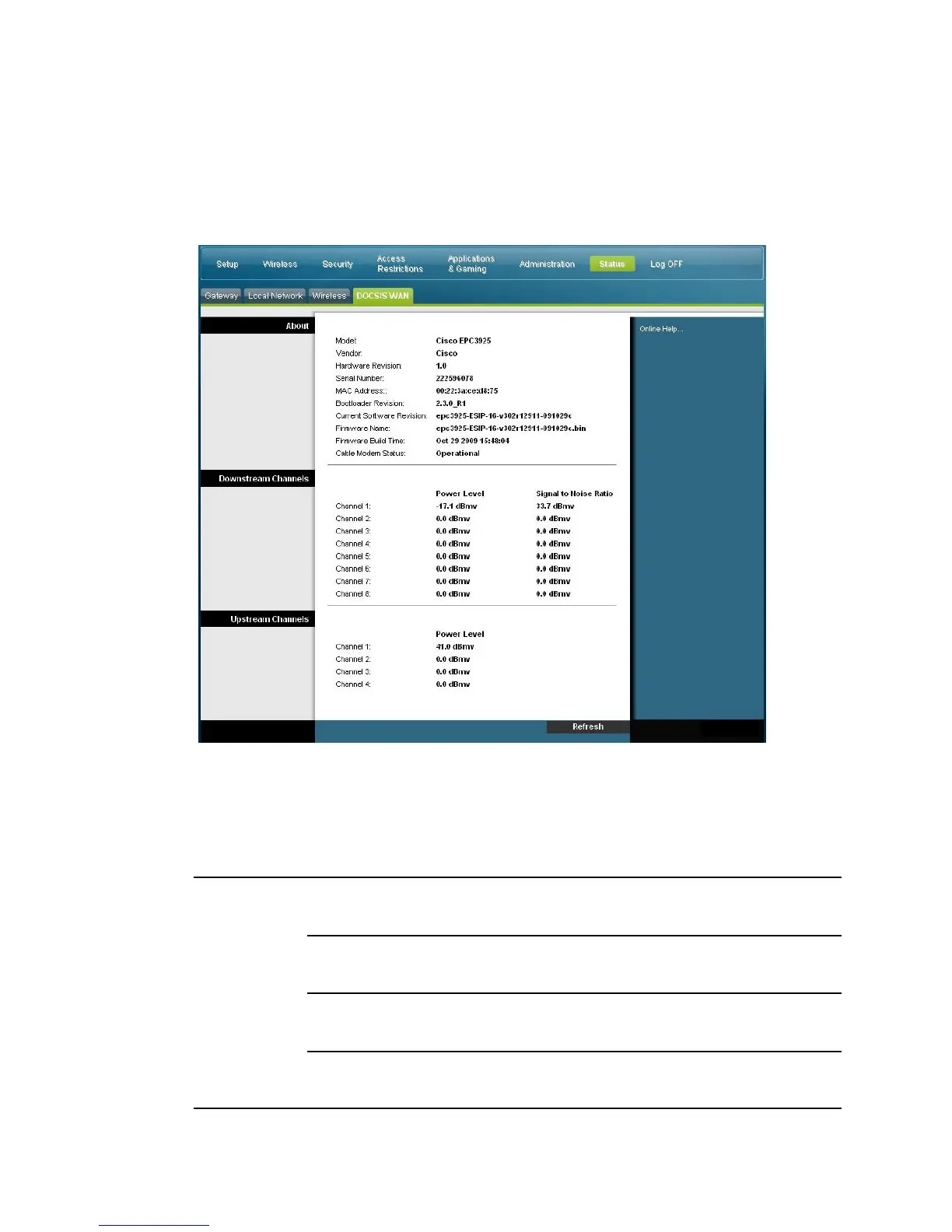
Status > DOCSIS WAN
DOCSIS WAN Status displays information about the system of your cable modem.
Select the DOCSIS WAN tab to open the Status DOCSIS WAN page.
DOCSIS WAN Page Description
Use the descriptions in the following table to review the status of your DOCSIS
WAN network.
Section Field Description
About Model
Displays the name of the residential gateway
Vendor
Displays the manufacturer of the residential gateway
Hardware Revision
Displays the revision of the circuit board design
Serial Number
Displays the unique serial of the residential gateway


 To Next Page