106 4028315 Rev A
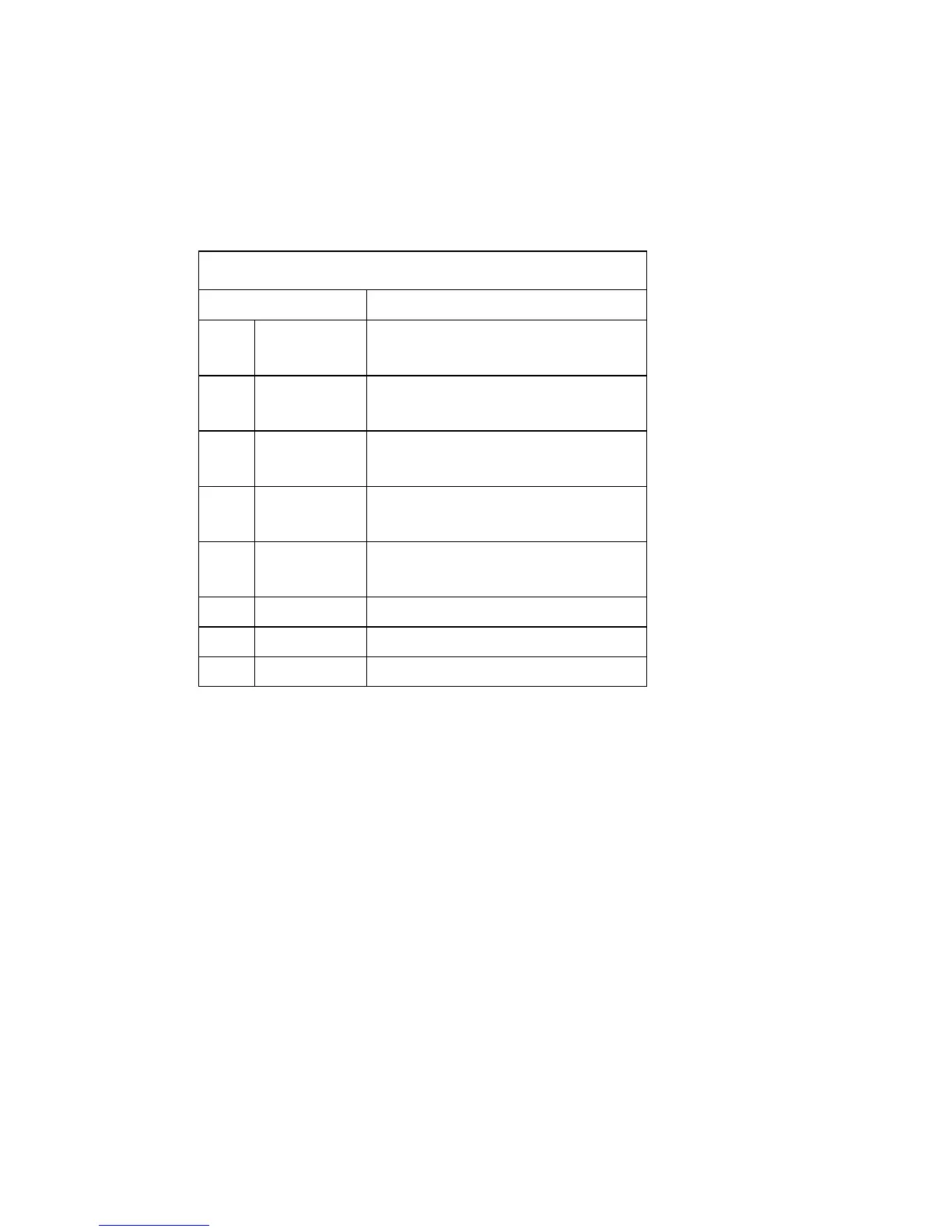
Front Panel LED Status Indicator Functions
Special Conditions
The following chart describes the appearance of the cable modem front panel LED
status indicators during special conditions to show when you have been denied
network access.
Front Panel LED Status Indicators During Special Conditions
Front Panel Indicator Network Access Denied
1 POWER Slow Blinking
1 time per second
2 DS Slow Blinking
1 time per second
3 US Slow Blinking
1 time per second
4 ONLINE Slow Blinking
1 time per second
5 LAN1-LAN4 Slow Blinking
1 time per second
6 WIRELESS On
7 TEL 1 Off
8 TEL 2 Off





 To Next Page