
 Need help?
Do you have a question about the Cisco Linksys Wireless-B and is the answer not in the manual?
Insert the Setup Wizard CD-ROM and run setup.exe if the Welcome screen does not appear automatically.
Click the 'Install' button on the Welcome screen to proceed with the adapter installation.
Review the License Agreement and click 'Next' to accept or 'Cancel' to exit.
Choose 'Infrastructure Mode' for wired network connection or 'Ad-Hoc Mode' for direct computer-to-computer networking.
For Infrastructure mode, select the correct network channel matching other devices.
Review setup settings and click 'Yes' to save or 'No' to change before copying files.
After file copy, click 'Exit' on the confirmation screen.
Remove CDs/disks and power off the desktop PC before installation.
Open the PC case and find an available PCI slot for the adapter.
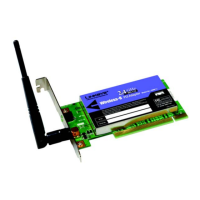
Insert the adapter into the PCI slot, applying gentle pressure until fully seated.
Secure the adapter's fastening tab with a screw and close the PC case.
Connect the external antenna to the adapter's antenna port.
Power on the desktop PC after hardware installation.
Windows detects new hardware and installs drivers. Complete installation by following prompts.
Windows XP detects the adapter. Insert CD and select 'Install software automatically'.
Click 'Finish' after Windows XP completes the driver installation.
Locate and double-click the Windows XP Wireless Zero Configuration icon in the system tray.
Select an available wireless network and click 'Connect'.
Enter the WEP key for your wireless network if prompted.
Connection is active. Refer to guides for WEP and wireless networking info.
 General
| Wireless Standard | 802.11b |
|---|---|
| Frequency Band | 2.4 GHz |
| Data Transfer Rate | 11 Mbps |
| Interface Type | PCI |
| Operating Systems Supported | Windows 98SE, ME, 2000, XP |
| Antenna Type | External |
| Interface | PCI |
| Security | WEP |
| Data Rates | 1, 2, 5.5, 11 Mbps |

 To Next Page

